• $39.99
  • Free 30-day Returns
  • Ships from China.

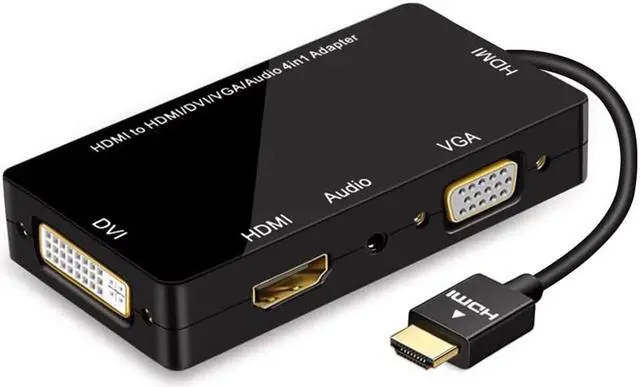
    HDMI Adapter, Multiport HDMI to VGA DVI HDMI Synchronous Display with Audio 4 in 1 Video Converter 1080p for Laptop Monitor Projector Black

    • Item #: 9SIV36AKE33907
    • Mfr. Part #: KE-SG1893
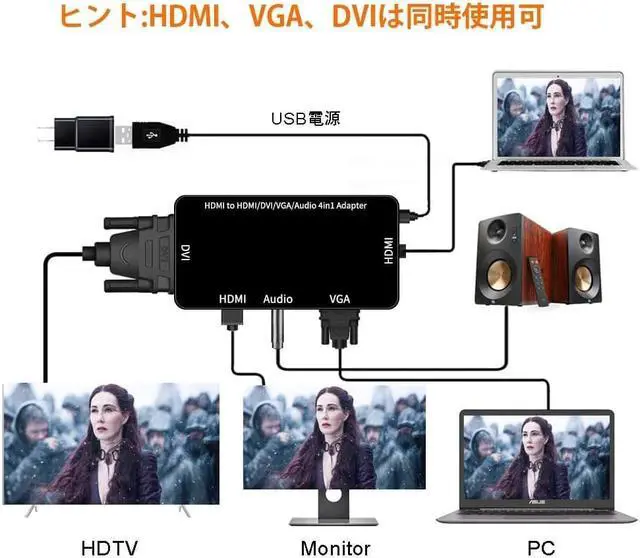
    • Note: The laptop and the external three monitors can display different pictures, but the three external monitors as a whole can only display the same picture. If you need a laptop screen, then the external All three monitors display different pictures individually, which is impossible with our converter
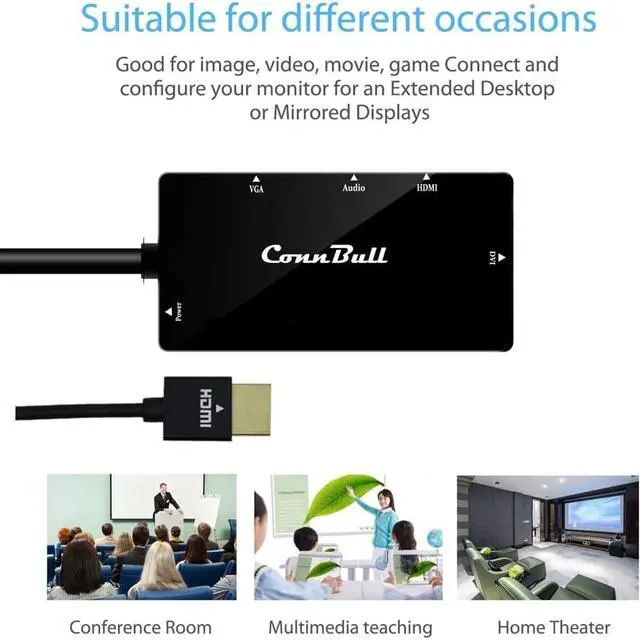
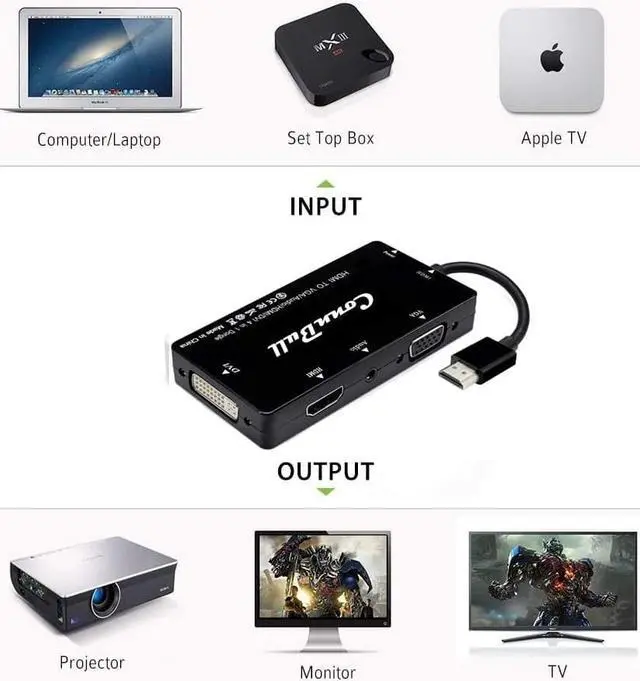
    • Multiple Funcions:Powerful HDMI adapter can turn the HDMI signal into VGA or DVI, supports 1080P, it helps you to project the mirror image clearly on the HDTV screen or projector, and gives you a better viewing experience
    • Extensive Use:Multiport adapter supports external power source, it is compatible with most HDMI device, compatible with Apple MacBook Pro Retina, Thinkpad S / P / T / X / R Series, Dell G7 / Vostro / Latitude / Inspiron Series, HP ZBOOK / Pavilion / Elitebook Series, Asus Hard Stone / Flying fortress / S4300 / E203NA Series
    +
    +
    Overview
    Specs
    Reviews
    Important Notes When using:


    1:Duplicate max three same external screens, but it can not extend three different external screens, Please be well note that you can connect three monitors simultaneously in your Windows System Devices, while in Mac OS Devices,HDMI and DVI can not be connected together.


    2: Because of the system limitation, our adapter does not support Chromecast, not support transmitting the sound of your PS4, PS5; you can connect PS4 or PS5 to the external speaker to transmit the sound.


    3: If you buy adapter from us, we do not supply HDMI, VGA or DVI cables.


    Instructions for use:


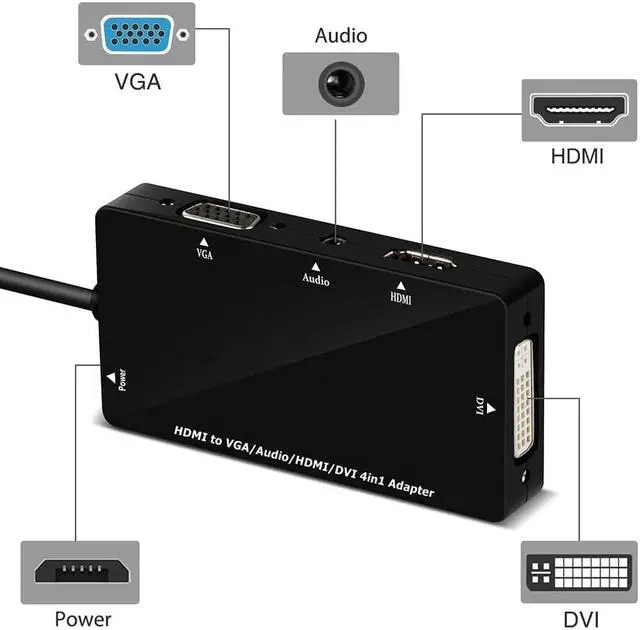
    1:Please connect HDMI Input Port to your Input Device, such as Set Top Box, Computer/Laptops etc.


    2:Please connect an HDMI or VGA or DVI cable from our adapter's Female Ports to your Output Device, such as Projectors, Monitors , Tvs.


    3:Please connect Micro USB cable from our Adapters to your USB Devices in case insufficient power if needed, if you connect to Mac OS Input Devices, this step is necessary, or you can noy get content displayed in your monitors.


    4:No matter You only connnect one external display or Multi-displays, you can output sound by connnecting from our Adapter's audio 3.5mm jack to your external speakers, and if your connected HDMI displays with Audio Out and Speakers Built in, the sound can be also directly transmitted along with your video to your HDMI Monitors


    Packing Contents:


    - 1 x 4-in-1 HDMI to Hdmi/dvi/vga Adapter Cable with Audio Output Converter.

    - 1 x Audio cable

    - 1 x Micro USB Power cable.

    Warranty & Returns

    Warranty, Returns, And Additional Information

    Warranty

    • Please contact the Seller directly for warranty information. Warranty information may also be found on the Manufacturer's website.
    • CONTACT

    Return Policies

    Manufacturer Contact Info

    LOADING...