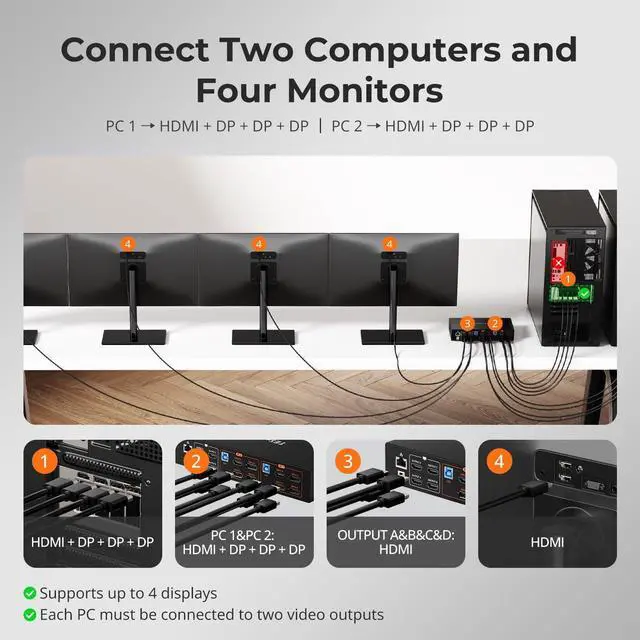
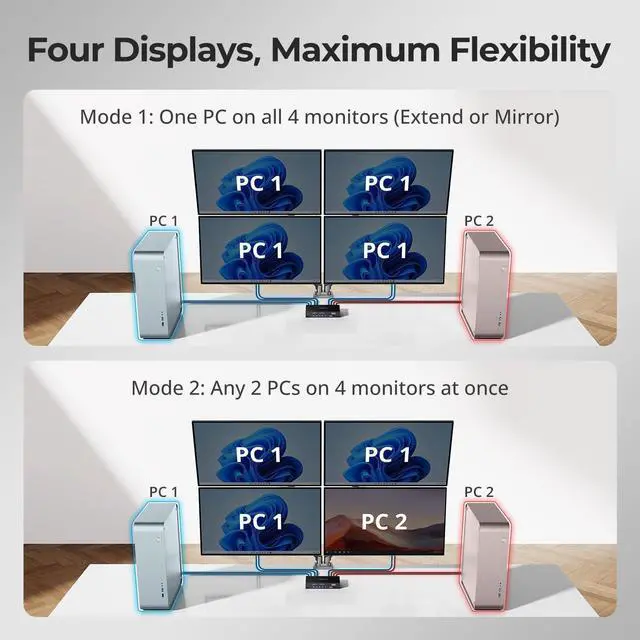
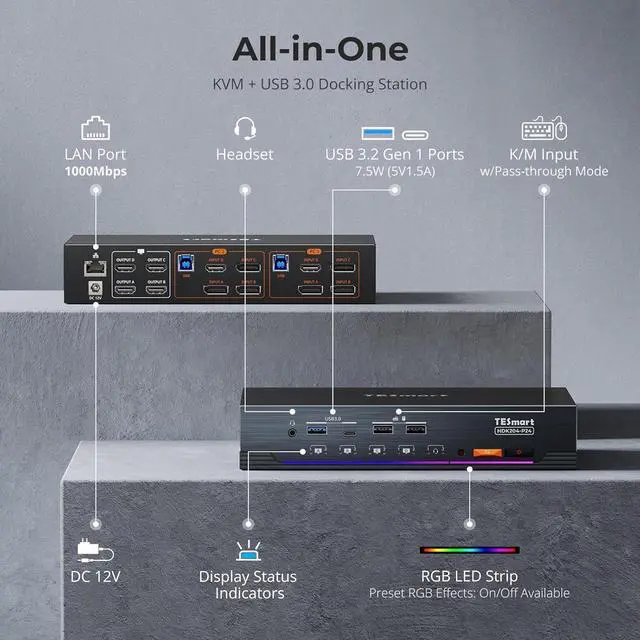
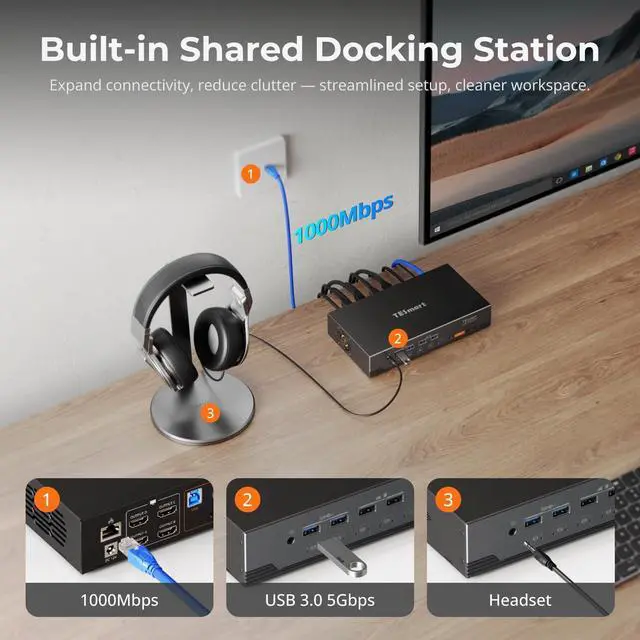
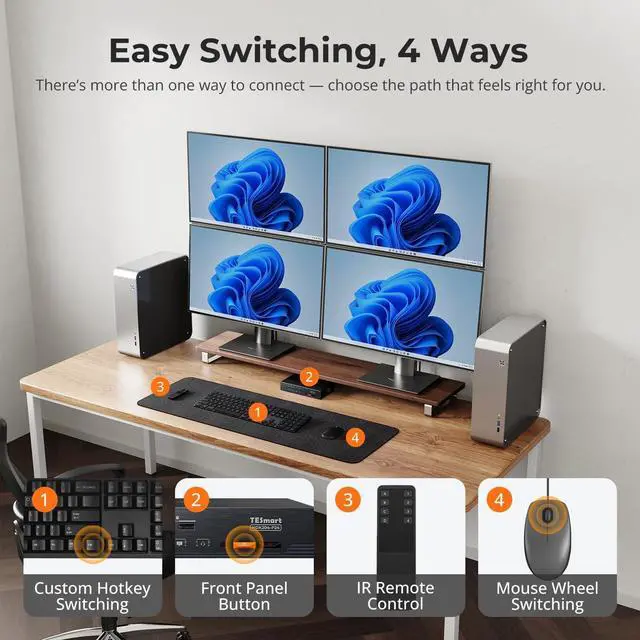
1Gigabit LAN & USB Dock2Button/Hotkey/IR Switch3USB & Audio Lock1HDMI+DP+DP+DP Input Ports2Connection Diagram3Package List4K&M Compatibility What unique features set this Quad KVM Switch HDK204-P24 apart from other brands?
It's a game changer with TESmarts exclusive EDID emulation. You can disable "Follow Mode" to use keyboard/mouse on PC1 without interrupting PC2s meeting audio, plus Gigabit network sharing, 4-mode smart cooling system and custom RGB lighting
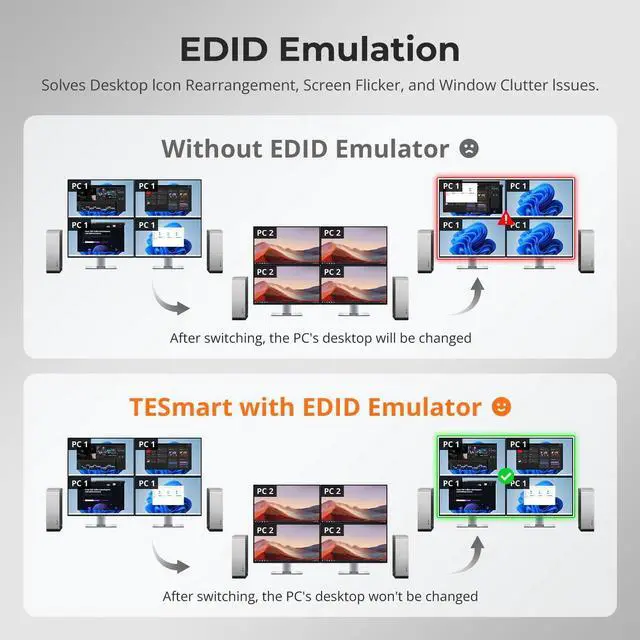
Will switching between computers cause window resets or resolution issues like on other KVMs?
No. HDK204-P24 features TESmarts advanced EDID emulation technology. This ensures resolutions and window layouts stay stable, preventing screen resets or window repositioning on KVMs without EDID.
Can I disable the shared Ethernet connection?
Yes. This KVM switch allows you disable the network for any connected PC. Simply press [Right Ctrl] + [Right Ctrl] + [F4] to turn off the Ethernet for the current input, keeping your workstation secure and isolated.
Im worried heavy workloads may cause the KVM to overheat. Will this happen?
Dont worry. The HDK204-P24 features a built-in fan with smart temperature control, offering four adjustable modesauto, low-speed, high-speed, and off. This ensures stable KVM performance without overheating.
Can I use the KVM right out of the box, and are cables included?
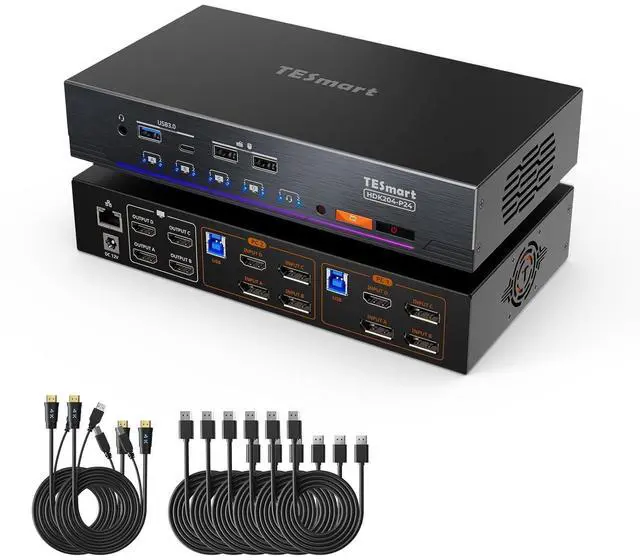
Yes, it is plug-and-play with no drivers required. We provides 6 DisplayPort 1.2 cables, 2 HDMI 2.0 cable and 2 USB A-B cable. Monitor HDMI cables are not included to reduce waste, as monitors typically come with cables.
2 PC 4 Monitor KVM SwitchAll-in-One DP+HDMI 4K@60Hz, Gigabit LAN & USB 3.0 What unique features set this Quad KVM Switch HDK204-P24 apart from other brands?
Will switching between computers cause window resets or resolution issues like on other KVMs?
Can I disable the shared Ethernet connection?
Im worried heavy workloads may cause the KVM to overheat. Will this happen?
Can I use the KVM right out of the box, and are cables included?