• $828.99
  • Free 30-day Returns
  • Ships from United States.

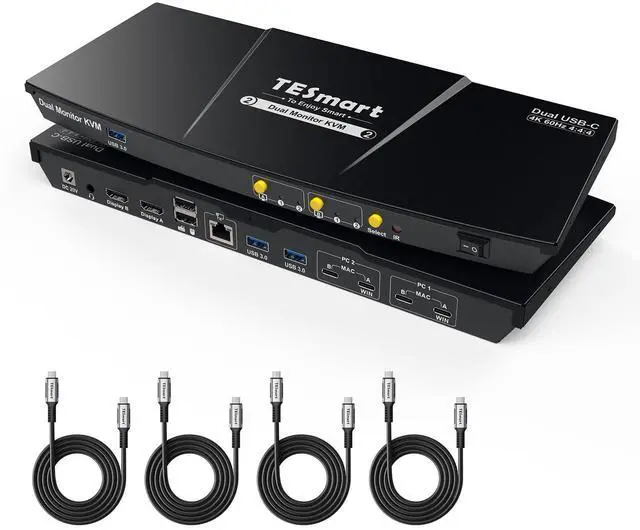
    TESmart USB-C KVM Switch 2 Monitors 2 Laptops 4K@60Hz, USB 3.0 KVM Switch Dual Monitor MST, EDID Emulation, 60W PD, 1G Ethernet, 2K@144Hz, 1080P@240Hz, Hotkey Switch, with All Input Cables

    • Item #: 9SIVSBFKSW6292
    • Mfr. Part #: CHIYB0F1TDCVBL
    • UNSPSC: 43222612
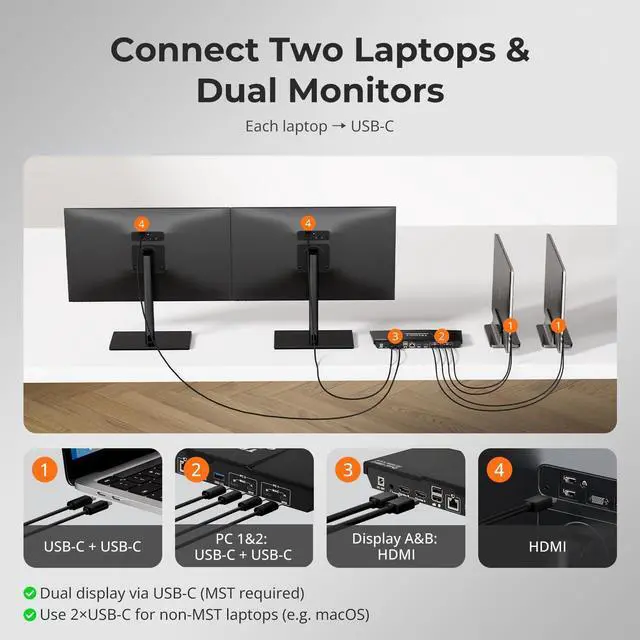
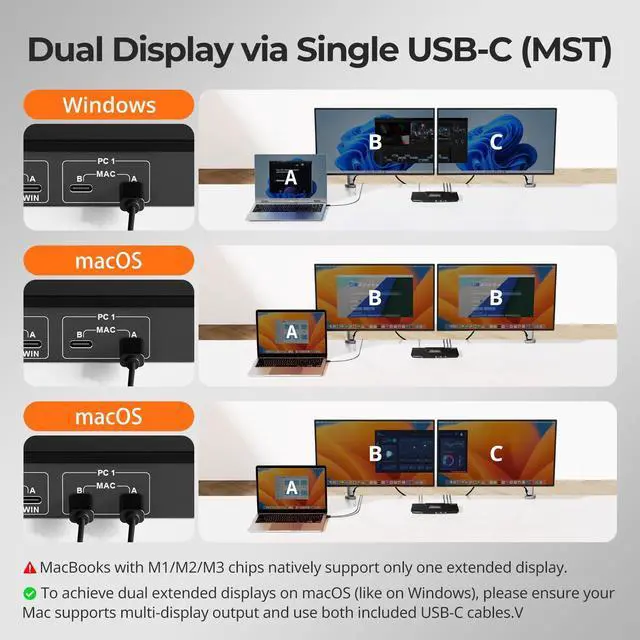
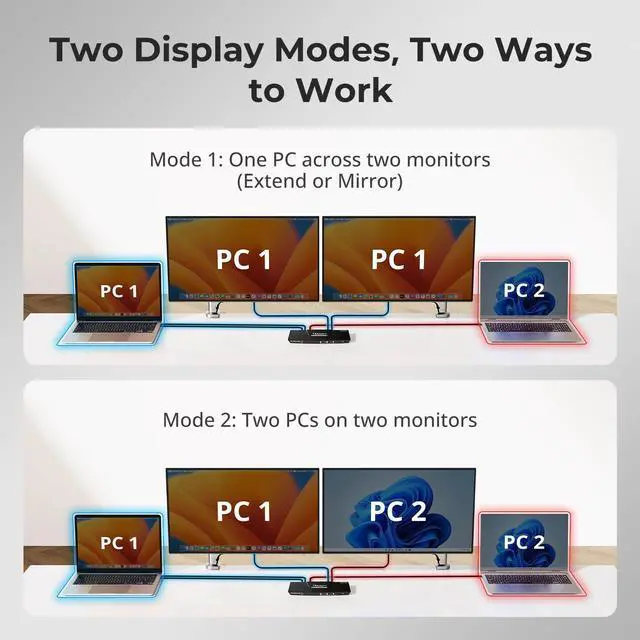
    • New Dual Display DesignEquipped with 2 sets of Dual USB-C ports which are optimized for 2 laptops. Effortlessly switch between your productivity workstation and gaming laptop with a single key. Compatible with Windows laptops featuring MST and MacBooks, enjoy the "ABC" effect of two extended monitors
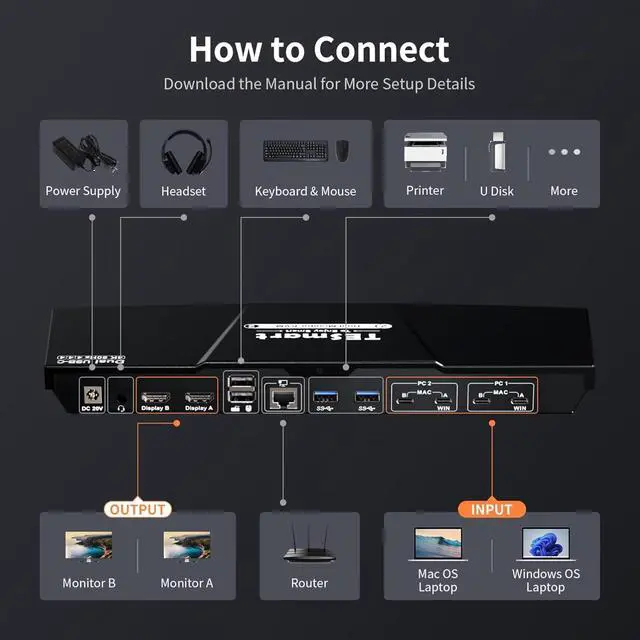
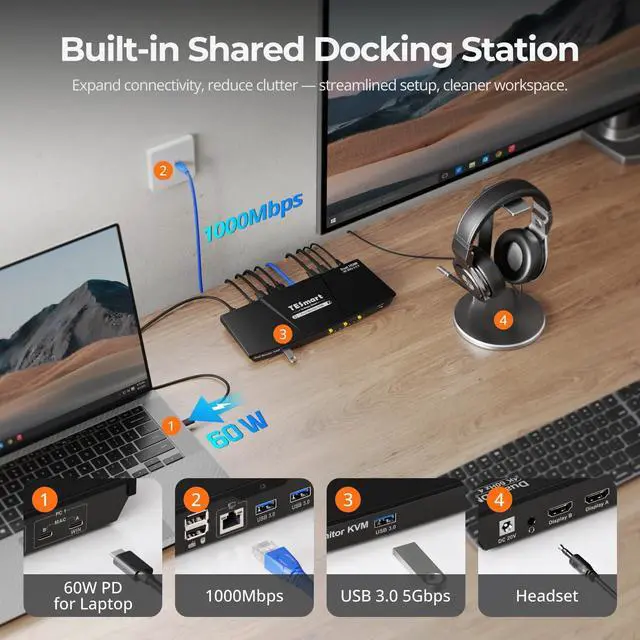
    • Shared Docking Station for Dual LaptopsTransform your workspace with this meticulously designed 9-in-1 docking station tailored for two laptops. Explore versatile peripheral ports, including 3x USB 3.0, 2x USB 2.0 (customized for keyboards and mice, compatible with most of setups), 1x LAN, 1x 3.5mm headphone jack, and 2 HDMI outputs. It's the All-in-One: KVM + Docking Station, the Perfect Combo. Effortlessly create a robust home office setup
    • Built-in 60W Charging & 1G LANThis dual-monitor KVM switch delivers 60W PD to each laptop, keeping them charged without extra adapters. The built-in 1000 Mbps Ethernet port lets both laptops share a single wired network for fast, stable internet
    +
    +
    Overview
    Specs
    Reviews
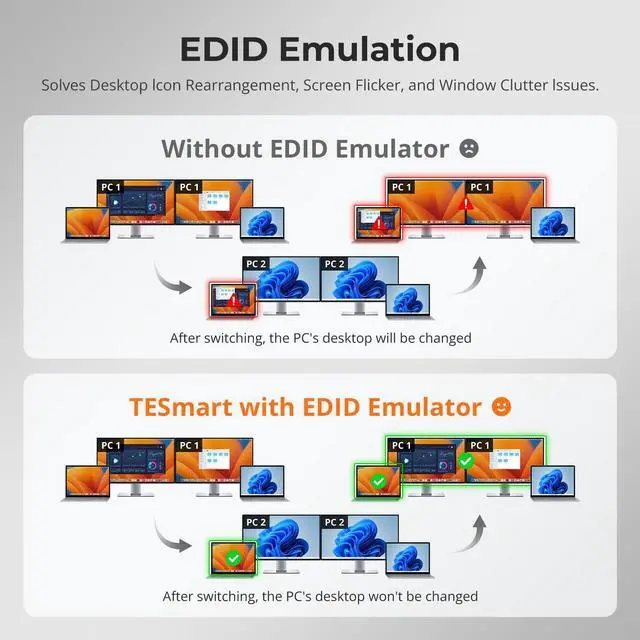
    160W & 1000Mbps2EDID Emulation3Botton/Hotkey/IR Switch12xUSB-C24K@60Hz3K&M Compatibility4Device Compatibility Will this TESmart KVM affect network performance or send screen/keyboard data externally?
    No. The Ethernet port only shares network between connected devices, and the KVM itself never connects online or uploads data. You can also disable network sharing for a selected PC with hotkeys [Right Ctrl] + [Right Ctrl] + [F4].
    Can my laptop be powered through this USB-C KVM switch?
    Yes. CKS202-P23 provides up to 60W (20V 3A), enough for most business laptops. High-power models needing 90W120W may charge slowly; in that case, use the original adapter alongside the KVM for full performance.
    Is this KVM difficult to set up, and will I lose display during switching?
    No, the setup is simple with plug-and-play. Be sure to connect the USB-C cable to a Thunderbolt port or a USB-C port with DP Alt Mode; otherwise, display loss may occur. With proper connection, it works stably.
    Why are the hotkeys not working when I try to switch?
    Make sure the keyboard is connected to the console USB port(keyboard icon). The default hotkey is [Right Ctrl]; if your keyboard lacks this key, hold the front [Select] button until a long beep to set any key as the new hotkey(see manual).
    Why does my MacBook only show two mirrored displays instead of dual extended displays on this CKS202-P23 KVM?
    Will this TESmart KVM affect network performance or send screen/keyboard data externally?
    Can my laptop be powered through this USB-C KVM switch?
    Is this KVM difficult to set up, and will I lose display during switching?
    Why are the hotkeys not working when I try to switch?

    Warranty & Returns

    Warranty, Returns, And Additional Information

    Warranty

    • Please contact the Seller directly for warranty information. Warranty information may also be found on the Manufacturer's website.
    • CONTACT

    Return Policies

    Manufacturer Contact Info

    LOADING...