• $486.99
  • Free 30-day Returns
  • Ships from United States.

    TESmart USB 3.0 DisplayPort + HDMI KVM Switch 2 Monitors 2 Computers 4K@60Hz, Dual Monitor KVM Switch 2 Port Extended Display, EDID Emulators, Headset, Hotkey Switch, Button Switch with All Cables

    • Item #: 9SIVSBFKSW6305
    • Mfr. Part #: CHIYB0CGMWXBM6
    • UNSPSC: 43222612
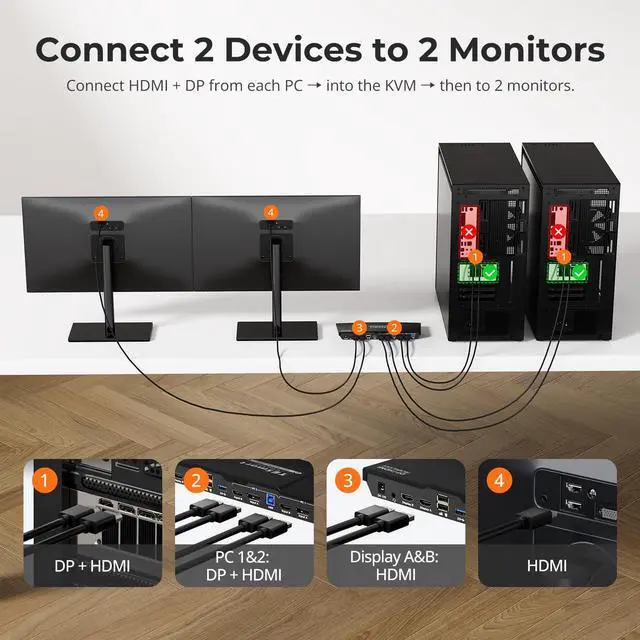
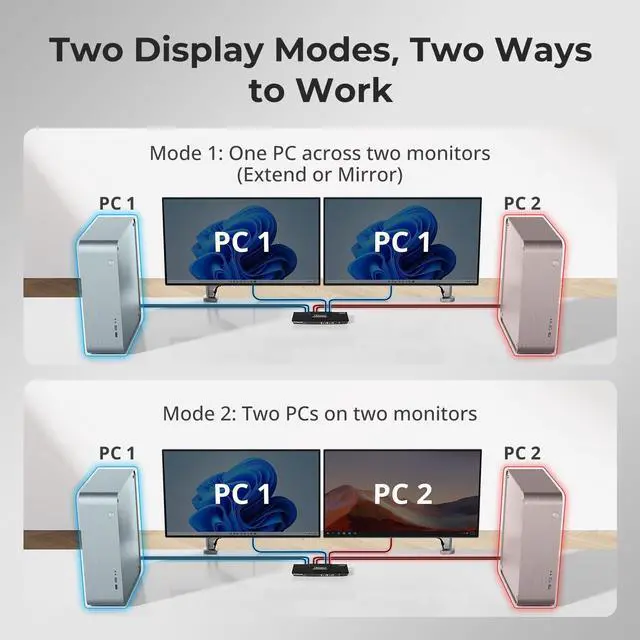
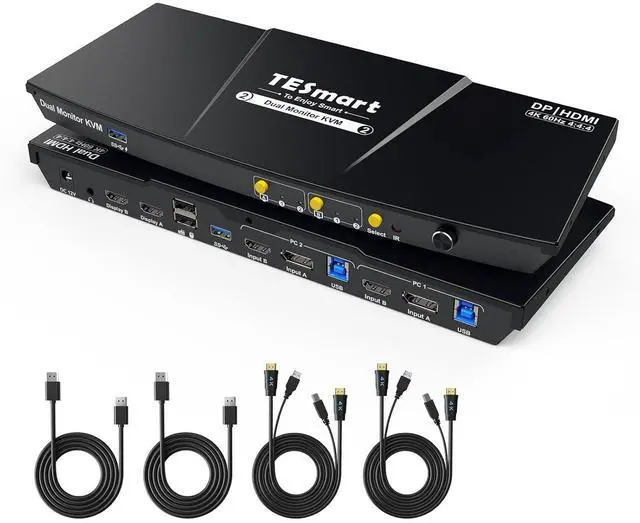
    • Support 2 * (HDMI+DP+USB-B) In and 2 * HDMI Out: Ideal for access 2 desktops or laptops with 2 monitors and 1 set of keyboard mouse. You can easily have a dual monitor setup per system or switch it to a single monitor system showing both systems (one on each monitor) and then easily toggle the keyboard/mouse between the 2 systems
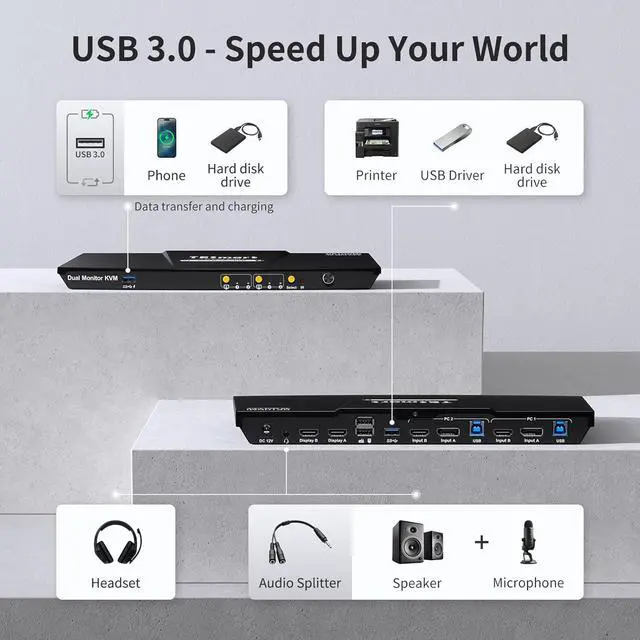
    • "Blast, Fast, Past" with 2 USB3.0: The integrated USB 3.0 ports allow you to share USB peripherals like printer, scanner, webcam and hard disk between 2 computers with data transfer rate up to 5Gbp/s (10 times faster than USB 2.0); One of the USB 3.0 ports can charge your phone
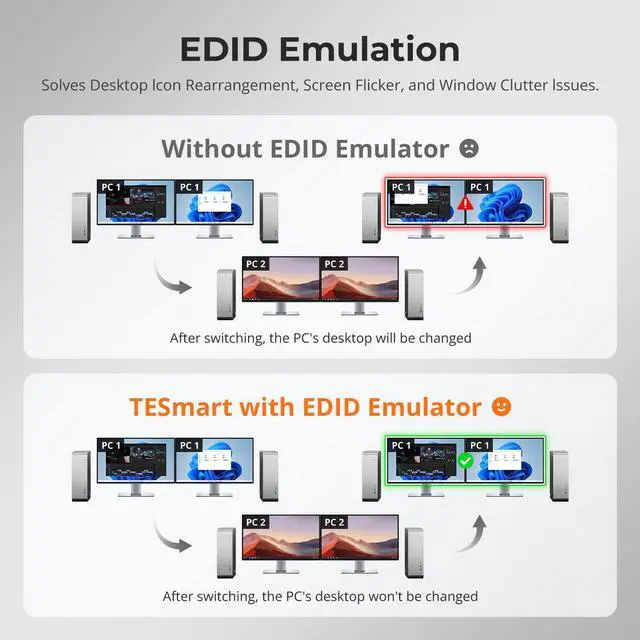
    • Ultra HD 4K@60Hz and EDID Emulators: The Resolution is up to 3840x2160 (4K) @60hz, 3440x1440@100hz, and downward compatible, Support 3D, HDR10, HDCP2.2, and Dolby Vision delivering more exquisite and authentic video on your screen. With EDID emulators in each input port, your computers always receive the correct display information and preventing displays setting change while switchi
    +
    +
    Overview
    Specs
    Reviews
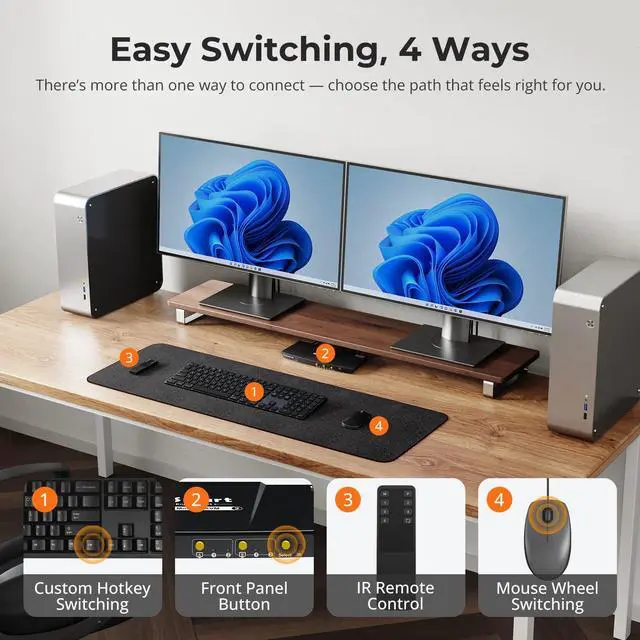
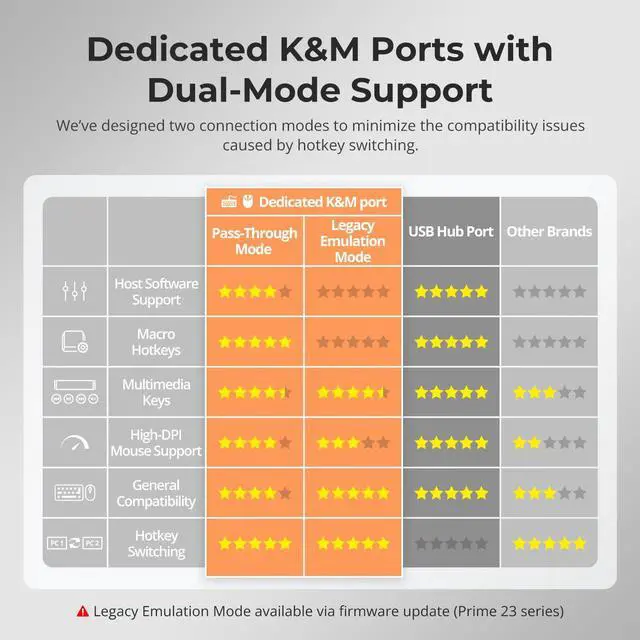
    1EDID Emulation22 Display Modes3Button/Hotkey/IR Switch4K&M Pass Through Mode1USB & Audio Lock2No Delay of K&M Switching3Sharing Headset4Charge Your Device How do I reach out for support?
    For assistance, please check the 'Product Guides and Documents' section at the bottom of the page. Here, you'll find our user manual and troubleshooting guide with contact details.
    Our team aims to provide effective help within 12 hours.
    Will the display be a long delay after switching?
    With ITE chip internally, the switching time will be about 2-3 seconds normally, so there won't be an obvious delay in the display after switching. But if you encounter long delay, our service team will help you figure out.
    How can I get the sound from TRRS audio port?
    After connect the audio devices, please switch to the PC in which the audio turned on, then select the correct audio output channel.
    (Right-click the speaker, open the sound settings, select the correct HDMI output device, and set it as default)
    What are the differences between this new dual monitor model (HDK0202A2U) with another dual monitor model (HDK0402A1U)?

    Upgraded features on the base model:
    · 2 USB 3.0 ports with one offering charging capabilities.
    · The new front panel buttons make it easier to switch and control the monitor signal.
    · Newly added an integrated microphone and L/R audio output.
    USB 3.0 KVM Switch Dual Monitor 2 Port (INPUT PortsHDMI + DisplayPort) What is unique about TESmart Dual Monitor KVM Switch?
    How do I reach out for support?
    Will the display be a long delay after switching?
    How can I get the sound from TRRS audio port?
    What are the differences between this new dual monitor model (HDK0202A2U) with another dual monitor model (HDK0402A1U)?

    Warranty & Returns

    Warranty, Returns, And Additional Information

    Warranty

    • Please contact the Seller directly for warranty information. Warranty information may also be found on the Manufacturer's website.
    • CONTACT

    Return Policies

    Manufacturer Contact Info

    LOADING...