This 4-Port KVM Switch is Designed for healthcare imaging, engineering and finance industries. Superior quality is also ideal for applications in architecture, video production and media design.
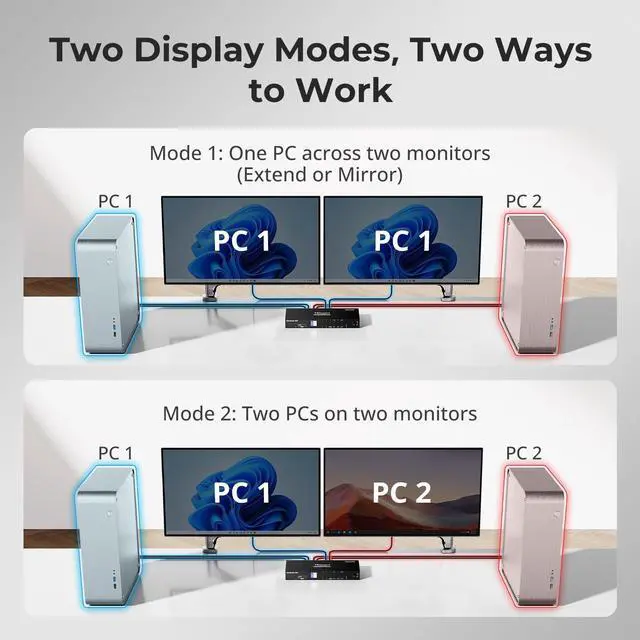
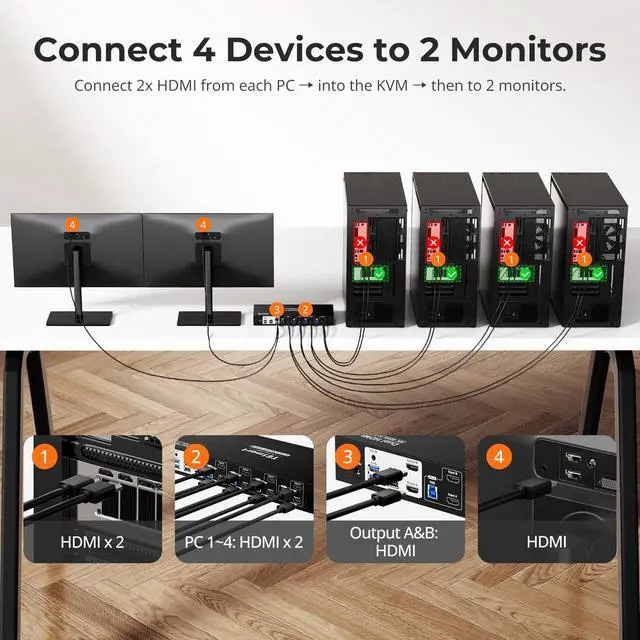
4 computers sharing 1 set of keyboard, mouse, 2/4 monitors, 3 USB 2.0 peripherals.2 display modes. Dual monitor extended desktop (Mode 1). Switch to Mode 2 to split desktop with each PC displaying on 1 monitor simultaneously.Support keyboard and mouse pass through mode to improve KVM compatibility.Compatible with Unix/Windows/Debian/Ubuntu/Fedora/Mac OS X/Raspbian/Ubuntu for Raspberry Pi and other Linux basics system. You dont have to worry about system compatibility.Support hot plug. You can disconnect or connect devices to the KVM at any time without turning off PC.
Control/share a set of keyboard and mouse and 3 USB 2.0 peripherals between 4 computers eliminate duplicate devices.
3 extra standard USB 2.0 ports works with printers, jump drives, USB headsets or webcams for teleconferencing. Meet more demands at work, no need to worry about connecting office equipment.
Support wired, wireless, mechanical, multimedia, and gaming K&M (Not support wireless bluetooth K&M).
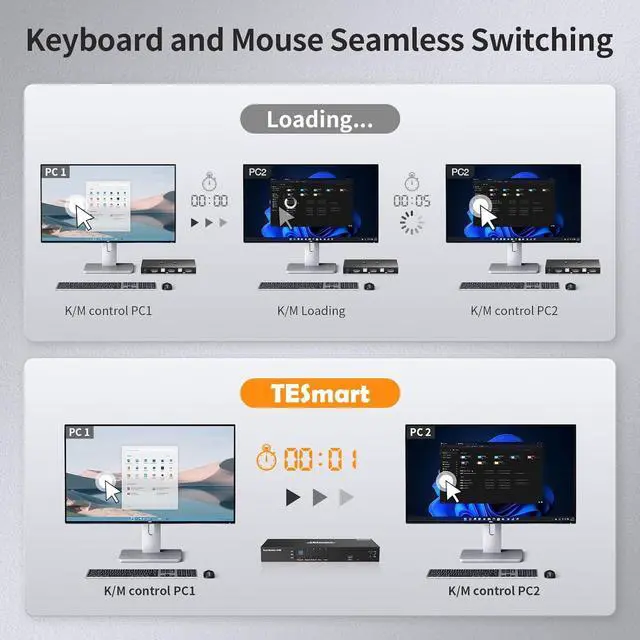
And available to use keyboard and mouse without any delayafter switching input sources.
Tackle large projects and double your desktop viewing space by adding a second 4-Port KVM. Expand your workstations to accommodate up to four 4K HDMI monitors. The KVM is the perfect solution for clinical diagnostic imaging where each workstation involves various diagnostic equipment used together and where diagnostic displays can be spread among multiple Cinema 4K monitors for clearer, more precise readings. This function also serves engineers who need to see a complete construction life cycle shown across multiple 4K monitors for improved detail viewing; thus, optimizing workflow.
Packing List:
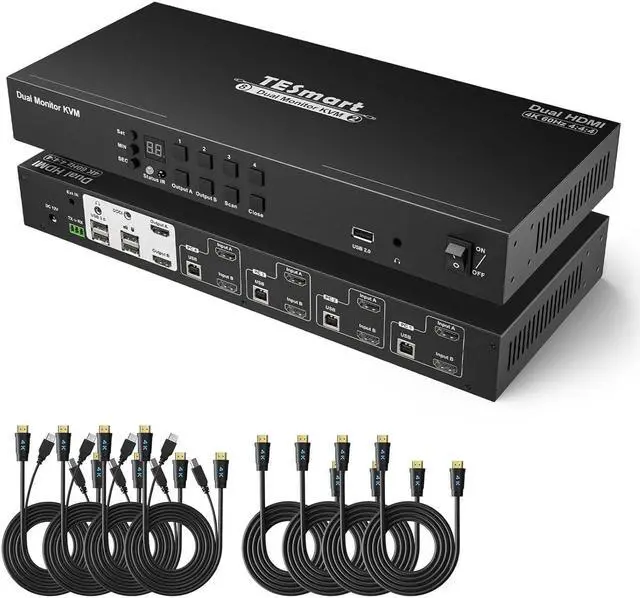
1x Dual Monitor HDMI ports KVM Switch
1x IR remote control (AAA battery not included)
1x IR Receiver cable
1x DC 12V power adapter
1x 3 Pins Connector (For RS232)
2x Rack-ears
1x AUX Cable for DCCI
1x User manual
4x (HDMI+USB)+HDMI cables
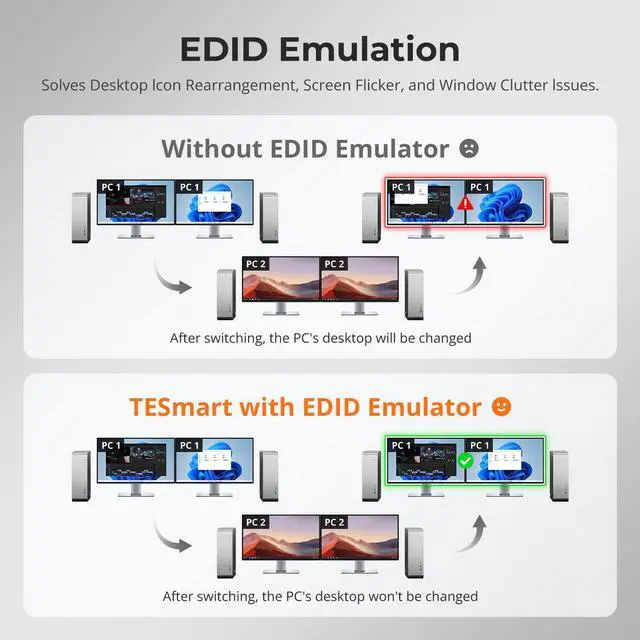
KVM Switch Dual Monitor 4 Port With EDID Emulator (INPUT PortsHDMI + HDMI) TESmart 4 Computers 2 Monitors KVM Swtich (HDMI+HDMI) Unique Selling Point 4 PCs Share 3 USB 2.0 Devices K&M Pass Through Mode Using It as 4x4 HDMI Port Quad Monitor KVM Switch after Cascading and 3 Monitors Display 1 Input Source, 1 Monitor Display 1 other Input Source. Expand to Utilize Up to four 4K Monitors