• $792.99
  • Free 30-day Returns
  • Ships from United States.

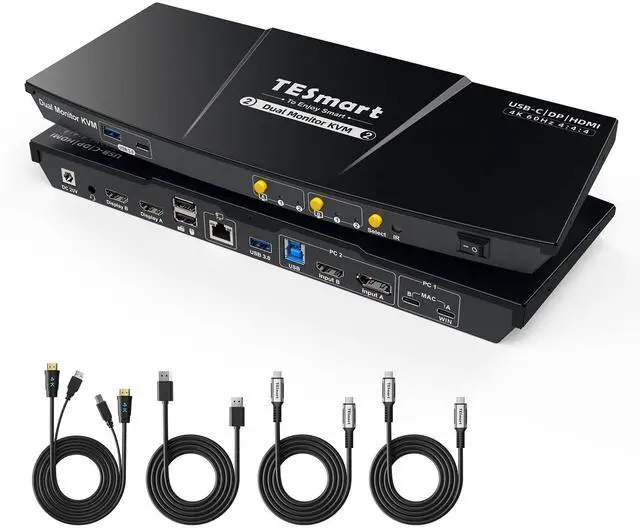
    TESmart MST USB-C/HDMI/DP KVM Switch 2 Monitors 2 Computers, USB 3.0 KVM Dual Monitor for Laptop&Desktop, 4K@60Hz, 60W PD, Gigabit Network, Hotkey Switch, with Input Cables

    • Item #: 9SIVSBFKSW6446
    • Mfr. Part #: CHIYB0F1T7ZFTJ
    • UNSPSC: 43222612
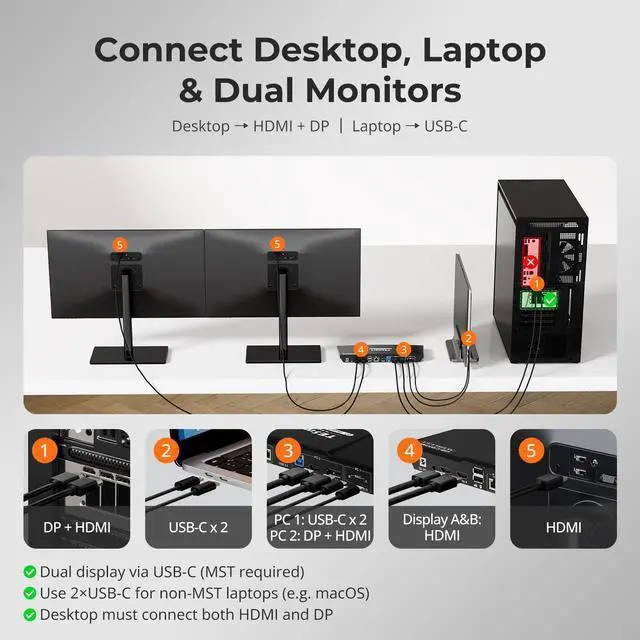
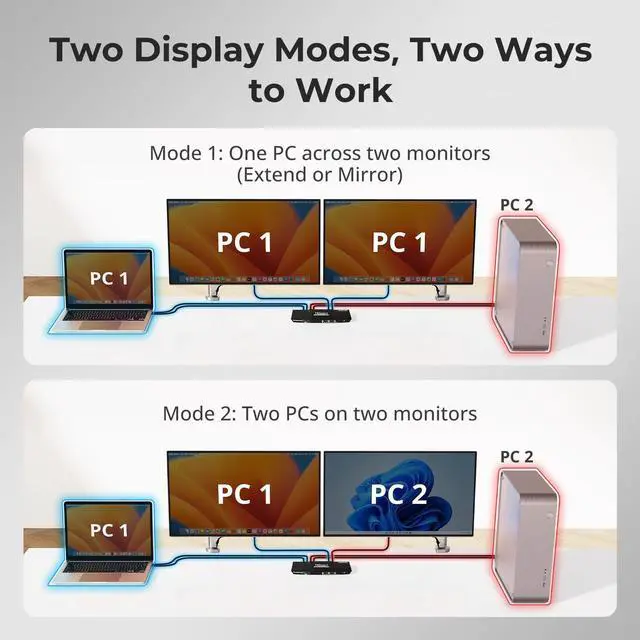
    • Effortless Hybrid Workstation Integration: The USB-C Dual Monitor KVM Switch is the ultimate KVM solution for those who balance work between a laptop and a desktop. This device is not just a switch; it's a comprehensive 9-in-1 docking station that transforms your workspace. You can effortlessly control both a laptop and a desktop with a single set of peripherals, streamlining your home office without the clutter of additional hardware
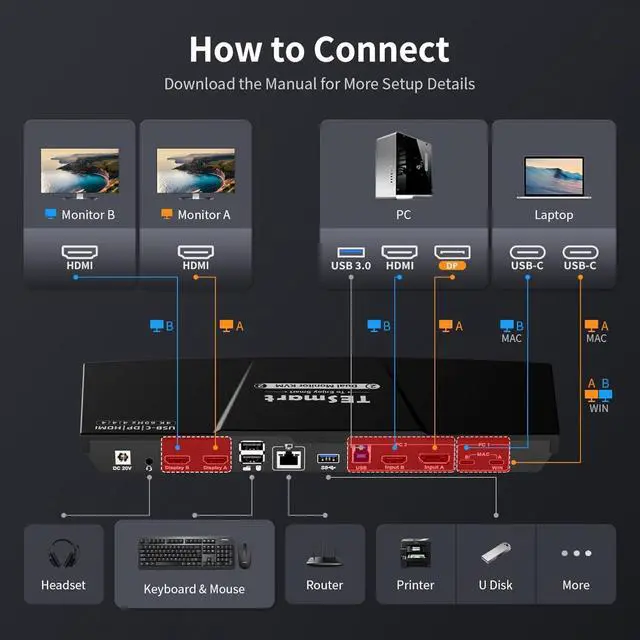
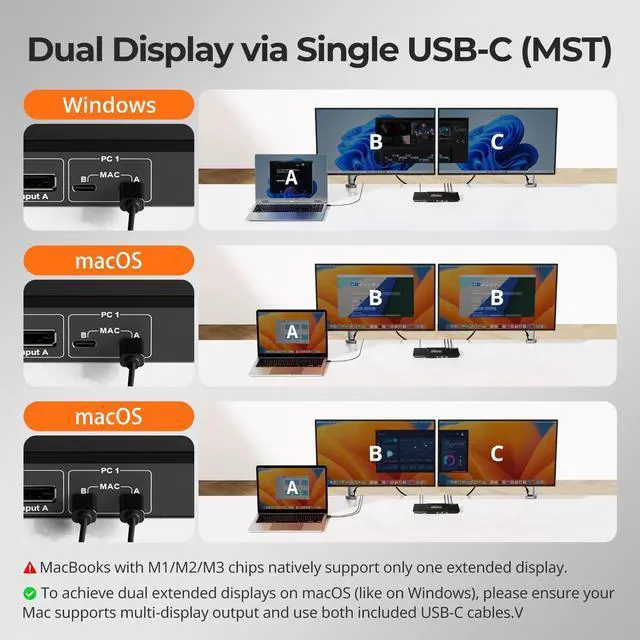
    • Say goodbye to a tangle of cables and adapters: It features an HDMI+DP port combination to match most graphics cards and two USB-C ports to support both Windows laptops with MST and MacBooks without MST
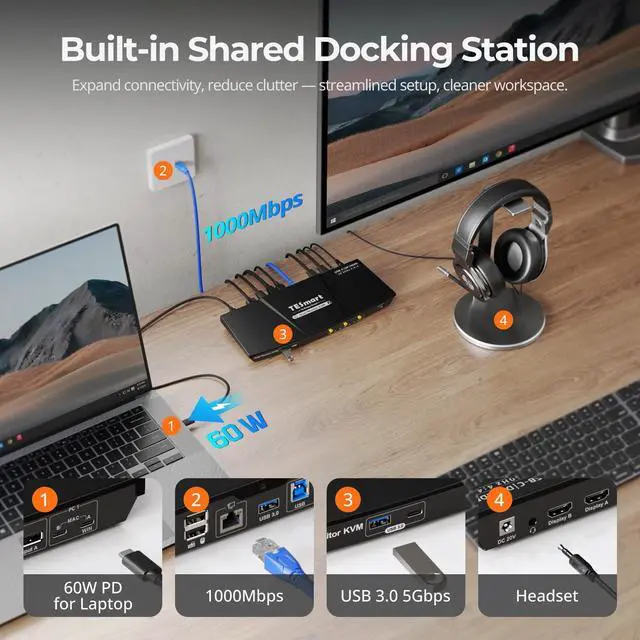
    • Built-in Charging Module&Network Switch: The built-in power module ensures your laptop stays charged, instead of having to set up a separate network connection for each device, a built-in 1000 Mbps LAN port allows your laptops and desktops to access the internet with just a single network cable. And the array of ports, including USB 3.0, USB 2.0, LAN, a
    +
    +
    Overview
    Specs
    Reviews
    160W & 1000Mbps2EDID Emulation3Botton/Hotkey/IR Switch11×HDMI+DP, 1×USB-C24K@60Hz3K&M Compatibility4Device Compatibility Why are the hotkeys not working when I try to switch?
    Make sure the keyboard is connected to the console USB port(keyboard icon). The default hotkey is [Right Ctrl]; if your keyboard lacks this key, hold the front [Select] button until a long beep to set any key as the new hotkey(see manual).
    My work laptop cannot share the network with my desktop for security reasons. Can this be solved?
    Yes. This KVM switch lets you disable the network function. Press [Right Ctrl] + [Right Ctrl] + F4 to turn off the network interface and prevent sharing between devices.
    Why does my monitor show a black screen or change resolution after switching?
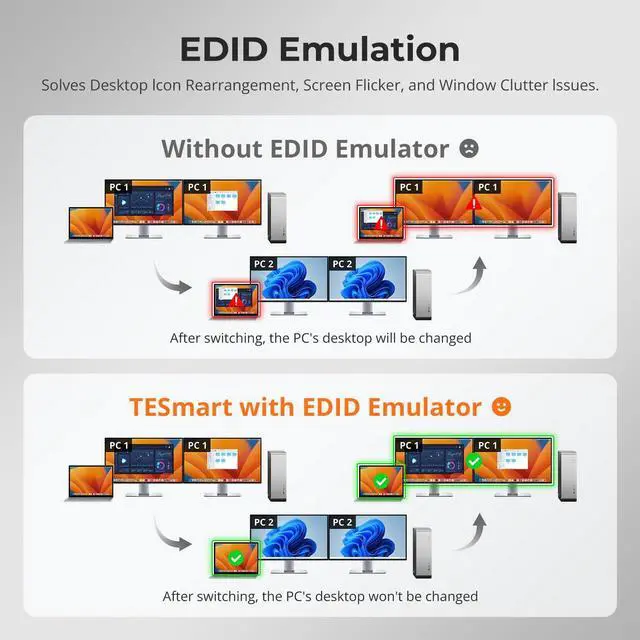
    TESmart KVMs use EDID emulation to keep the display stable. If you see a black screen or resolution change, check that your cables are firmly connected and that both your monitor and source device support the same resolution and refresh rate.
    My laptop can use USB devices, but when I switch to my desktop, the USB devices dont work.
    Please check that your desktop is connected to the KVMs USB-B port. If the devices still dont respond, unplug and reconnect the USB cable between the desktop and the KVM to restore functionality.
    Why does my MacBook only show two mirrored displays instead of dual extended displays on this HDC202-P23 KVM?
    Why are the hotkeys not working when I try to switch?
    My work laptop cannot share the network with my desktop for security reasons. Can this be solved?
    Why does my monitor show a black screen or change resolution after switching?
    My laptop can use USB devices, but when I switch to my desktop, the USB devices dont work.

    Warranty & Returns

    Warranty, Returns, And Additional Information

    Warranty

    • Please contact the Seller directly for warranty information. Warranty information may also be found on the Manufacturer's website.
    • CONTACT

    Return Policies

    Manufacturer Contact Info

    LOADING...