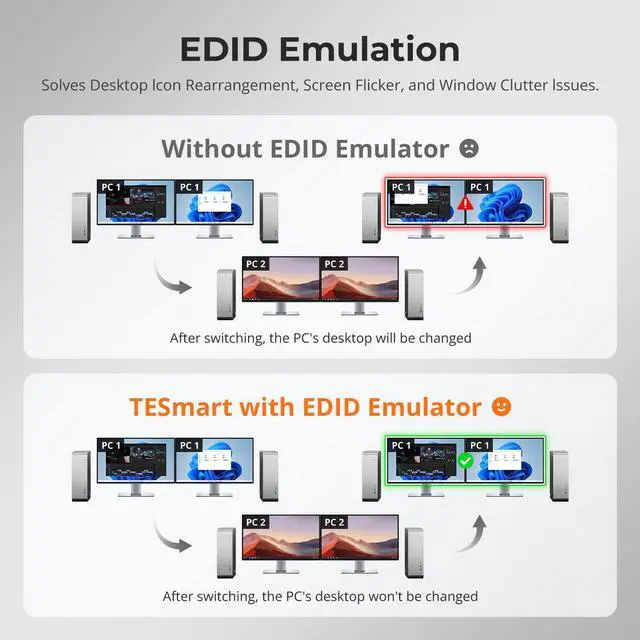
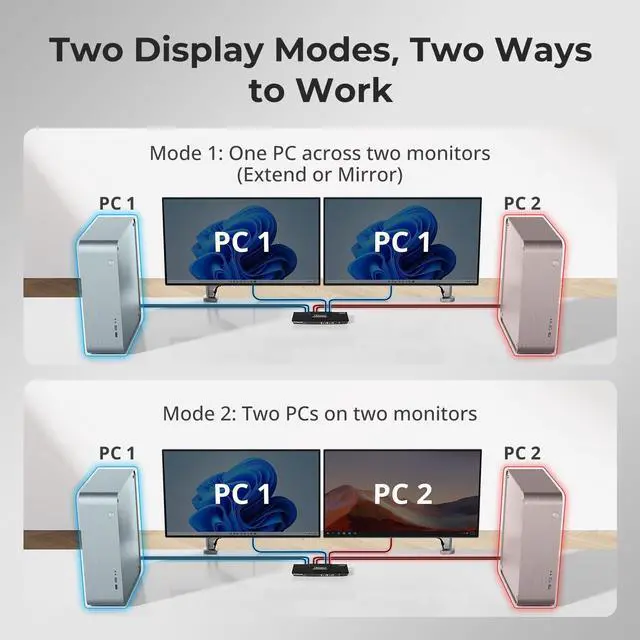
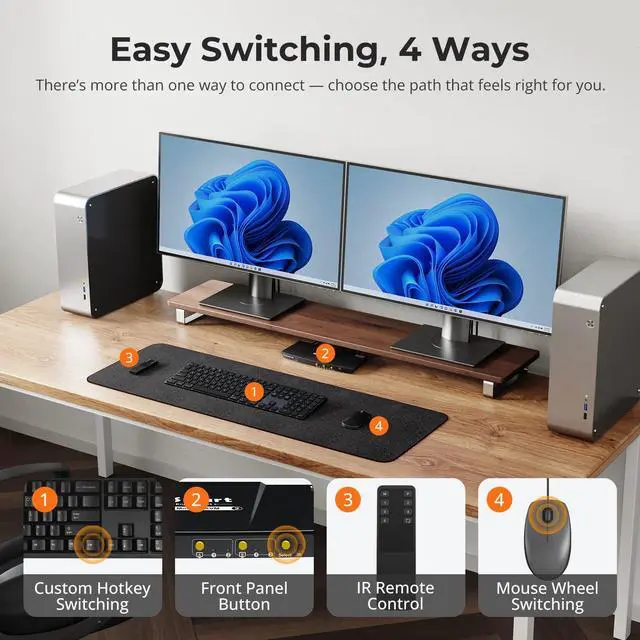
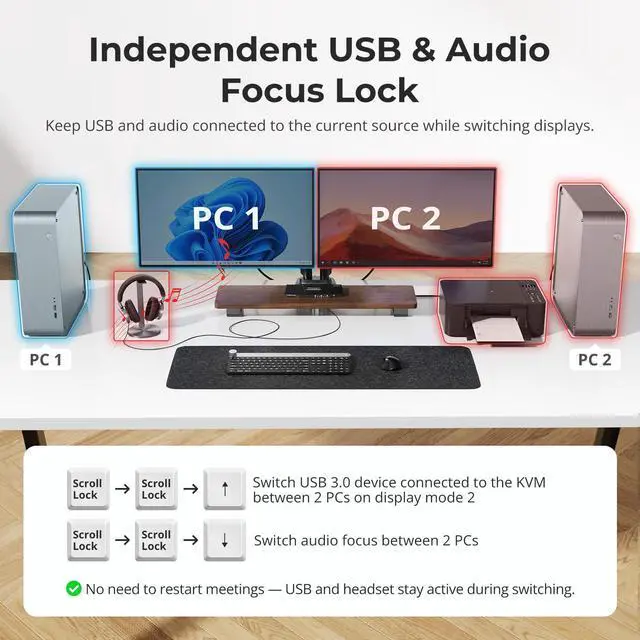
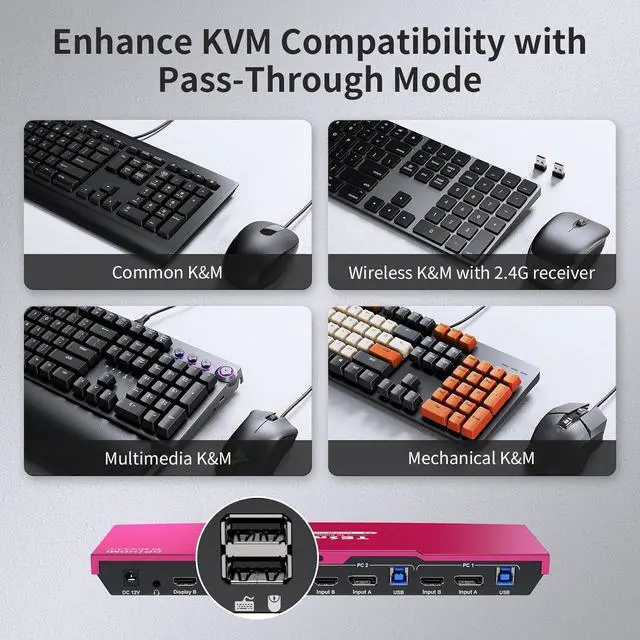
1EDID Emulation22 Display Modes3Switching With Ease4K&M Pass Through Mode1Switch Focus with Ease2No Delay of K&M Switching3Sharing Headset4Charge Your Device How do I reach out for support?
For assistance, please check the 'Product Guides and Documents' section at the bottom of the page. Here, you'll find our user manual and troubleshooting guide with contact details.
Our team aims to provide effective help within 12 hours.
Will the display be a long delay after switching?
With ITE chip internally, the switching time will be about 2-3 seconds normally, so there won't be an obvious delay in the display after switching. But if you encounter long delay, our service team will help you figure out.
How can I get the sound from TRRS audio port?
After connect the audio devices, please switch to the PC in which the audio turned on, then select the correct audio output channel.
(Right-click the speaker, open the sound settings, select the correct HDMI output device, and set it as default)
What are the differences between this new dual monitor model (HDK0202A2U) with another dual monitor model (HDK0402A1U)?
Upgraded features on the base model:
· 2 USB 3.0 ports with one offering charging capabilities.
· The new front panel buttons make it easier to switch and control the monitor signal.
· Newly added an integrated microphone and L/R audio output.
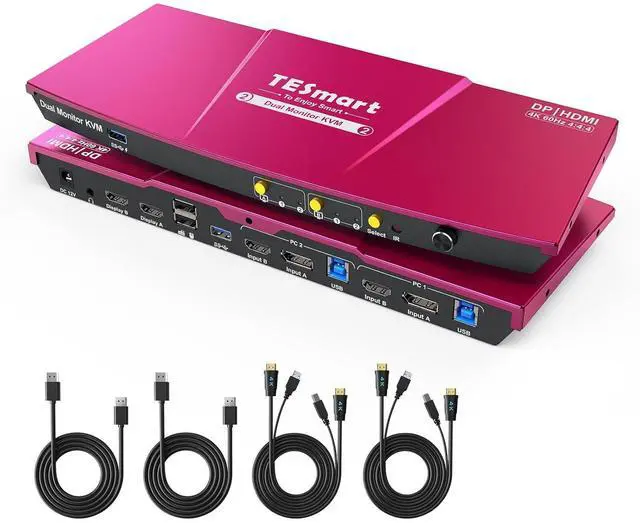
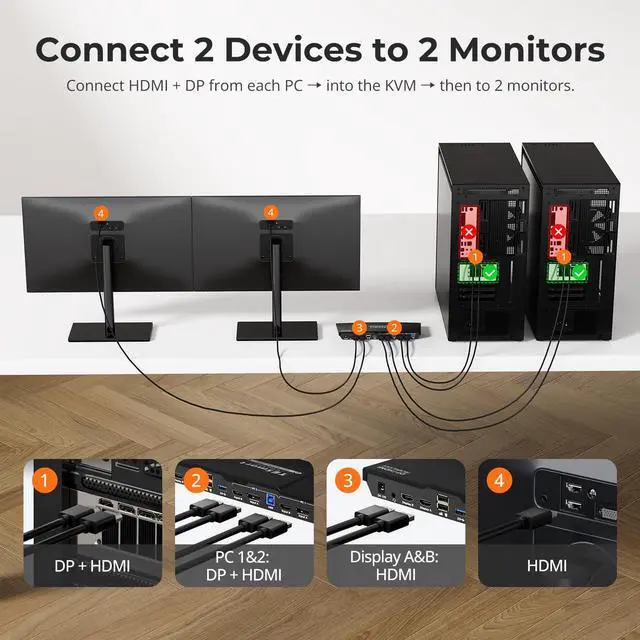
USB 3.0 KVM Switch Dual Monitor 2 Port (INPUT PortsHDMI + DisplayPort) What is unique about TESmart Dual Monitor KVM Switch?
How do I reach out for support?
Will the display be a long delay after switching?
How can I get the sound from TRRS audio port?
What are the differences between this new dual monitor model (HDK0202A2U) with another dual monitor model (HDK0402A1U)?