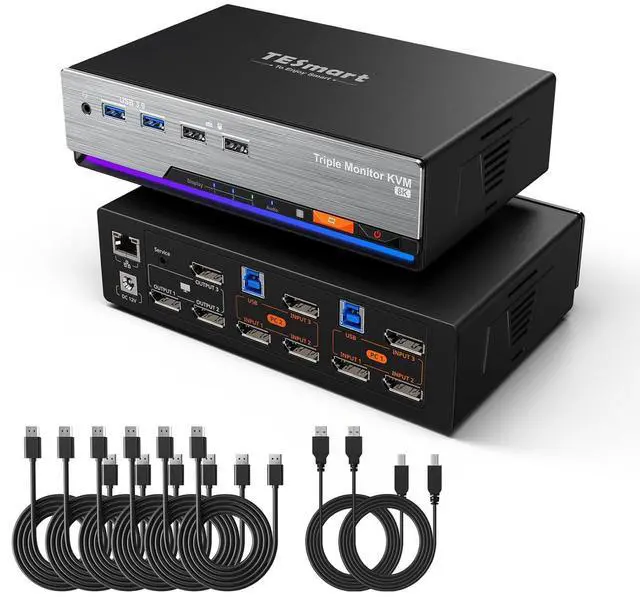
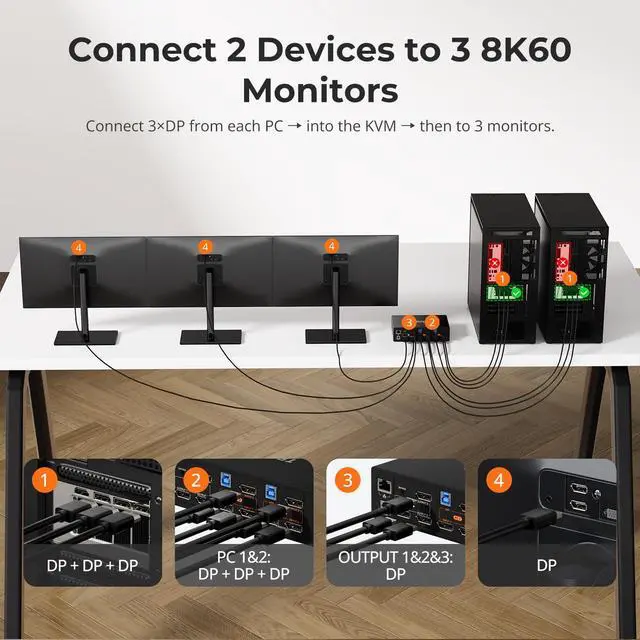
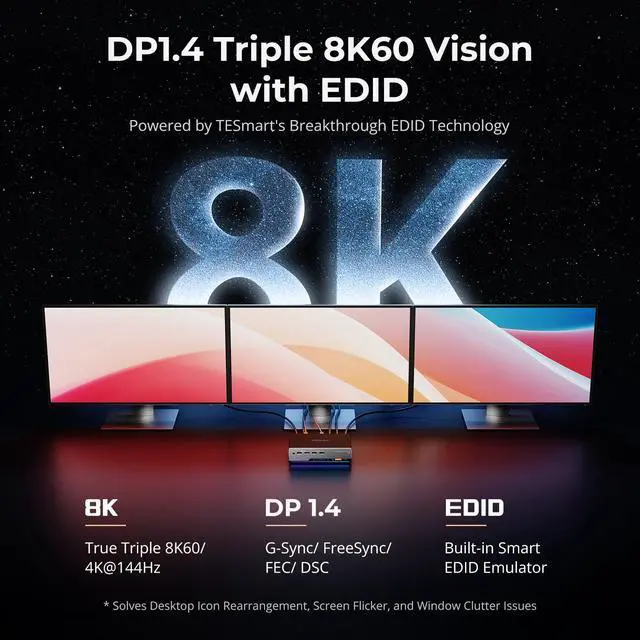
12 Display Modes22xDP+DP+DP38K Visuals4USB & Audio Lock1Connection diagram2Packing List1Game and Work2Triple 8K60Hz Displays3Entertainment What makes the TESmart DKS203-M24 special?
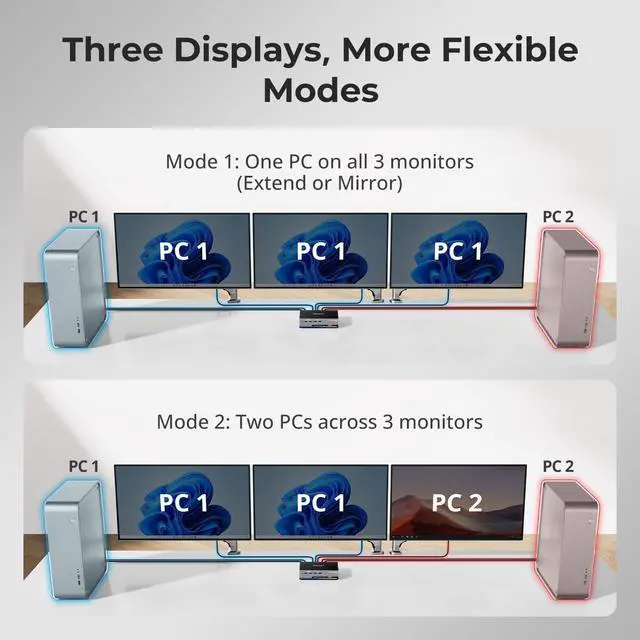
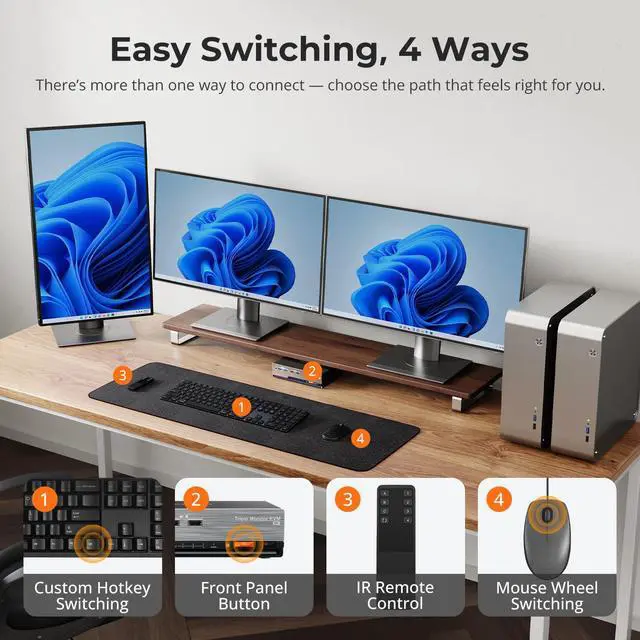
It is a DisplayPort 1.4 KVM with EDID emulation, streamlining your workflow and making it easier to manage dual desktops with three DP monitors, USB devices and one keyboard/mouse. Supports 4K165Hz, Gigabit Ethernet, hotkey/button/IR switching
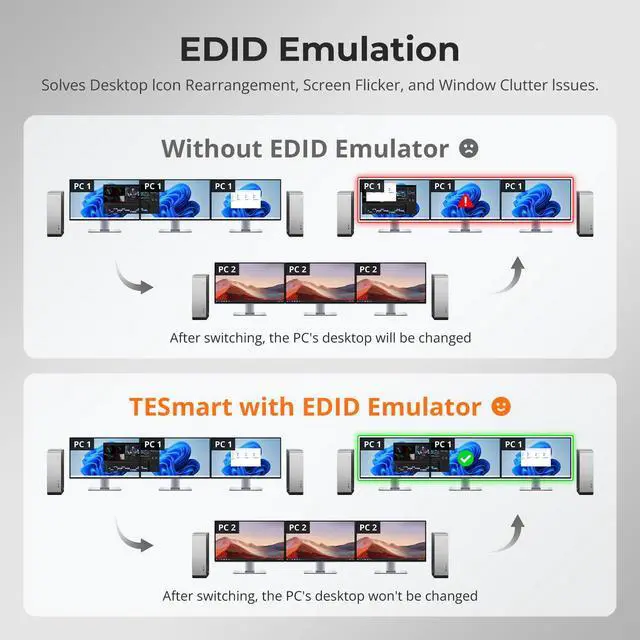
Will switching between computers cause window resets or resolution issues like on other KVMs?
No. DKS203-M24 features TESmarts exclusive DP EDID emulation technology, a capability rarely found in DP KVMs. This ensures resolutions and window layouts stay stable, preventing screen resets or window repositioning on KVMs without EDID.
My workstation cannot share its network for security reasons. Can this be solved?
Yes. This KVM switch allows you disable the network for any connected PC. Simply press [Right Ctrl] + [Right Ctrl] + [F4] to turn off the Ethernet for the current input, keeping your workstation secure and isolated.
Does it support high refresh rates at other resolutions, such as 3440×1440@165Hz or 2560×1440@240Hz?
Yes, it supports these refresh rates and is compatible with G-Sync, FreeSync, and HDR over DisplayPort, ensuring smooth gameplay, vivid visuals, and ultra-low latency.
My monitor only has HDMI ports. Can I use an adapter with this KVM?
For the most stable performance, we suggest using native DP connections. If your monitors are HDMI-only, consider TESmart HKS202-M24 or HDK202-M24 HDMI KVMs for better compatibility.
What makes the TESmart DKS203-M24 special?
Will switching between computers cause window resets or resolution issues like on other KVMs?
My workstation cannot share its network for security reasons. Can this be solved?
Does it support high refresh rates at other resolutions, such as 3440×1440@165Hz or 2560×1440@240Hz?
My monitor only has HDMI ports. Can I use an adapter with this KVM?