• $87.48
  • Free 30-day Returns
  • Limit 100 per customer.
    Ships from United States.
    Sold by PCPLUS

    Shipped by PCPLUS

    Meet Your Seller

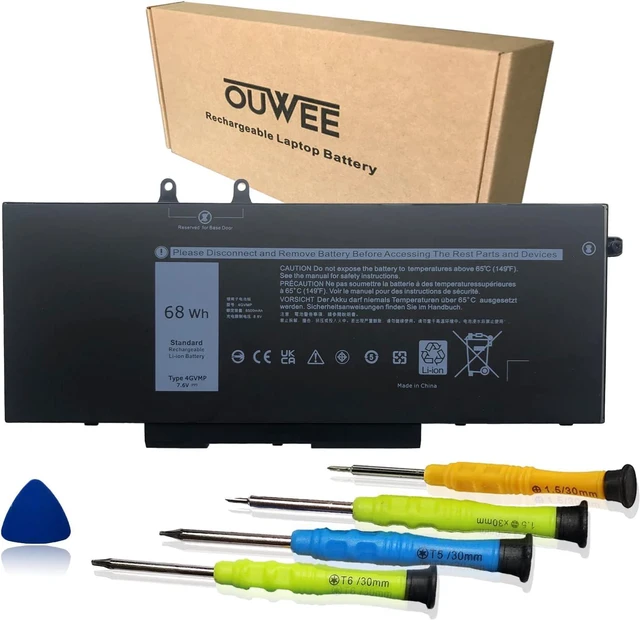
    OUWEE 4GVMP Laptop Battery Compatible with Dell Latitude 5400 5500 Precision 3540 Inspiron 7590 7591 7791 2-in-1 Series 1V1XF R8D7N RF7WM 0RF7WM 9JRYT 09JRYT 0X77XY 0C5GV2 7.6V 68Wh

    • Item #: 9SIVDVYK4T2684
    • Mfr. Part #: PCMART966247244112
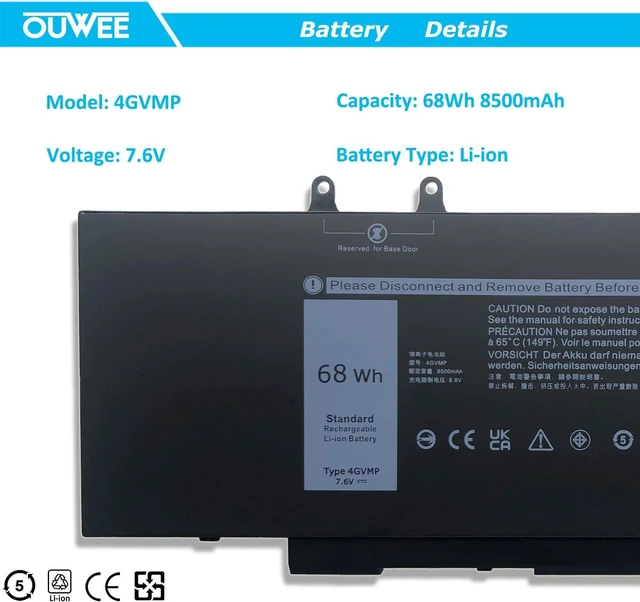
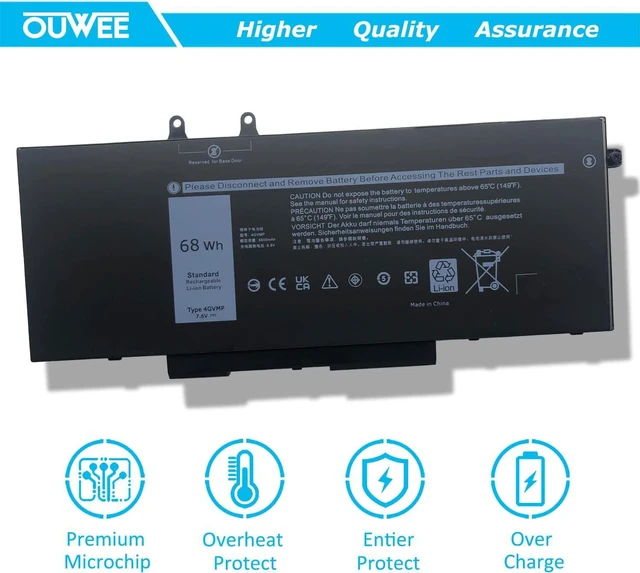
    • Battery typeLi-ion. Voltage: 7.6V. Capacity: 68Wh 8500mAh .
    • Compatible Part Number4GVMP 1V1XF R8D7N 04GVMP RF7WM 0RF7WM 9JRYT 09JRYT X77XY 0X77XY C5GV2 0C5GV2 .
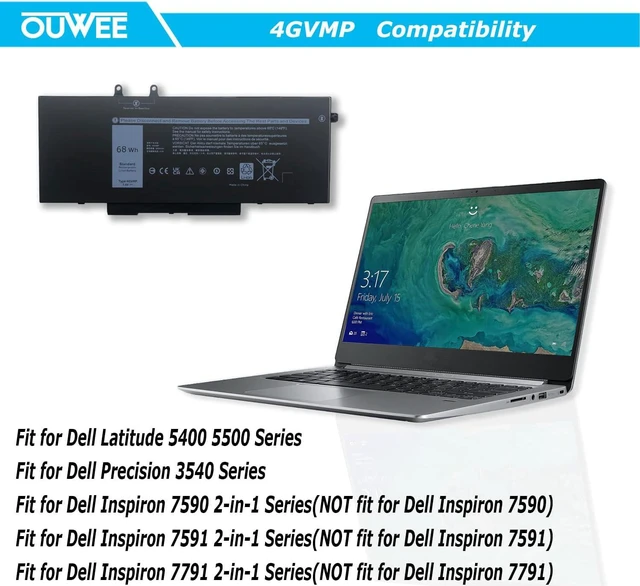
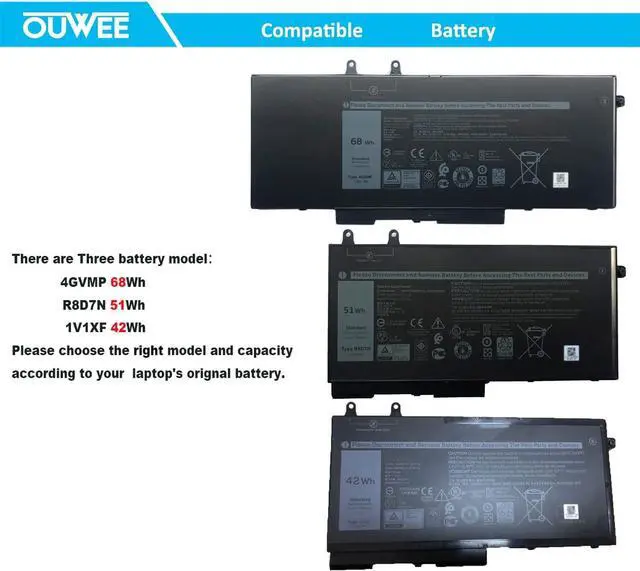
    • Replacement For LaptopDell Latitude 5400 5500 Precision 3540 Inspiron 7590 2-in-1 ,Inspiron 7591 2-in-1 ,Inspiron 7791 2-in-1 Series, NOT fit for Inspiron 7590 7591 7791 Series.Purchasing Note: There are 3 battery of the above laptop,Please choose the which one you are going to replace and according to your laptop's original battery
    • ConnectorBefore placing your order,Please refer to the picture and check it.Because the products produced by different factories will have differences, such as size, cable length, interface, etc.
    • Use SkillsIf the new battery is not recognized during the initial installation, please reinstall and check if the interface is fully connected.Discharge the new battery to 5% (not 0%), then charge and cycle 3-4 times to wake up the new battery.

    +
    +
    Overview
    Specs
    Reviews
    Battery typeLi-ion.
    Voltage: 7.6V.
    Capacity: 68Wh 8500mAh.
    Compatible Part Number4GVMP 1V1XF R8D7N 04GVMP RF7WM 0RF7WM 9JRYT 09JRYT X77XY 0X77XY C5GV2 0C5GV2.
    Replacement For LaptopDell Latitude 5400 5500 Precision 3540 Inspiron 7590 2-in-1, Inspiron 7591 2-in-1, Inspiron 7791 2-in-1 Series, NOT fit for Inspiron 7590 7591 7791 Series.
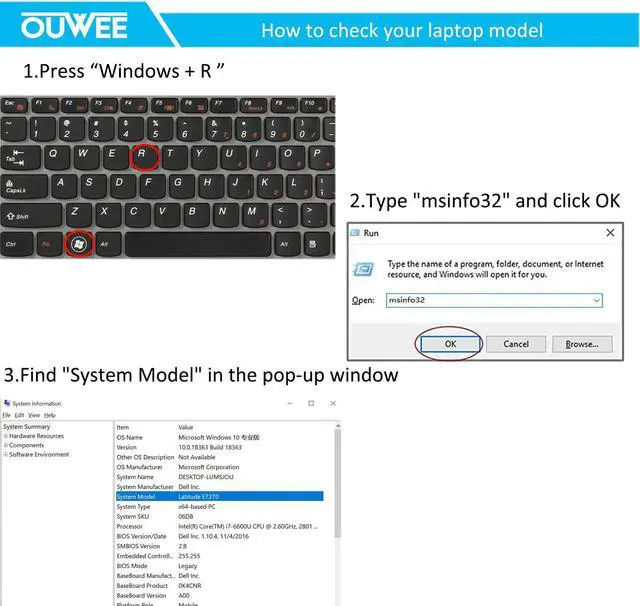
    Purchasing Note: There are 3 battery of the above laptop, Please choose the which one you are going to replace and according to your laptop' s original battery
    ConnectorBefore placing your order, Please refer to the picture and check it. Because the products produced by different factories will have differences, such as size, cable length, interface, etc.
    Use SkillsIf the new battery is not recognized during the initial installation, please reinstall and check if the interface is fully connected. Discharge the new battery to 5% (not 0%), then charge and cycle 3-4 times to wake up the new battery.

    Warranty & Returns

    Warranty, Returns, And Additional Information

    Warranty

    • Please contact the Seller directly for warranty information. Warranty information may also be found on the Manufacturer's website.
    • CONTACT

    Return Policies

    • Return for refund within: 30 days
    • Return for replacement within: 60 days
    • This item is covered by PCPLUS Return Policy

    Manufacturer Contact Info

    LOADING...