- Home
- PCs & Laptops
- Laptops / Notebooks
- Laptop Accessories
Laptop Accessories
- Components
- Laptop Accessories
Laptop Accessories Featured Items
Shop all products
Limited time offer, ends 09/10
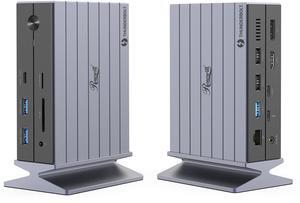
- Brand: Wavlink
- Color: Black
- Compatibility: Perfect for laptops with USB 3.1 full-function type c port or thunderbolt 3/4 port. Support Windows 11/10/8.1/8/7; Mac OS 10.14-13.x and latest, Chrome OS, Ubuntu 20.04, 22.04, Android and Harmony OS. Unsupported with Unix systems, Linux and iPad OS. (Follow the instructions to download the latest DisplayLink drivers before use.)
- Ports Spec: 3 x HDMI (HDMI2.0) + 2 x DP (DP1.2), supports up to triple 4K@60Hz resolution display Supports USB Power delivery(PD3.0) up to 100W upstream Charging to a connected laptop Four USB3.1 Type-A (10G) and Two USB-C Gen2 (10G) ports to extend more connectivity to USB devices LAN port supports up to 1Gbps (10/100/1000Mbps),providing a stable and high-speed internet connection Supports for Kensington lock One combo Audio/Mic port
- Model #: WL-UG69PD25 Pro
- Item #: 9SIVTXDM007748
- Return Policy: View Return Policy
- $179.99 –
- $152.99 - $179.99

- Brand: StarTech.com
- Color: Black & Gray
- Compatibility: Windows 10 Windows 8.1 macOS Sierra (10.12) macOS High Sierra (10.13) macOS Mojave (10.14) macOS Catalina (10.15) Chrome OS 69.x Android OS 9.x iPadOS
- Ports Spec: 1 x HDMI 1 x DisplayPort 1 x VGA (15 pin, High Density D-Sub) 1 x Ethernet Gigabit 1 x USB 3.1 USB Type-C (10 pin, Gen 2, 10 Gbps) 2 x USB 3.1 USB Type-A (9 pin, Gen 2, 10 Gbps)
- Model #: DKT31CHDVCM
- Item #: 9B-34-977-800
- Return Policy: Standard Return Policy

Limited time offer, ends 09/10
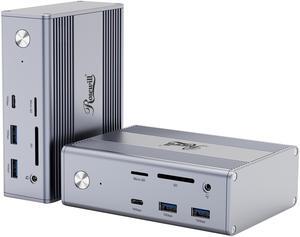
- Brand: Wavlink
- Color: Black
- Compatibility: System Compatible This item has DL-6950 chipset which made by Displaylink. Supported Operating Systems Attention: It's worth noting that displaylink driver installation is required For Windows: Windows 11, Windows 10, Windows 7, Windows 8.1, Windows 8 For macOS: Ventura 13, Monterey 12, Big Sur 11, Catalina 10.15, Mojave 10.14 For Android: Android 5 (Lollipop) onwards with USB OTG mode CHROME: chromeOS build R51 or lat Ubuntu: Ubuntu 20.04, Ubuntu 22.04 Drivers& Updates: displaylink.com/downloads Troubleshooting: support.displaylink.com Mac macOS High Sierra needs attention: 1, Since macOS High Sierra 10.13, the user has to explicitly enable this system extension in the Security & Privacy system preference after installation and before the DisplayLink software is allowed to run. 2, macOS Catalina 10.15 requir...
- Model #: WL-UG69PD2 Pro
- Item #: 9SIVTXDM007415
- Return Policy: View Return Policy
- $149.99 –
- $135.00 - $149.99
Related searches
Recommended Laptop Accessories
Introduction
From system components to additional equipment, laptop accessories can enhance your organization’s IT toolbox by providing solutions to common laptop problems. Even well-equipped laptops can benefit from notebook accessories such as cases and bags for carrying, security locks to deter theft, or cooling pads to lower laptop temperatures. For slow and unstable laptops, upgrading components such as memory and storage can improve performance and reliability. By addressing the deficiencies of your organization’s laptops, you can boost productivity and reduce risk of laptop damage or loss.
Key Considerations
Laptop accessories can be used to address various issues, including the following:
Damage Prevention
In a laptop’s operational life span, it can be subject to scratches, drops, spills, and other hazards. Because a laptop is an essential tool for professionals, steps should be taken to reduce the likelihood of damage. By equipping accessories such as screen protectors, covers, carrying cases, and bags, you can potentially lower repair and replacement costs down the line.
Security
Along with ensuring that your organization’s laptops are protected from accidental damage, precautions should be taken in regards to theft. If your organization’s laptops have Kensington security slots, equip them with Kensington security slot compatible locks.
A robust lock and cable can keep a laptop tethered in place, which can hinder would-be thieves. Not only is a stolen laptop a loss of an asset, it can also put your organization’s sensitive information at risk of disclosure.
Boosting Performance
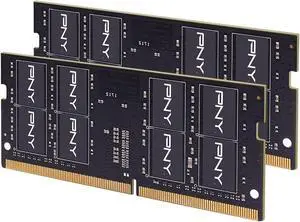
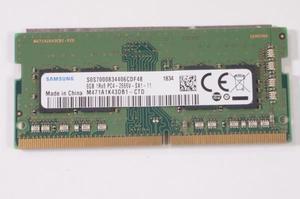
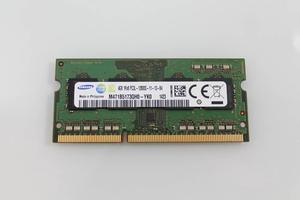
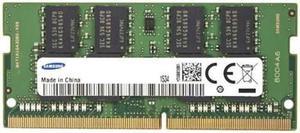
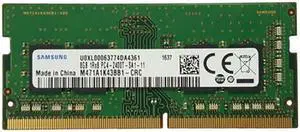
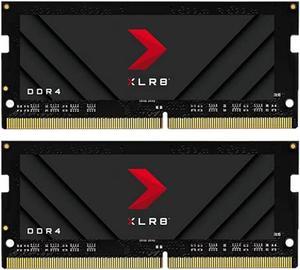
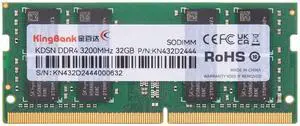
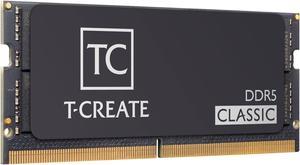
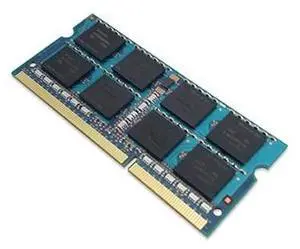
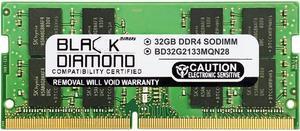
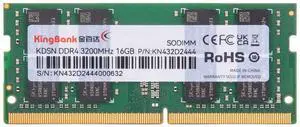
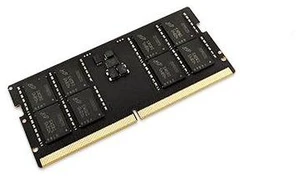
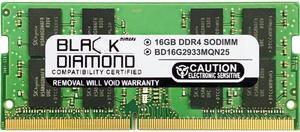
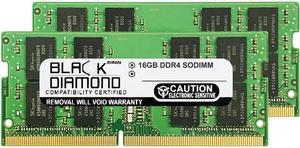
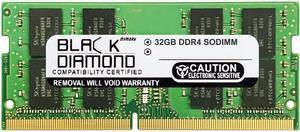
For laptops that boot up slowly or become unresponsive when more than a few programs are open, upgrades such as internal SSDs and laptop memory can potentially improve performance. If your organization’s laptops don’t have enough storage capacity for the tasks they perform, consider upgrading their storage drives with larger capacity hard drives.
By boosting the performance of older laptops, you can save costs and avert the need to purchase newer models.
Adding Functionality
Expansion slots such as PCMCIA and ExpressCard™ can be used to add features and connection options such as Wi-Fi®, FireWire®, eSATA, or mobile broadband. By utilizing expansion cards to add missing features instead of purchasing new laptops equipped with them, you can save costs and continue utilizing otherwise serviceable laptops.
Maintenance
A poorly maintained laptop may eventually have issues with overheating, which can reduce its operational life span and reliability. Dust can accumulate in the fans and cause poor ventilation, which will raise internal temperatures and eventually damage system components. Periodic use of cleaning kits to clear the fans can fix some overheating problems, though use of cooling pads is recommended if overheating persists.
Final Words
Laptops offer professionals a great deal of mobility and convenience both in and out of the office, but can benefit from being complemented by laptop accessories. They can be used to maintain and protect laptops from the rigors of travel and heavy use, prevent theft, increase performance, and add functionality. If your organization has concerns about any of those issues, consider equipping laptops with the appropriate notebook accessories to potentially save on costs further down the line.