1. Tips for Windows User to install Huion driver:
- Please uninstall other brands driver on your computer first.
- Close all drawing program and protection software before installation.
- Unplug the cable on Huion drawing monitor.
- Download driver from Huion website and install it as an Administrator.
- Reboot the computer and wait until it finishes rebooting.
- Plug the tablet back in.
2. Suggestions For Mac Users:
- If computer system is Mac os 10.14 mojave, please uninstall and reinstall the driver and then tick the Huion driver in the new system by manually going to Security and Privacy.
- Since Mac Mojave 10.14 upgraded in security section and need put software you newly downloaded into whitelist first to normally use it.
More true to life colors.
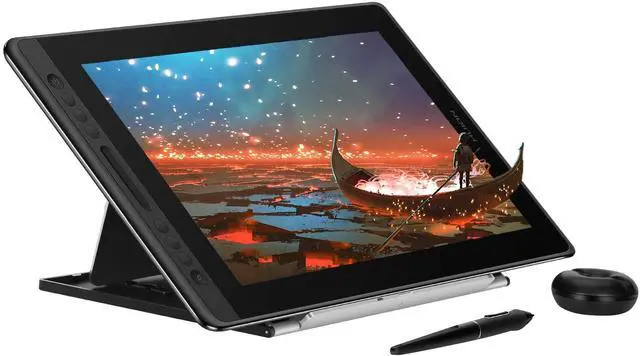
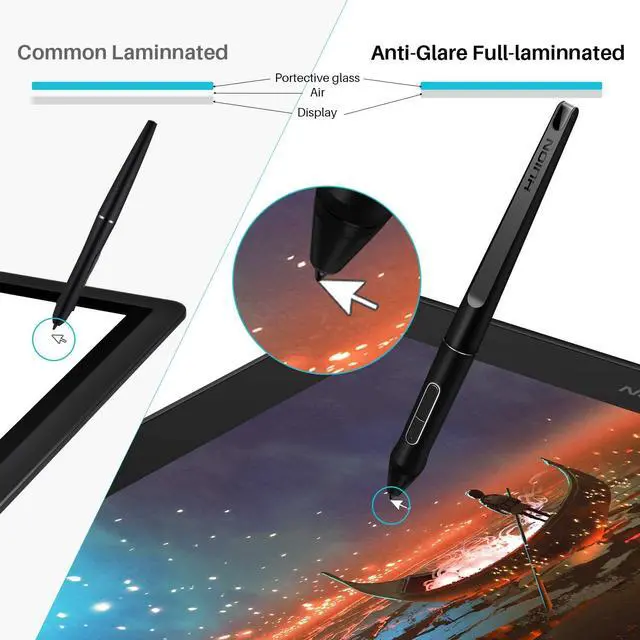
Full Lamination Technology with Anti-glare Glass Huion Kamvas Pro 16 Drawing Monitor
Large Screen Size & Vibrant Colors Choose
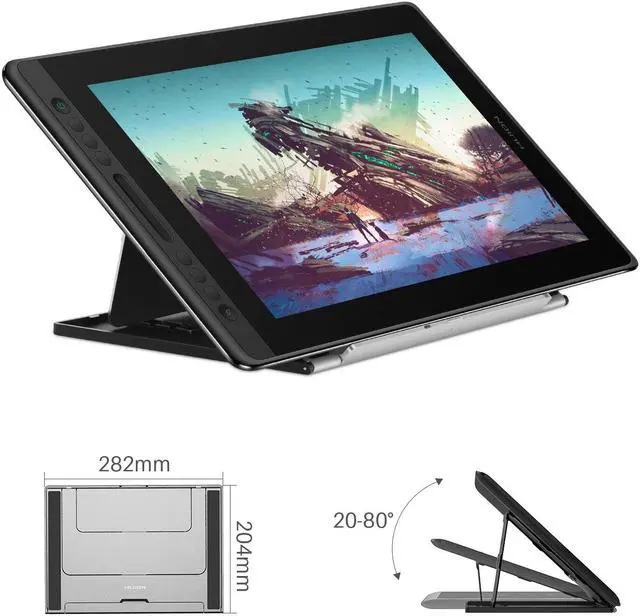
- The dimension of the Pro 16 pen display is 438 x 261 x 11.5mm, with 1920 x 1080 resolution IPS 15.6 inch large monitor, provide you a wider field of view.
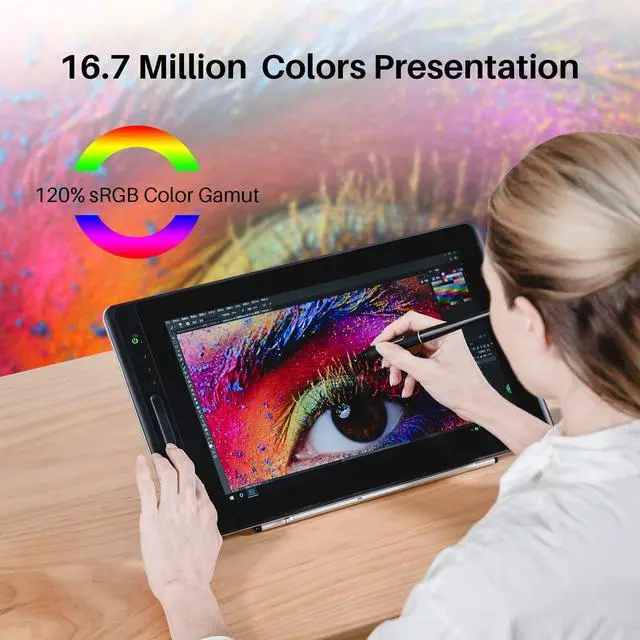
- 120% s RGB color gamut deliver vibrant colors, offer a clearly world to illustrate vivid pixels and realistic colors for amazing visual experience.
Brightness and exquisite details.
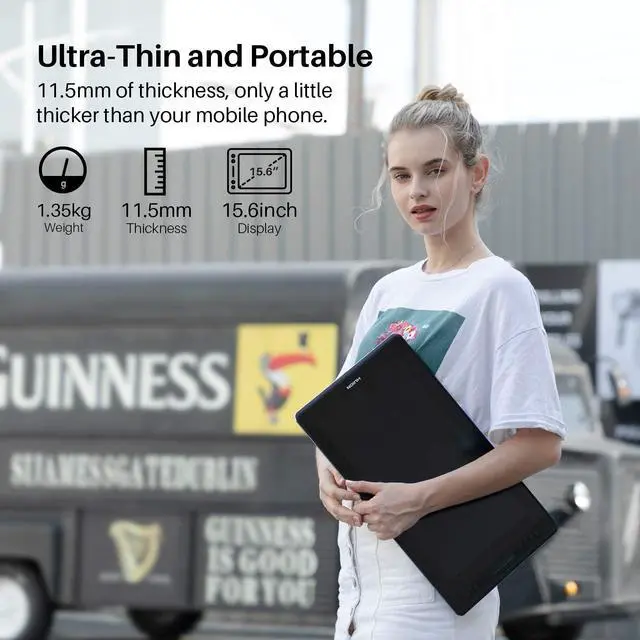
- Featuring 15.6 inch screen , the weight of Kamvas Pro 16 is within 1.35KG and the thickness is 11.5mm.
- Anti-Slip Design on the aluminum back cover will make it sturdy, prevents shaking and sliding, providing a comfortable drawing experience.
Easy Plug and Play with 3-in-1(Type-C) Cable.
- Come with unique design 3-in-1 cable, which will offers easy operation, reduces wire bundles and be easier to be sort out.
- Huion Kamvas Pro 16 Support interface: Type-C.
- Pro 16 with Windows 7/8/8.1/10 and MAC OS 10.12 or later. It is also compatible with mainstream software like Adobe Photoshop, Clip Studio, Paint Tool Sai and more.
Package Contents
- KAMVAS Pro 16
- PW507 Quick Start Guide
- Cleaning Cloth Pen Holder(pen nibs*10+Nib Clip*1) Power adapter
- 3-In-1 Cable
Express your ideas precisely.
Pen Display Connection:
- (Important): It have to connect a laptop or a desktop which runs windows or mac system to work.
- Please make sure completely plug USB cable & HDMI cable into pen display. Make sure there is no gap left when cables plugged into pen display.
- If you connect it to desktop, please plug the HDMI cable into pen display graphic card directly.
- If there is no HDMI port on your computer, you need an extra HDMI adapter~ For example: AGV to HDMI adapter, DVI to HDMI adapter, Thunderbolt to HDMI adapter, etc. (depends on what ports are there on your computer).
- Better Not use a USB to HDMI adapter, which is not good enough for video display.
Indication to Avoid Offset:
- Please set the optimal resolution: 1080 * 1920
- Please set the display size to 100%: Click the right mouse button --- Screen Resolution --- Display --- 100% --- Apply.
1.
Vibrant Colors Choose: The dimension of the Pro 16 pen display is 438 x 261 x 11.5 mm, with 1920 x 1080 resolution IPS 15.6 inch large monitor, provide you a wider field of view. 120% s RGB color gamut deliver vibrant colors, offer a clearly world to illustrate vivid pixels and realistic colors for amazing visual experience.
2.
Large screen with high resolution: The Anti-glare glass offers a paper-like feel when you draw on the screen. 178°wide viewing angle enables you to enjoy the artworks clearly in all viewing position. The 15.6 inch screen not only satisfies your expectation for sufficient working area but also offers you great convenience as it is easy to be carried around. 3.
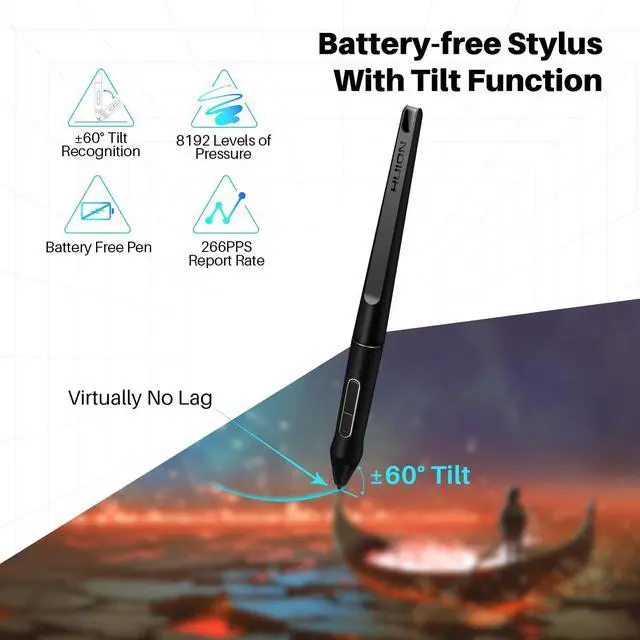
8192 Levels Pen Pressure: This pen also combines 8192 levels of pen pressure and 266PPS report rate, helps to sense the pen movement agilely, with almost no delay lines. 5080 LPI high pen resolution makes the pen stroke more delicate and natural, which can easily achieve pixel-level painting display. The latest pen design support ±60° tilt function, you will no longer to worry about charging problems. You can enjoy more accurate and natural strokes, bringing you a more real paper-like drawing experience.
4.
Brightness and exquisite details: Featuring 15.6 inch screen, the weight of Kamvas Pro 16 is within 1.35KG and the thickness is 11.5 mm. Anti-Slip Design on the aluminum back cover will make it sturdy, prevents shaking and sliding, providing a comfortable drawing experience.
5. Easy Plug and Play with 3-in-1(Type-C)
Cable: Come with unique design 3-in-1 cable, which will offers easy operation, reduces wire bundles and be easier to be sort out. Huion Kamvas Pro 16
Support interface: Type-C. Pro 16 with Windows 7/8/ 8.1 /10 and MAC OS 10.12 or later. It is also compatible with mainstream software like Adobe Photoshop, Clip Studio, Paint Tool Sai and more.
6.
What You Get: Drawing Monitor X 1; Adjustable Stand X 1; 3-in-1(Type-c) Cable X 1; Power Adapter X 1; Battery-free Pen X 1; Pen Nibs x 10; Pen Holder X 1; Cleaning Cloth X 1; Quick Start Guide X 1; Free lifetime technical support. 7. Huion provide lifetime technical support on all Huion drawing pen tablets/monitors. If you have any questions on using the Huion drawing monitor tablet, please check the Quick Guide on package, email us by cs_us@huion. cn or search Huion online to find us for more assistance, we are always here to help you! Here to download Driver or
User Manual:
https: //www. huion. com/download/ Here to Find all the product
FAQ:
https: //support. huion. com/support/home Painting/Sketching For the professional artist, new designer and amateur hobbyist, Huion drawing tablets Compatible with Windows 7 or above /Mac OS 10.12 or above/ Android 6.0 or above, as well support most of the drawing software such as PS, SAI, CorelPainter, Illustrator, SketchBook Pro, Manga Studio, Krita and more. The advanced pen technology offer better and precise control of drawing lines in digital drawing and photo-editing. E-leaning /Teaching For the teacher and students, it’s really perfect replacement for traditional mouse and paper! Teachers may want to broadcast your courses in real-time to your streaming platforms such as YouTube, Facebook, Bloc, Twitch, Udemy, Khan Academy, Codecademy, and more. And Students can take fast note-taking, tutoring, writing and calculating when learning courses online. Online Meeting/Remote Work If you want to work from new location like home or outside, you can use Huion tablets to capture ideas, create mind-maps, draw diagrams & share them with colleagues and friends when web-conferencing, as it compatible with Microsoft Office programs like Word, PowerPoint, OneNote PDF and more.
Visually present your handwritten notes and signatures precisely. Video Edit/More Fun What’s more, you can play OSU! Game, or even edit/persona



 All Categories