All Categories
Built for How Business Buys.
All Categories








+ $3 off w/ promo code BGTWF34, limited offer
+ $9.50 off w/ promo code BGTWF35, limited offer
Save even more w/ promo code BGTWF83, limited offer

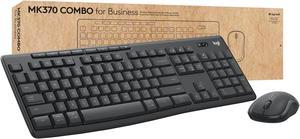
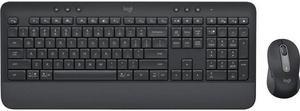
A computer input device such as a keyboard, mouse, and graphics tablet can have a huge impact on user experience and productivity. They need to be adequate for the tasks that they will be used to complete and also ergonomic, because they can be used for long periods of time every day. Below, NeweggBusiness has outlined some considerations to help you select top-notch computer input devices for your organization.
Purchasing a new mouse can be a very subjective process, as the ideal solution can vary from person to person. However, there are general considerations that hold true in most situations.
This refers to the resolution of the mouse, with higher DPI meaning more sensitivity. Some users may prefer higher DPI, but it can vary from person to person. High-DPI mice are usually marketed towards home consumers and tend to cost more than mice not marketed as high-DPI.
The size of the mouse is largely a personal preference, but can affect portability. Smaller mice are more portable than larger ones, so professionals that use their laptops on business trips can benefit from smaller mice. Mice for desktops can be larger, as they usually will not be moved away from the workstation much.
Wired and wireless mice each have their own advantages and your purchasing decision will need to factor in the needs of the user as well as the computers that they will be used with.
Like purchasing a mouse, purchasing a keyboard is a decision that is partially dependent on user preference. However, there are some general considerations that should be factored into your purchasing decision.
If your organization’s staff is requesting sick days because of repeated strain injuries (RSI), it could be because their keyboards are not ergonomic enough.
Wired USB keyboards are standard for desktops and laptops, but some users may prefer the extra portability of wireless keyboards. Wired keyboards also tend to cost less, which makes them more attractive from a budget standpoint.
Wired – Most new wired keyboards use USB connectors, but many also include PS/2 adapters for systems that don’t have USB ports available. For the user, there is little difference between the two types and adapters can fix any compatibility issues.
Wireless – Using wireless keyboards can reduce cable clutter for desktop and laptop workstations, which may be beneficial for already crowded desks. Tablets can benefit from Bluetooth keyboards, as they allow a user to do word processing tasks much more easily.
Graphics tablets are a type of input device that complement mice and are designed specifically for the needs of designers and artists. However, some users in non-design and artistic roles also prefer them over mice because graphics tablets can be more intuitive and ergonomic. Unless a workstation will be used for design or media purposes, a graphics tablet is usually not needed.
Purchasing computer input devices for your organization is a non-trivial matter, but catering to every individual’s personal preferences is impractical. You should factor in general considerations such as what type of workstation the input device will be used with and what tasks the workstation will be used to complete. Avoid purchasing a computer input device with extra features that may go unused to lower costs.