Baseus 17-in-1 4K USB-C 3 Display Docking Station
A one-stop solution to cast several contents from your laptop to different displays and import files or connect mainstream peripherals from smartphone, tablet, digital camera, game console, flash drive, hard drive, and common USB-C devices.A one-stop solution to cast several contents from your laptop to different displays and import files or connect mainstream peripherals from smartphone, tablet, digital camera, game console, flash drive, hard drive, and common USB-C devices.
Product Packing List
1* Baseus 17 in 1 USB-C Docking Station
1* 3.3Ft USB C to C Cable
1* 12V/3A DC Power Adapter(US+UK+EU)
1* Detachable U-shaped Stand
1 * User Guide
Interface Description
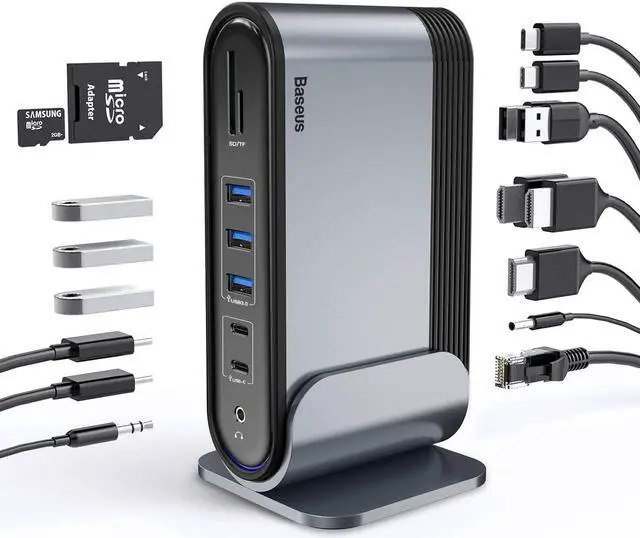
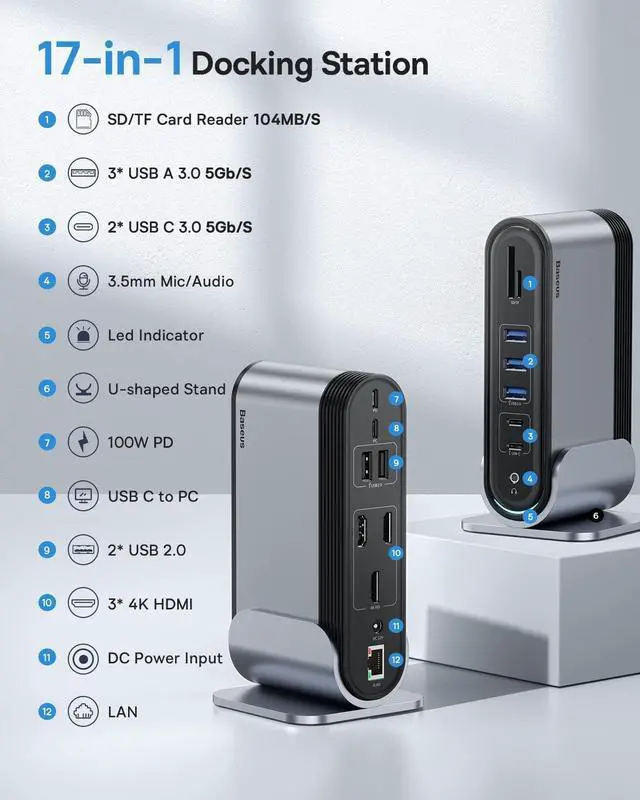
PD USB-C Ports: Supports up to 100W fast charging; requires a 60 to 100W PD charger to power or recharge your laptop through this docking station.
To Host Port: Dedicated to connect your laptop and this docking station with the included USB-C to C cable.
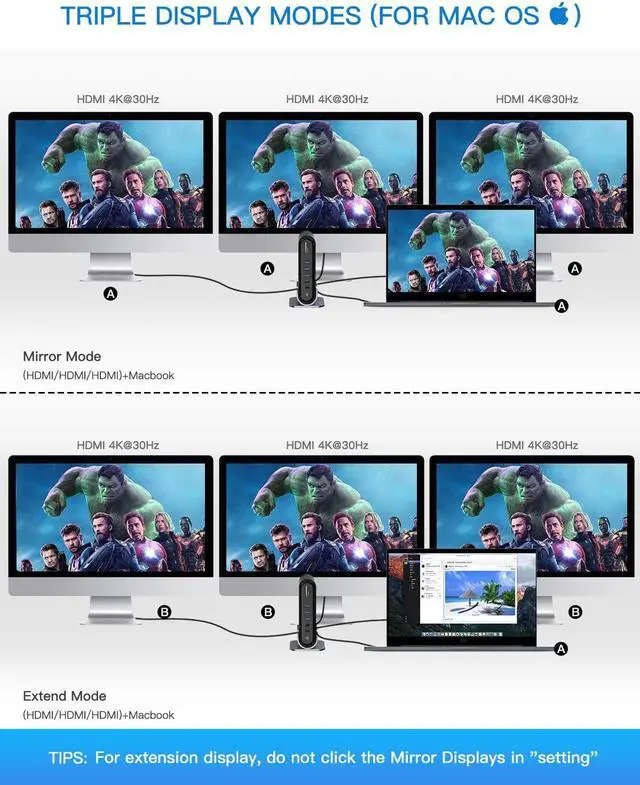
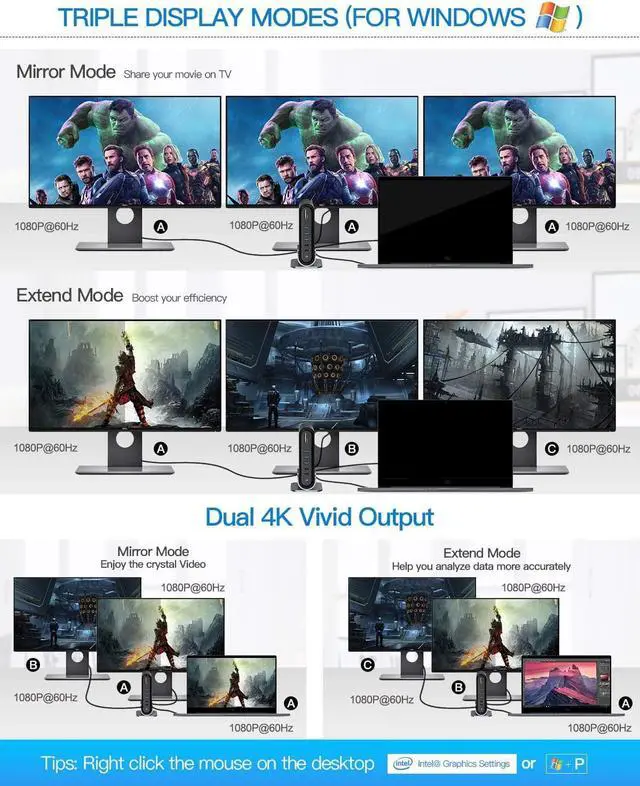
3 HDMI ports: Each port individually supports up to 4K@30Hz on a qualified screen display, and 1080P@60Hz when casting or mirroring on 2/3 displays, ignoring the top resolution they support.
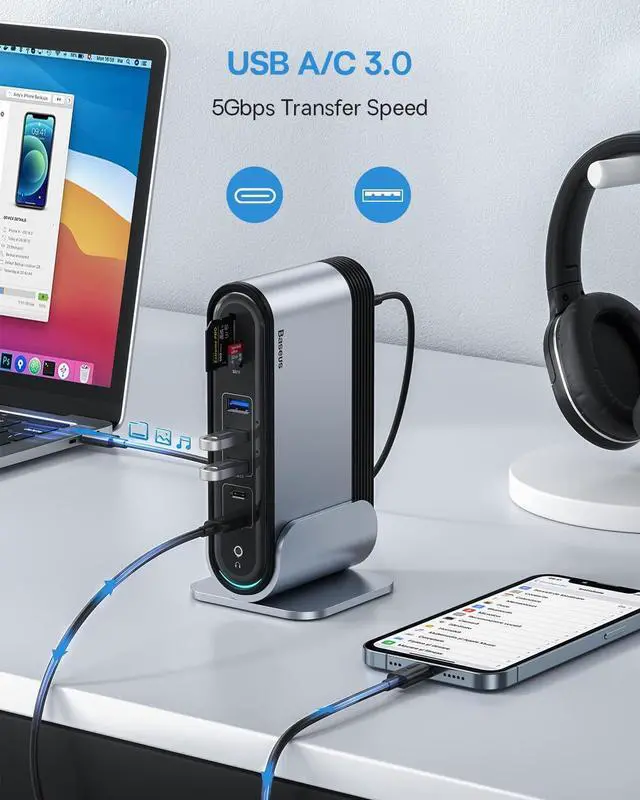
3*USB 3.0 ports: Support USB3.0 Gen1 devices, and with data transfer speed up to 5Gbps.
2*USB 2.0 ports: Support USB 2.0 devices, and with data transfer speed up to 480 Mbps.
2* USB-C ports: Support all USB-C compatible devices, and with data transfer speed up to 5Gbps.
SD/TF Card Reader: Supports SD/TF cards up to 2TB (reading two cards at once is not supported)
3.5 mm Audio Port: For wired headphones and microphones.
DC 12V Adapter: The 36W DC power adapter is exclusively designed to power the docking station in order to ensure all ports works properly. DO NOT use it to power any other devices.
RJ45 LAN port: For stable and fast network connection, backward compatible with 10M/ 100M/ 1000Mbps. Internet connection automatically adjusts to the optimal level on Windows system. On MacOS, go to System Preference Network, click on the + icon to create a new service, select USB 10/100/1000 LAN Create Apply, then your MacBook is granted the access to wired network connection.
Please use the equipped usb-c to usb-c cable or other usb c to c cable with full-featured mode.
Equipped full-featured usb-c to usb-c cable support Data transmission, charging and video signal output.
×Normal usb c cable does not support video signal output.
×It is not recommended to use an extra adapter to connect the laptop's USB C port to the docking station.
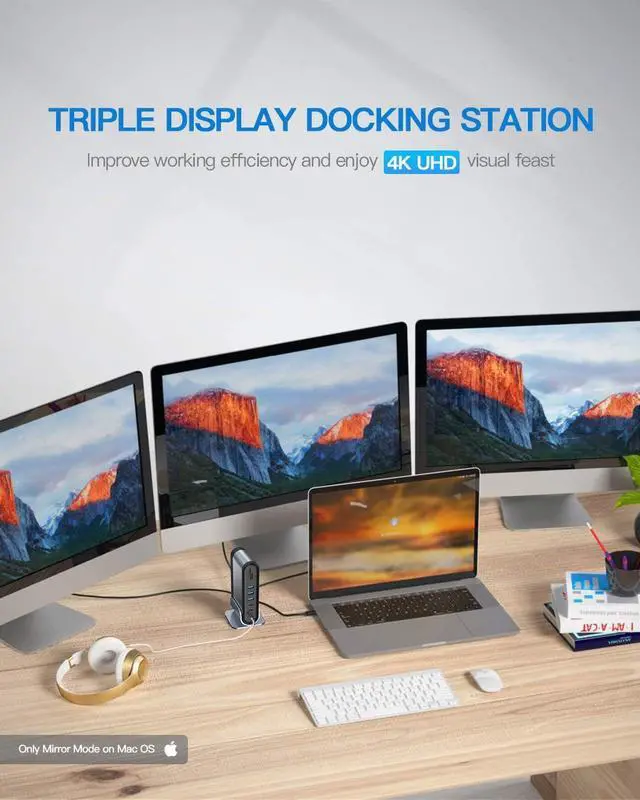
About Triple Display (Refer to Operation Videos for this product)
About Casting or Mirroring on 3 Screen Displays (Refer to products corresponding setting video)
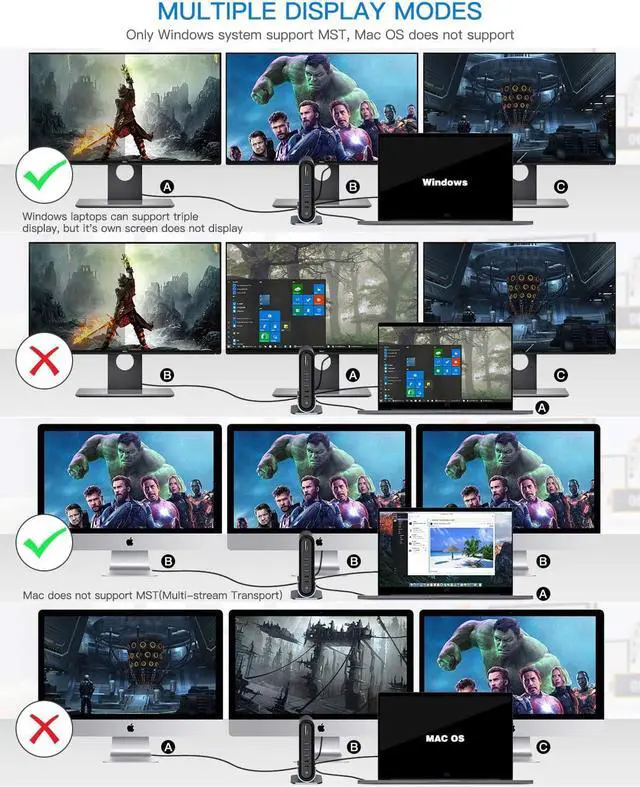
Settings on MacOS: Go to: About this Mac Display Display Preferences Mirror Display, then uncheck to enable extended mode. As MacOS does not support MST mode, you will only be able to mirror your desktop interface on 3 screen displays.
Settings on Windows OS : Since the Intel Control Panel only supports casting 3 interfaces, 1 of the 3 displays or your laptops screen will have no signal when connecting 3 displays to this docking station
Notes:
1. Ensure that your laptops USB-C port supports PD Power Delivery, DP Alt Mode and Data Transfer. Otherwise, some interface functions of the docking station cant be used. Consult your laptops manual or contact the manufacturer for this information.(The Laptop has thunderbolt 3 / USB-C 3.1 Gen 2 / USB-C 3.2 Gen 2 port support power deliver, hdmi output and 10Gb/s data transfer. The USB-C 3.1 Gen 1 port: 5Gb/s (data transfer only) can't support hdmi display.)
2.Must connect the USB-C port of the laptop to docking station through the equipped USB C to C Cable(supports PD Power Delivery, DP Alt Mode and Data Transfer).
3.The 100W PD charging port is used to connect the 65-100W PD charger (not included) to provide enough power for the laptop to ensure that all ports use stably.
4. To ensure a stable casting or mirroring experience, use the same model of monitor as connecting to 3 different screen display may cause your laptop to misread monitors information and may result into displaying content abnormally.
5. This docking station supports up to 4K@30Hz. The final output depends on the maximum output resolution supported by your laptops graphic card and screen display you use.
4. Not Compatible with Huawei matebookd15 / Lenovo Yoga 6 / Lenovo ideapad 320s / Ideapad S145-15IWL / Lenovo e590 / Acer Nitro 5 AN515 / Acer Aspire 5 a515-44-r1bu



 All Categories