• $651.89
  • Free 30-day Returns
  • Ships from China.

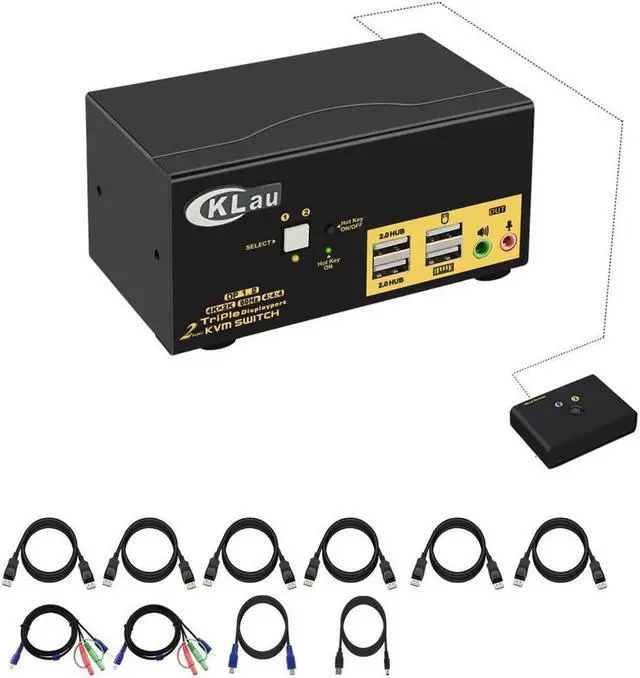
    CKLau Dual Port Triple Monitor KVM Switch Displayport with Audio Output, USB 2.0 Hub and Cables Support Extended Display Resolution Up to 4096x2160@60Hz 4:4:4

    • Item #: 9SIV81TJJ90141
    • Mfr. Part #: 5789574534
    • UNSPSC: 26121604
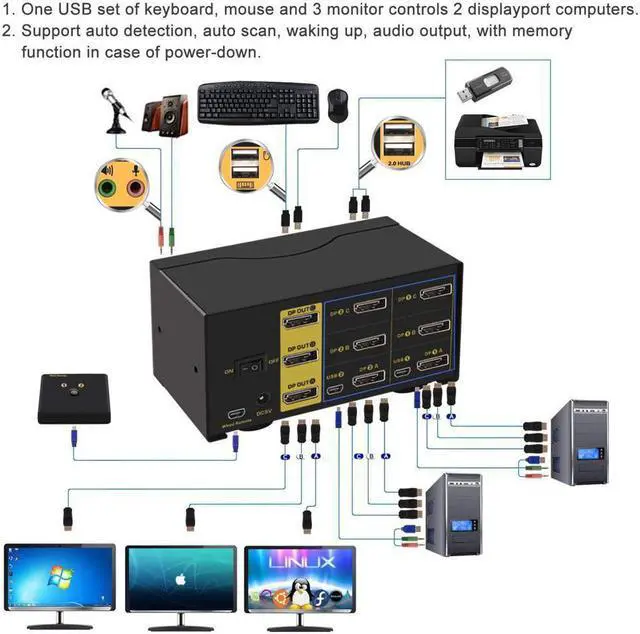
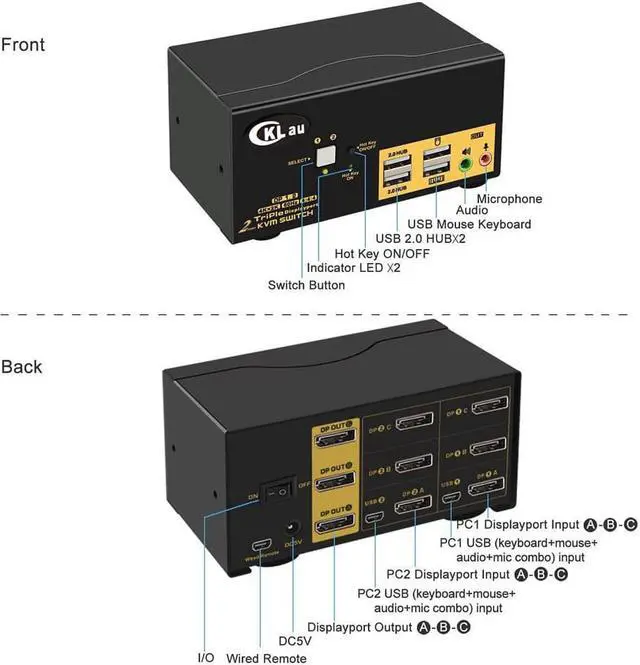
    • 1. 2 Port KVM Displayport Switch: 2 displayport-interface computers sharing one set of keyboard & mouse, 3 monitor, audio, microphone and 2 pcs USB 2.0 peripheral devices. With audio and microphone output, all input cables. Supports HDCP 2.2, HDR10. (Tips: this KVM switch is DP1.2 60Hz version, it doesn?t compatible DP1.4 devices / 100Hz / 120Hz / 144Hz devices)
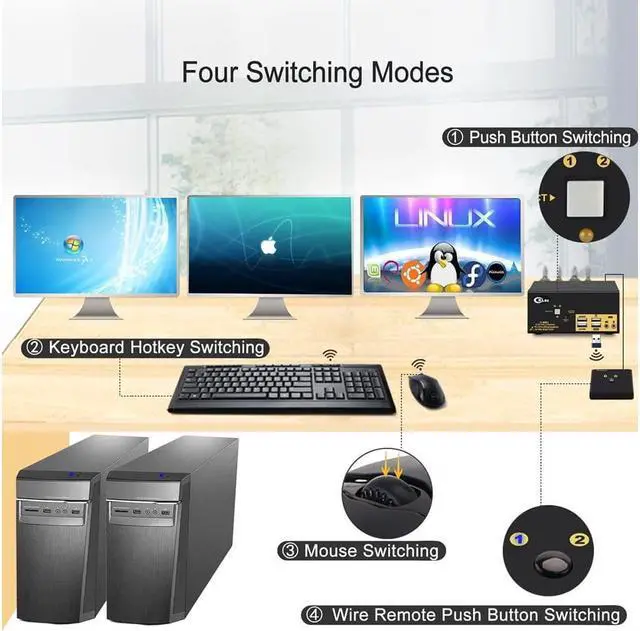
    • 2. Displayport KVM Switch: four switching way optional: Hotkey switching(Num Lock + Num Lock + 1 / 2 + Enter, or Ctrl + Ctrl + 1 / 2 + Enter, or Scroll Lock+ Scroll Lock+1 / 2 + Enter), mouse switching (click mouse wheel 2 times), manual button switching, wired remote push button switching.
    • 3. 2Port KVM Switch Display Port Switch: three display modes optional: extended display, mirror display and video wall display. Drive-free for Windows 10/7/2000/XP/Vista, Linux, Mac, Debian, Ubuntu, Fedora, Raspbian and Ubuntu.
    • 4. KMV Switches 3 Monitors: Max resolution up to 4096x2160@60Hz 4:4:4, compatible 3840x2160@60hz and lower res
    +
    +
    Overview
    Specs
    Reviews
    HDMI USB KVM Switch HDMI USB Switch Display Port KVM Switch HDMI and USB Switch KVM with HDMI Displayport Switch DP KVM
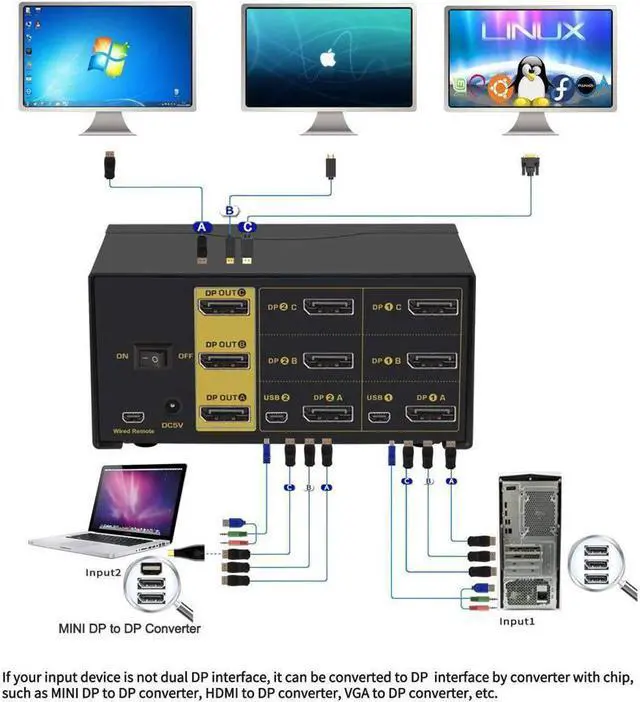
    Installation Step;
    1. Turn off all devices and unplug all the cables;
    2. Plug KVM cables, displayport cables, HDMI cables into KVM switch and your computers/laptops;
    3. Plug mouse and keyboard into KVM switch;
    4. Plug displayport cable, HDMI cable into KVM switch and monitors;
    5. Plug speaker or microphone into KVM switch if needed;
    6. Plug AC socket into KVM switch and AC socket;
    7. Turn on KVM switch;
    8. Boot computers/laptops.
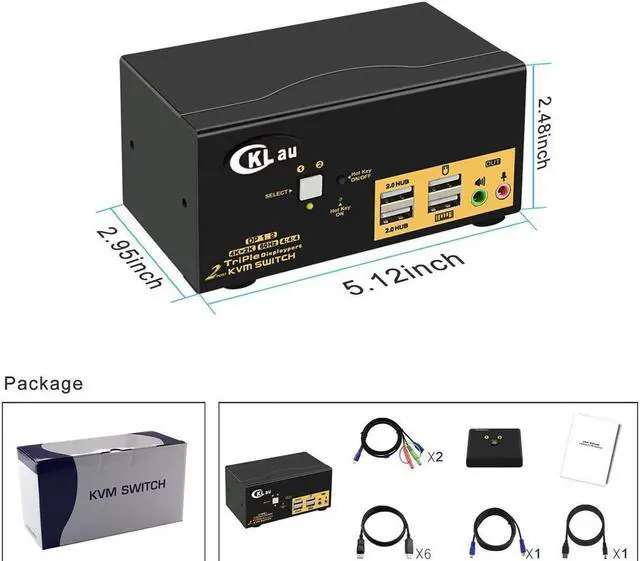
    Package:
    1 x 2 Port KVM switch
    1 x DC5V 2A power dapter
    2 x KVM Cables
    2 x HDMI cables
    2 x dispalyport cables
    1 x wire remote push button with cable
    1 x User manual

    Warranty & Returns

    Warranty, Returns, And Additional Information

    Warranty

    • Please contact the Seller directly for warranty information. Warranty information may also be found on the Manufacturer's website.
    • CONTACT

    Return Policies

    Manufacturer Contact Info

    LOADING...