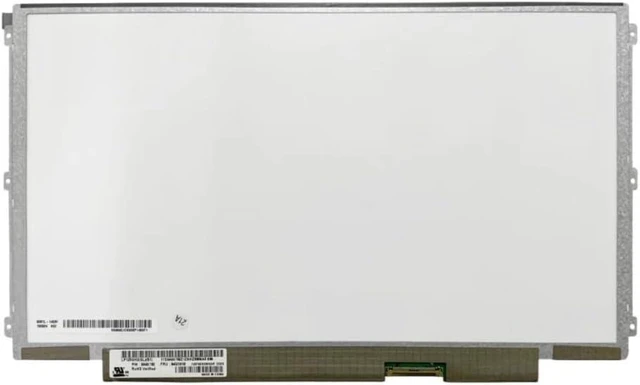
A cracked, faded, or flickering display can make your reliable ThinkPad frustrating to use. Official repairs for these classic models are no longer available, but the solution is simpler than you think. This 12.5 -inch HD LED screen is a direct, drop-in replacement for a wide range of Lenovo laptops, restoring your device to its original visual quality without breaking the bank.
Compatible Laptop Models:
Lenovo ThinkPad X220 / X220i
Lenovo ThinkPad X230 / X230i
Lenovo ThinkPad X240
Lenovo ThinkPad X250 / X260 / X270 (verify compatibility)
Lenovo K27 / K29
Lenovo U260
Other 12.5 -inch models using a 40-pin LVDS connector
Compatible Panel Models (Partial List - 100% interchangeable):
LP125WH2 series (SLT2, SLB1, SLB2, SLB3, TLB1, TLB2, TPH1, etc. )
B125XW01 V. 0 (AUO)
LTN125AT01 (Samsung)
Other compatible models: 93P5669, 93P5673, 93P5671, 04W3920, 0A66703
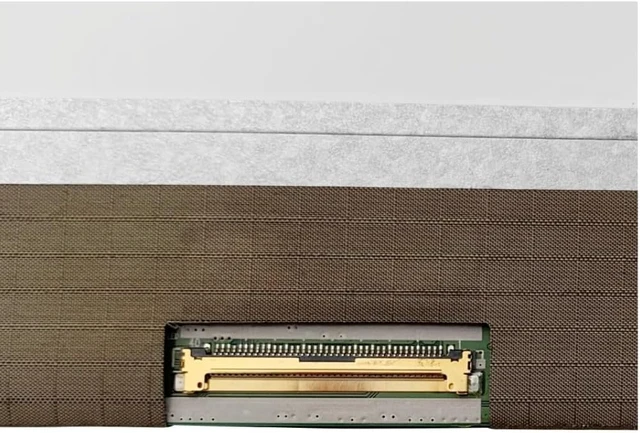
CRITICAL Verify Your Connector Before Ordering
These ThinkPad models use a 40-pin LVDS connector.
This is not compatible with:
30-pin eDP connectors (used in newer laptops)
40-pin eDP connectors
Please remove your old screen and verify the connector type (40-pin LVDS), pin count (40), and resolution (1366x768) before ordering. Installing a screen with the wrong connector will not work.
The LP125WH2-SLB3 IPS Upgrade: The LP125WH2-SLB3 is a popular IPS replacement for the original TN panels found in many X220/X230 models. It offers wider viewing angles (±85° vs ±60°) and improved color uniformity, making it ideal for coding, document editing, and general use.
Note: This is a 1366x768 panel, not a high-resolution upgrade, and offers approximately 72% sRGB coverage.
Specifications
:
Specification Detail
Screen Size 12.5 inches
Resolution 1366 x 768 (HD / WXGA)
Refresh Rate 60Hz
Panel Type TN / IPS (depending on model)
Surface Finish Matte / Anti-Glare
Backlight LED
Interface 40-pin LVDS
Installation Note:
Disconnect the battery and all power sources.
Remove the bezel (frame) around the screen.
Unscrew the mounting screws on the sides of the screen.
Gently disconnect the 40-pin LVDS cable from the back of the screen.
Attach the cable to the new screen.
Secure the screen with the screws and replace the bezel.
Caution: The display assembly is delicate. We strongly recommend testing the new screen before fully securing it connect the screen, power on the laptop, and verify it displays correctly. Professional installation is recommended if you are not comfortable with DIY repairs. Tools are not included.
What's Included:
1 x Replacement LCD Screen ( 12.5", HD, 40-pin LVDS)