Why You Need This Screen
A cracked screen, annoying flickering, or a faded display can make your laptop feel unusable. Official repairs can be prohibitively expensive, but the solution is simpler and more affordable than you think.
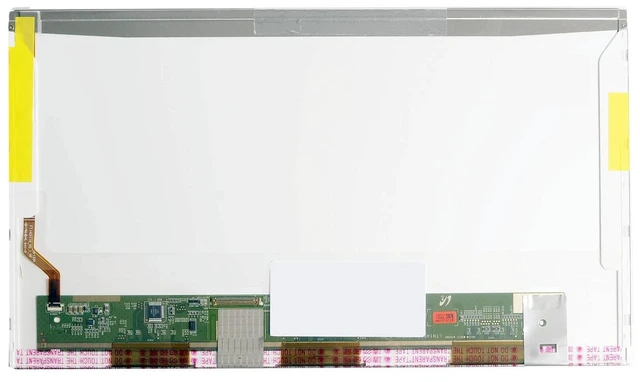
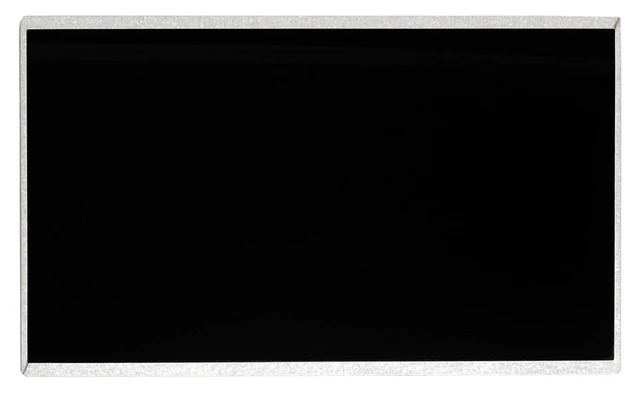
This LTN140AT26 replacement screen is your answer. It's a direct, drop-in replacement for a wide range of popular 14-inch laptops, perfect for reviving a laptop with a damaged display or for a simple DIY upgrade, restoring your device to its former glory without breaking the bank.
Designed for a Wide Range of Laptops
This screen is a direct fit and has been verified to be 100% compatible with the following models, among many others. Use Ctrl+F to search for your specific model:
Brand Compatible Models
Dell Latitude E5420, E5430, E6420; Inspiron 1440, 1014, 1464, N4010, N4050, M4010; Vostro 1088, 1014
Lenovo G450, G460, G470, Z460, Y450, B460, E40
HP CQ42, G42
Samsung R428, RV411
Compatible Part Numbers: LTN140AT26, LTN140AT26-L01, LTN140AT26-201, 9DKJN, 04W4022, 04W4023, KJ262, JM2T8
Specifications
You Can Trust
Specification Detail
Screen Size 14.0 inches
Resolution 1366 x 768 (HD / WXGA)
Panel Type a-Si TFT-LCD
Finish Glossy
Interface 40-pin LVDS (Left Connector)
Backlight LED
Brightness 200 cd/m² (Typ. )
Contrast Ratio 500:1 (Typ. )
Viewing Angle 45/45/15/30 (Typ. )
Refresh Rate 60Hz
Color Support 262k colors
Input Voltage 3.3V
Dimensions 323.5 x 192 x 5.2 mm
What a Cracked or Failing Screen Costs You
Issue Impact
Poor visual experience Distracting lines, dead pixels, or faded colors
Eye strain Flickering or dim screens cause fatigue
Lost productivity A damaged screen limits effective work
Expensive repairs Official repair shops often charge a premium
What Our Screen Delivers
Feature Cheap Generic Our Premium Panel
True Resolution Often under-spec 1366x768 HD
Brightness Often dimmer 200 cd/m² (Typ. )
Quality Control Minimal 100% tested no dead pixels
Warranty None or 30 days 30-day return + 12-month warranty
Who Is This Screen For?
Owners of compatible Dell, Lenovo, HP, or Samsung laptops with a cracked, flickering, or discolored screen.
Users looking for a budget-friendly, high-quality DIY alternative to expensive repairs.
Anyone wanting to restore their laptop to its original visual quality with a simple, beginner-friendly installation.
Why Choose Our Screen?
OEM-Compatible Grade A Panel Not a low-quality copy; a screen designed to meet or exceed the original specifications.
Easy DIY Installation Standard 40-pin LVDS interface with a simple plug-and-play design. No soldering, no complex modifications.
100% Tested Each screen is inspected before shipping to ensure it is free from defects like dead pixels, bright dots, or lines.
12-Month Warranty Buy with confidence. If anything goes wrong, we've got you covered.
Installation Note
Replacing the screen on these laptops is a straightforward process:
Disconnect the battery and all power sources.
Remove the bezel (frame) around the screen.
Unscrew the mounting screws on the sides of the screen.
Gently disconnect the 40-pin LVDS cable from the back of the screen.
Attach the cable to the new screen.
Secure the screen with the screws and replace the bezel.
Caution: The display assembly is delicate. Extreme care is required during removal and installation. Professional installation is highly recommended if you are not comfortable with DIY repairs. Tools not included.
What's Included
1 x Replacement LCD Screen ( 14.0", HD, 40-pin LVDS)