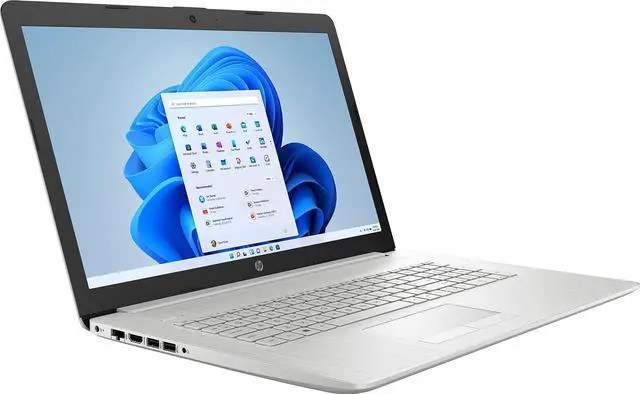
How to switch s mode to windows 11
1. On your PC running Windows 11 in S mode, open Settings > Update & Security > Activation.
2. In the Switch to Windows 11 Home or Switch to Windows 11 Pro section, select Go to the Store. (If you also see an "Upgrade your edition of Windows" section, be careful not to click the "Go to the Store" link that appears there. )
3. On the S
How to switch s mode to windows 11
1. On your PC running Windows 11 in S mode, open Settings > Update & Security > Activation.
2. In the Switch to Windows 11 Home or Switch to Windows 11 Pro section, select Go to the Store. (If you also see an "Upgrade your edition of Windows" section, be careful not to click the "Go to the Store" link that appears there. )
3. On the Switch out of S mode (or similar) page that appears in the Microsoft Store, select the Get button. After you see a confirmation message on the page, you'll be able to install apps from outside of the Microsoft Store.
Specifications
Processor:
Intel Core i3-1115G4 (Base 3 GHz, up to 4.1 GHz with Intel Turbo Boost Technology, 6 MB L3 cache, 2 cores, 4 threads)
Display:
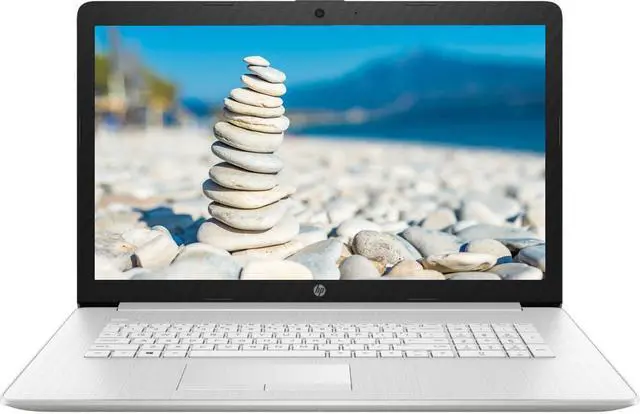
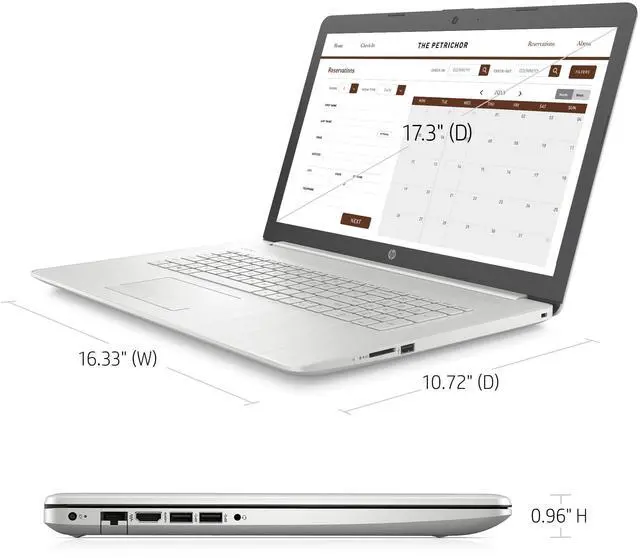
17.3" diagonal, HD+ (1600 x 900), anti-glare, 220 nits, 60% NTSC
Memory (RAM):
Upgrade to 16 GB DDR4
Hard Drive:
Upgrade to 1TB PCIe SSD
Optical Drive:
NO
Graphics:
Intel UHD Graphics
Audio:
Dual speakers
Operating System:
Windows 11 Home in S mode
Keyboard:
Non-Backlit. Full-size keyboard with integrated numeric pad
Touchscreen:
NO
Webcam:
HP True Vision 720p HD camera with integrated digital microphone
Connectivity:
Realtek 802.11 a/b/g/n/ac (1x1) Wi-Fi and Bluetooth 4.2 combo
Ports & Slot:
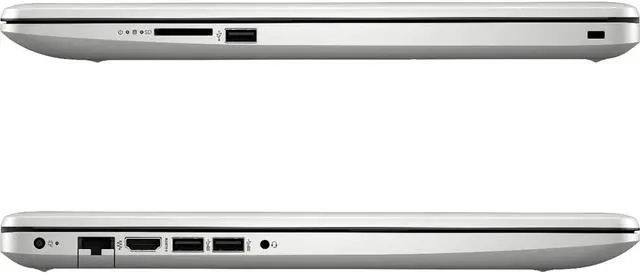
2 SuperSpeed USB Type-A 5Gbps signaling rate
1 USB 2.0 Type-A
1 HDMI 1.4 b
1 RJ-45
1 AC smart pin
1 headphone/microphone combo
1 Multi-format SD media card reader
Battery:
3-cell, 41 Wh Li-ion. Up to 8 hours (mixed usage). 45 W Smart AC power adapter
Dimensions:
16.33 in (W) x 10.72 in (D) x 0.96 in (H)
Weight:
5.25 lb
Color:
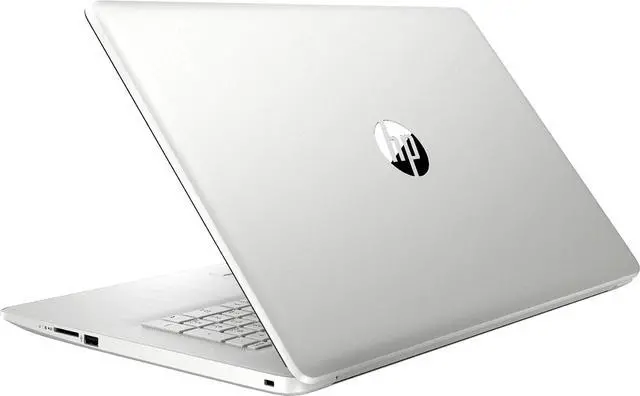
Natural Silver witch out of S mode (or similar) page that appears in the Microsoft Store, select the Get button. After you see a confirmation message on the page, you'll be able to install apps from outside of the Microsoft Store.
Specifications
Processor:
Intel Core i3-1115G4 (Base 3 GHz, up to 4.1 GHz with Intel Turbo Boost Technology, 6 MB L3 cache, 2 cores, 4 threads)
Display:
17.3" diagonal, HD+ (1600 x 900), anti-glare, 220 nits, 60% NTSC
Memory (RAM):
Upgrade to 16 GB DDR4
Hard Drive:
Upgrade to 1TB PCIe SSD
Optical Drive:
NO
Graphics:
Intel UHD Graphics
Audio:
Dual speakers
Operating System:
Windows 11 Home in S mode
Keyboard:
Non-Backlit. Full-size keyboard with integrated numeric pad
Touchscreen:
NO
Webcam:
HP True Vision 720p HD camera with integrated digital microphone
Connectivity:
Realtek 802.11 a/b/g/n/ac (1x1) Wi-Fi and Bluetooth 4.2 combo
Ports & Slot:
2 SuperSpeed USB Type-A 5Gbps signaling rate
1 USB 2.0 Type-A
1 HDMI 1.4 b
1 RJ-45
1 AC smart pin
1 headphone/microphone combo
1 Multi-format SD media card reader
Battery:
3-cell, 41 Wh Li-ion. Up to 8 hours (mixed usage). 45 W Smart AC power adapter
Dimensions:
16.33 in (W) x 10.72 in (D) x 0.96 in (H)
Weight:
5.25 lb
Color:
Natural Silver