KVM Switch 4 Monitors 2 ComputersThis USB A/C docking station breaks through MacOS limitations. Supports MacBooks/other laptops/desktops (with USB-C or USB-A 3.0 + ports) to expand to 4 displays.
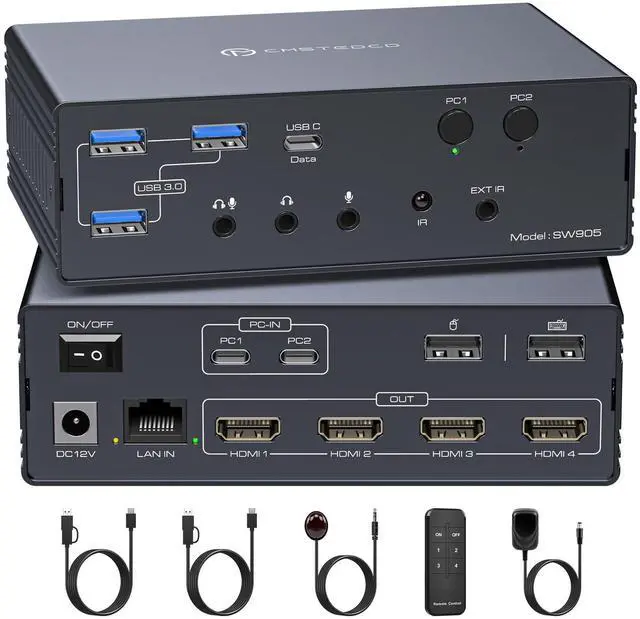
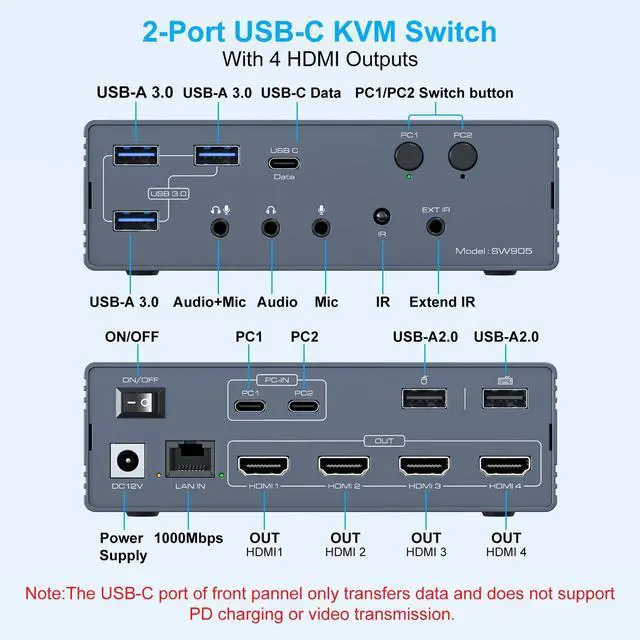
Shares full configuration: Connect multiple peripherals via 2 USB-A 2.0 ports, 3 USB-A 3.0 ports, and 1 USB-C port. Features Gigabit Ethernet and audio interfaces. Supports remote control switching to create a complete all-in-one office or entertainment hub. ^^ Important Notice 1. This KVM switch for Mac requires the DisplayLink driver to function. (Refer to the image details page and manual for specific installation steps. Set the driver to run automatically at system startup. Contact technical support if installation issues arise. ) 2. The USB input port on your computer must meet the minimum USB 3.0 specification requirements. 3. PD charging functionality is not supported. 4. When the device is running, it willoccupy computer system resources. It is recommended to use a CPU of I7 or above and at least 16GB of memory ^^ Wide CompatibilityThis KVM switch docking station supports USB-C or USB-A 3.0 (or higher) inputs. Achieve one-click switching between desktops and laptops. Seamlessly compatible with macOS, Windows, Chrome OS, Linux, and Android systems. Simply download the DisplayLink driver to unlock the full functionality of this KVM docking station.
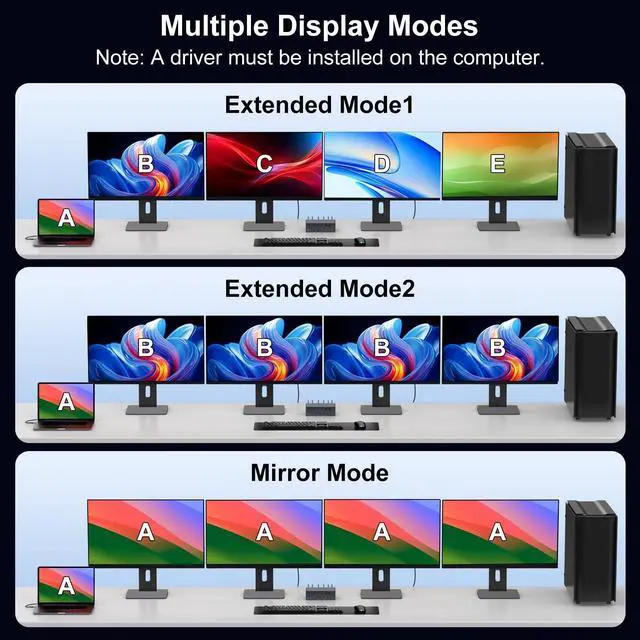
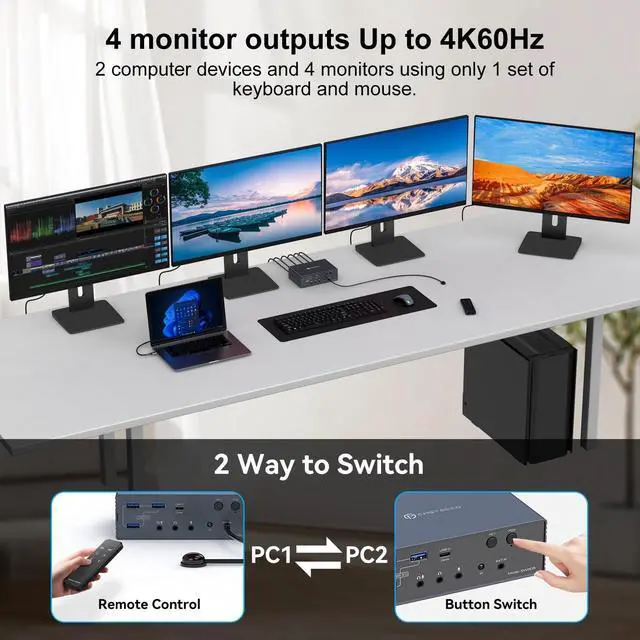
^^ Mirroring and Extended DisplayThis kvm switches hdmi supports mirroring and extended display modes. It overcomes MacOS system limitations. Both Windows and MacOS systems equally support mirroring mode (AAAAA/ABBBB) and extended mode (AAAAA/ABBBB/ABCDE) ^^ 4K@60Hz Ultra HD DisplayThis USB C KVM supports simultaneous output to four 4K60Hz displays and is backward compatible with lower resolutions. When outputting to only two displays simultaneously, resolutions up to 4K120Hz are achievable.
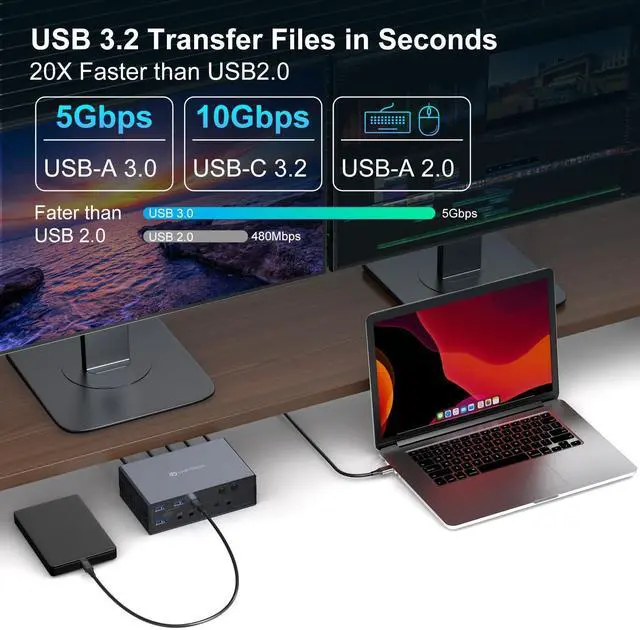
(Note: To achieve the corresponding resolutions, your computer, displays, and cables must all support the respective resolutions. It is recommended that cable length does not exceed 3 feet. ) ^^ USB High-Speed Transfer and 1000Mbps EthernetThis Mac KVM switch features multiple USB high-speed transfer ports, including 1x 10Gbps USB-C; 3x 5Gbps USB-A 3.0; and 2x 480Mbps USB-A 2.0. It supports simultaneous connection of multiple USB external devices. Equipped with a network transfer port, it supports Ethernet speeds up to 1000 Mbps for enhanced work efficiency. ^^ Package Contents and
After-Sales ServiceThis package contains: 1x USB KVM Switch; 1x PC 12V Power Adapter; 2x USB A-C to C Cables; 1x External IR Receiver Kit; 1x Remote Control; 1x User Manual. Should you encounter any issues with the product, please contact us. We will do our utmost to provide you with a satisfactory after-sales solution.