• $37.99
  • Free 30-day Returns
  • Ships from United States.
    Sold by CloudBeast

    Shipped by CloudBeast

    AnMengXinLing Keyboard Case for iPad Air 11 inch M4/M3/M2/iPad Air 5th 4th Generation, Rotating Smart Clear Cover with Detachable Magnetic Round Key Keyboard, Blue

    • Item #: 9SIVNVJKZJ4038
    • Mfr. Part #: 919941262746
    • Compatibility ModelThis Clear Rotatable Keyboard Case is compatible with 10.9 inch iPad 5th/4th (2022/2020 release), iPad Pro 11 inch 4th Gen/3rd Gen/2nd Gen(2022/2021/2020 release), Not compatible with any other iPad devices.
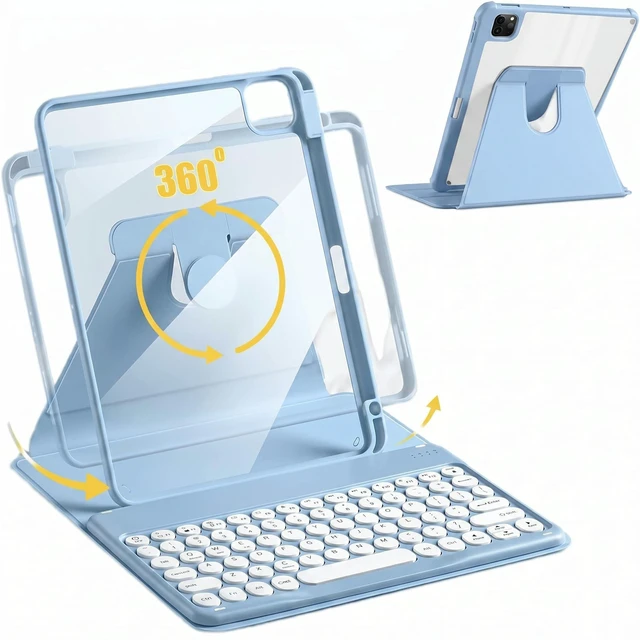
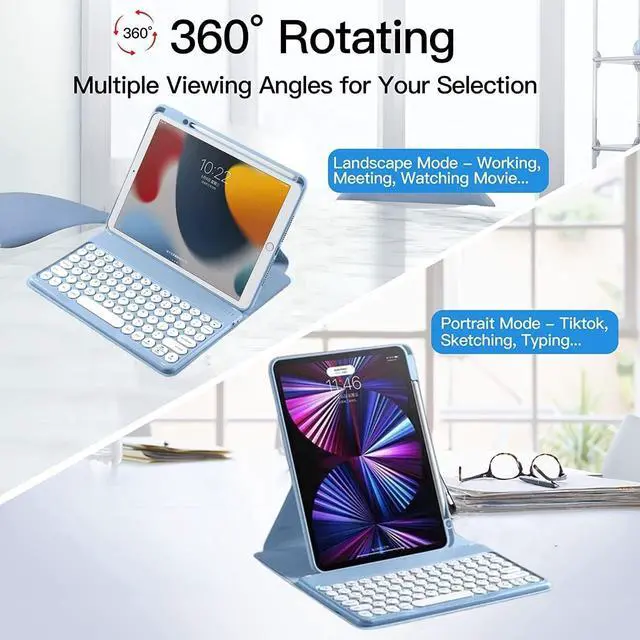
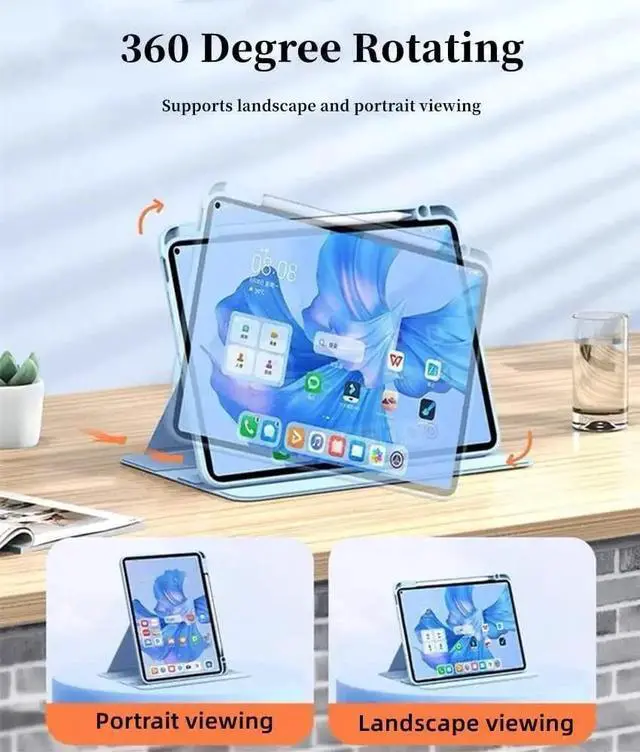
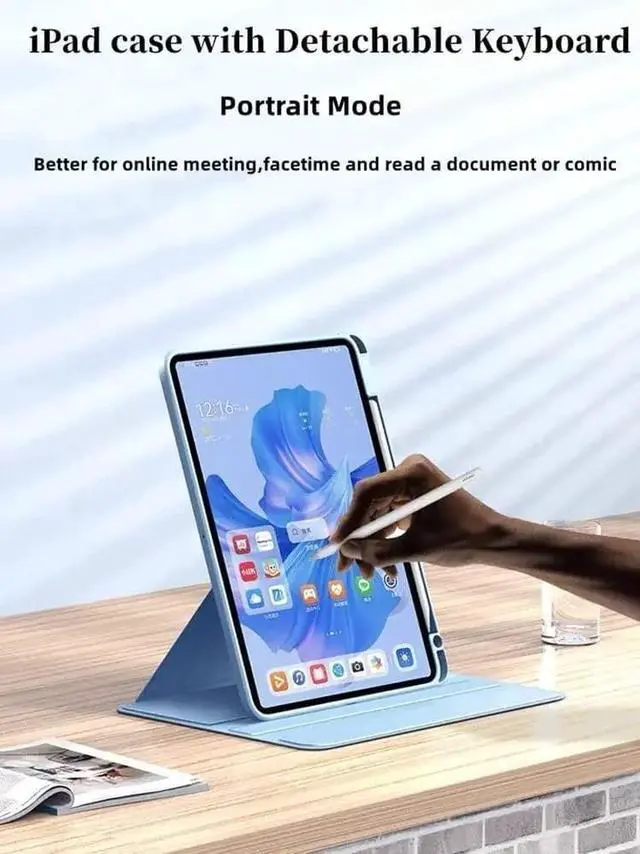
    • iPad Clear Case 360 Rotate360 degree rotating case converts into a stand that rotates between portrait and landscape.And the crystal transparent clear hard shell back cover will show your original tablet beauty
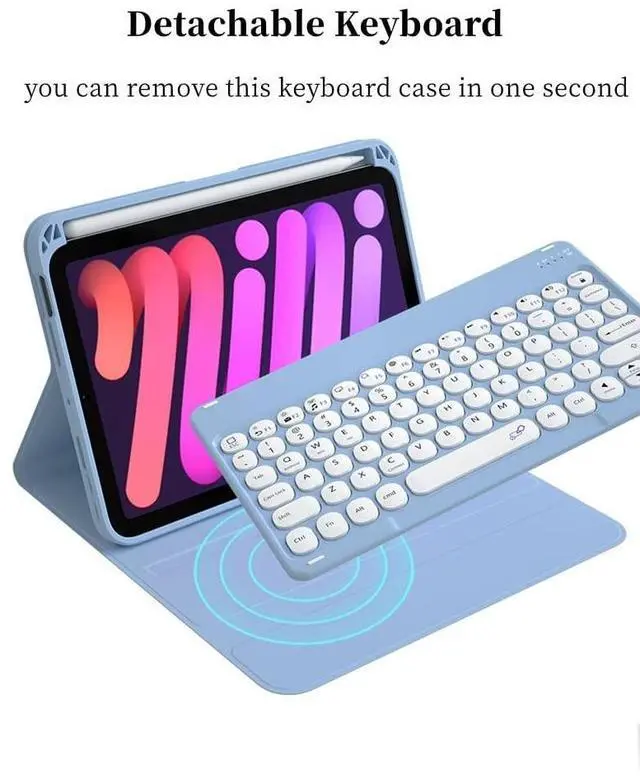
    • Magnet Detachable KeyboardThe magnetic wireless keyboard is removable and moveable to make it easy to put the iPad and keyboard in a comfortable position. Round Keys make your keyboard is Unique and Attractive.
    • Built-in Apple Pencil Holder This ipad keyboard case is comes with Apple Pencil Holder, you can use your Apple Pencil whenever you want and never get lost easily. (Apple Pencil is NOT included).
    • Best Gift for College Students/Women/Menwhether you're a blogger, writer, designer, professional or student, iPad 10.2 inch keyboard with
    +
    +
    Overview
    Specs
    Reviews
    Rotation Case with Keyboard for iPad Air 11-inch M4/M3/M2 (2026/2025/2024)/iPad Pro 11 4th Gen 2022, iPad Pro 3rd Gen 2021, iPad Pro 11 2nd Gen 2020, iPad Pro 11 1nd Gen 2018, iPad Air 5th Generation 2022 ( 10.9 Inch), iPad Air 4th Generation 2020, Round Keys Keyboard Case Tablet 360 Degree Smart Protective Stand Keyboard case With Pencil HolderHow to
    Connect the iPad: Step 1. Switch On/Off to On to turn your keyboard on. Step 2. Press the Fn + C keys together to enter pairing mode. please press"Fn""C"together. Step 3. Verify your devices Bluetooth settings are on. Select Settings - Bluetooth - On. Step 4. Select Bluetooth Keyboard from your devices list of available devices to complete pairing. Step 5. Select Bluetooth Keyboard, the indicator will turn off after successfully paired.
    NOTE: the case with plastic film, please remove it before you use the ipad case.

    Warranty & Returns

    Warranty, Returns, And Additional Information

    Warranty

    • Please contact the Seller directly for warranty information. Warranty information may also be found on the Manufacturer's website.
    • CONTACT

    Return Policies

    • Return for refund within: 30 days
    • Return for replacement within: 30 days
    • This item is covered by CloudBeast Return Policy

    Manufacturer Contact Info

    LOADING...