• $63.99
  • Free 30-day Returns
  • Ships from United States.
    Sold by SIMPLIZED

    Shipped by SIMPLIZED

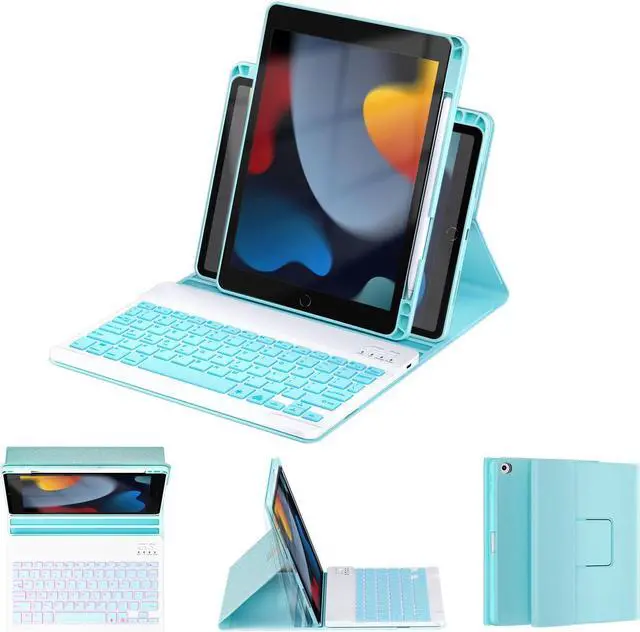
    OYEEICE for iPad 9th Generation Case with Keyboard - Detachable Backlit Keyboard - Rotatable Cover with Pencil Holder for iPad 9th/8th/7th Gen, iPad Air 3rd Gen & iPad Pro 10.5" - Blue

    • Item #: 9SIVGCKKD38524
    • Mfr. Part #: 972090476389
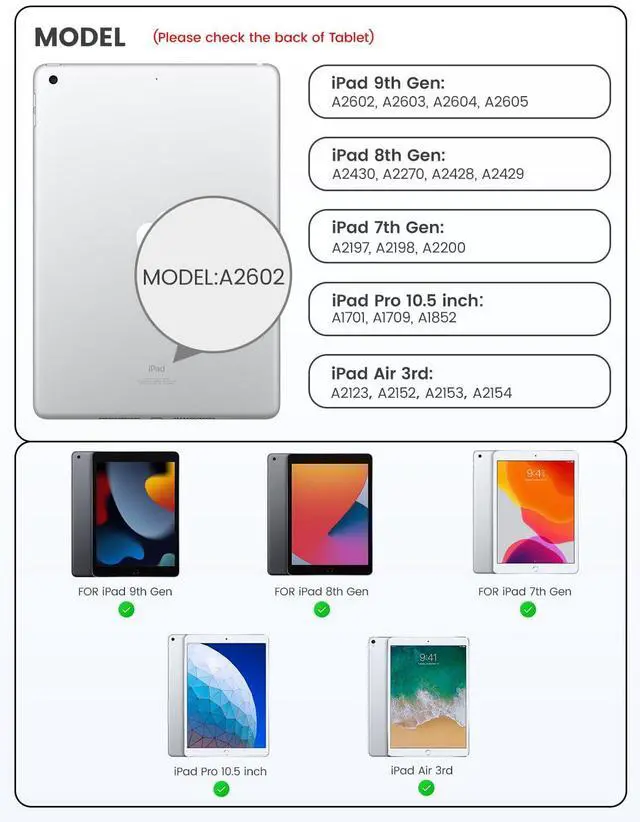
    • [(iPad 9th Generation Case with Keyboard)] Compatible Keyboard Case for iPad 9th Generation - A2602, A2603, A2604, A2605; Keyboard Case for iPad 8th Generation - A2430, A2270, A2428, A2429; Keyboard Case for iPad 7th Generation - A2197, A2198, A2200; iPad Pro 10.5 inch case with keyboard 2017 - A1701, A1709, A1852; iPad Air 3rd Generation - A2123, A2152, A2153, A2154 Note: Please check the bottom of the back of your iPad to confirm the model number "AXXXX" before purchasing to prevent size errors
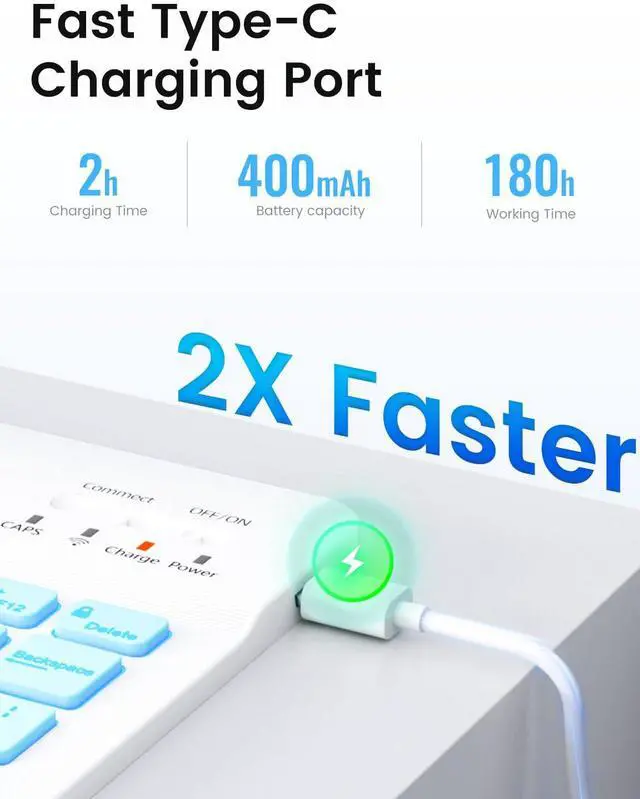
    • [(Rechargeable and Long Life Battery)] iPad 9th gen keyboard case extended battery working up to 180 hours on a single charge which can be recharged with a Type-C charging cable, eliminating the need for battery replacements.
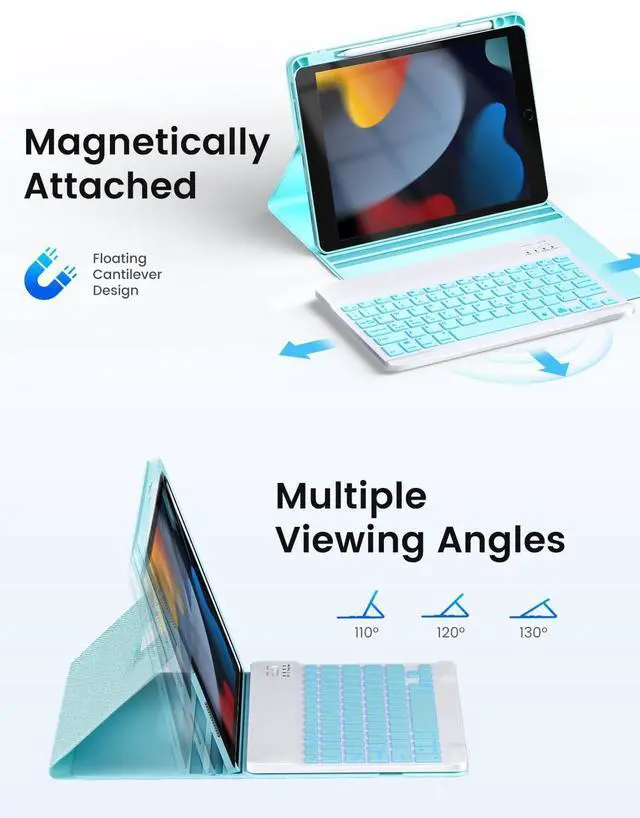
    • [(Rotatable & Triple Groove Design)] iPad 8th gen keyboard case with angles with 3 grooves and rotatable design for adjustable viewing and stable positioning, making it perfect for studying, working, reading or watching videos.
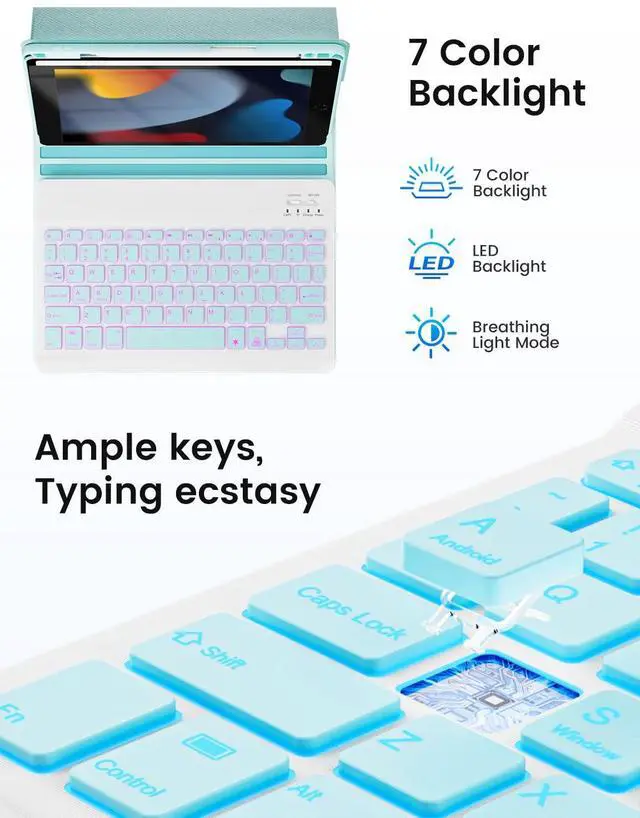
    • [(Detachable Backlit Keyboard)] 7-col
    +
    +
    Overview
    Specs
    Reviews
    Keyboard Cover for iPad 9th Gen 2021/8th Gen 2020/7th Gen 2019 10.2", iPad Pro 10.5" 2017/iPad Air 3rd Gen 10.5 2019 with Pen Holder, Backlit Wireless BT Keyboard, Auto Sleep/Wake (green)

    For iPad 10.2" 9th Gen 2021 - A2602, A2603, A2604, A2605
    For iPad 10.2" 8th Gen 2020 - A2430, A2270, A2428, A2429
    For iPad 7th Gen 10.2" 2019 - A2197, A2198, A2200
    For iPad Air 3rd Gen 10.5" 2019 - A2154, A2152, A2153, A2123
    For iPad Pro 10.5 Inch 2017- A1701, A1709, A1852

    For iPad 10.2" / 10.5" Inch Keyboard Cover Product Advantages and Features
    Backlight Wireless BT Detachable The keyboard attaches within 10 feet, making typing on the iPad like a laptop
    PU leather case and precise cutouts protect the iPad from falls and falls
    Anti-slip groove design provides multiple viewing angles
    The built-in pencil holder provides a good fixed position for your stylus
    br> Auto sleep/wake function saves a lot of life for your iPad

    How to connect a backlit keyboard
    * Open the lid, open the keyboard
    * Turn on the iPad's BT
    * Click the "Connect" key to turn on the keyboard's BT
    * Enter iPad BT settings, click BT and look for "BT keyboard" in the search page, just select it

    Note
    1. Please charge the keyboard when you use it for the first time 2~3 hours
    2. Turn on the keyboard, the power indicator will flash for about 3 seconds and then turn off
    3. When using for the second time: just turn on the BT of the tablet and power on the keyboard, please press any key on the keyboard. then it will connect automatically
    (no need to click "BT 3.0 keyboard" on the iPad screen and don't press the "CONNECT" button on the keyboard, otherwise it will show "Not connected")

    Package Content
    1 * Wireless BT Backlit Keyboard
    1 * Micro USB Charging Cable (No Charger)
    1 * User Manual
    1 * 10.2" / 10.5" Case (No Stylus)

    Warranty & Returns

    Warranty, Returns, And Additional Information

    Warranty

    • Please contact the Seller directly for warranty information. Warranty information may also be found on the Manufacturer's website.
    • CONTACT

    Return Policies

    • Return for refund within: 30 days
    • Return for replacement within: 30 days
    • This item is covered by SIMPLIZED Return Policy

    Manufacturer Contact Info

    LOADING...