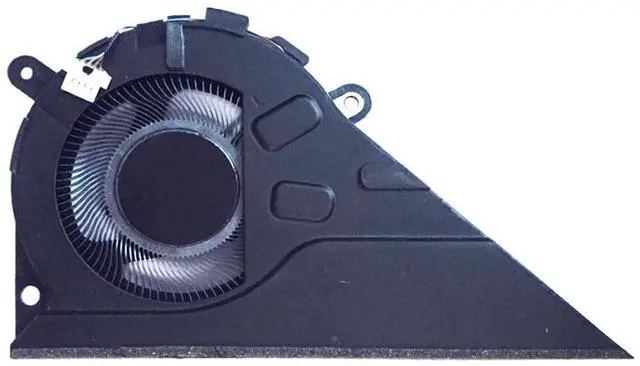
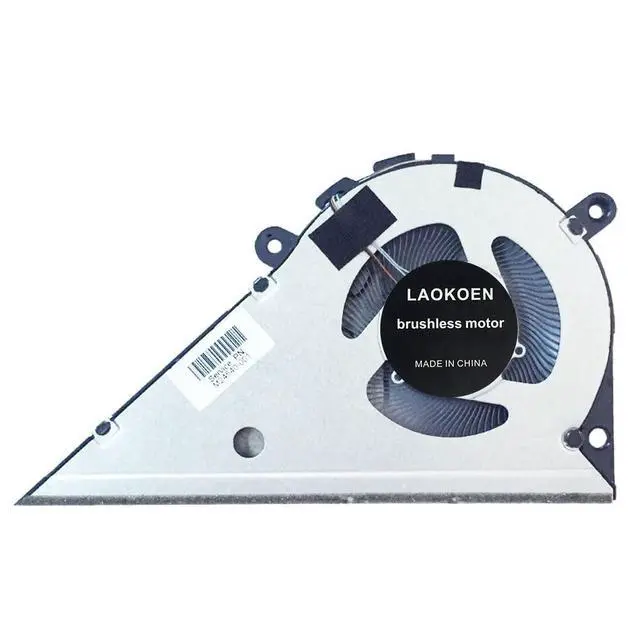
Please check the compatible model and compare the sample pictures, make sure this is the correct Cooling Fans you need! Please contact us if you have any issue! *Parameter: DC 5V 0.5A *Package
Include: 1* Fan, *Compatible
Models: for HP Pavilion Star 14-DV ( integrated graphics) 14-dv2053TU 14 dv0054TU 14-dv1000TU 14-dv1001ns 14-dv1001nl 14-dv1001nh 14-dv1001TU 14-dv1000nb14-dv1001ur 14-dv1002TU 14-dv1002nb 14-dv1002ns 14-dv1002nx 14-dv1003TU 14-dv1003nq 14-dv1003ns14-dv1003nx 14-dv1004TU 14-dv1006ns 14-dv1007TU 14-dv1007nq 14-dv1008TU 14-dv1008nb 14-dv1008ns14-dv1009TU 14-dv1010nb 14-dv1010nb 14-dv1010ns 14-dv1011TU 14-dv1011nb 14-dv1012TU14-dv1012nq 14-dv1012ns 14-dv1013TU 14-dv1013nb 14-dv1014nb 14-dv1014ns 14-dv1015nb 14-dv1015nq14-dv1016TU 14-dv1016nm 14-dv1017TU 14-dv1018nm 14-dv1028TU 14-dv1029nm 14-dv1031TU 14-dv1032nm14-dv1033TU 14-dv1038nm 14-dv1039nm 14-dv1040nf 14-dv1097nr 14-dv1234TU 14-dv1310nd 14-dv1350nd14-dv1360nd 14-dv1410nd 14-dv1620nd 14-dv1629na 14-dv1629sa 14-dv1861nd 14-dv1901nd14-dv0704nw 14-dv0713ng 14-dv0733ng 14-dv0735ng 14-dv0763nb 14-dv0765nb 14-dv0777TU 14-dv0800nc14-dv0831nd 14-dv0832nd 14-dv0841nd 14-dv0842nd 14-dv0843nd 14-dv0900ncTPN-Q244 Series p/nM24540-001 EG50040S1-CL40-S9A. Not suitable HP Pavilion Star 14-dv Discrete Graphics Card laptop series*Applicable scenarios: Solve the error, abnormal noise, and high temperature of your laptop fan, so that your laptop fan can operate normally again! *Special attention: 1. Before replacing the laptop fan, remember to shut down the laptop, remove the plug of the external battery or internal battery of the laptop, and then press the switch button several times to release the static electricity and surplus electricity of the motherboard, so as to avoid damage to the motherboard caused by static electricity. In addition, please be sure to pay attention to the direction of the fan plug, do not plug the anti-fan plug, so as to avoid burning the fan. 2. Please pay attention to check whether the voltage of your laptop fan is consistent with our product description fan voltage, because the same model of computer may have different voltage notebook cooling fans. 3. Disassembly is risky, and installation needs to be cautious. If you cant install it yourself, its best to ask a professional to help install it. You can also find the installation tutorial on the Internet for reference.