


- Free 30-day Returns
$65.99
Ships from United States.
Meet Your Seller

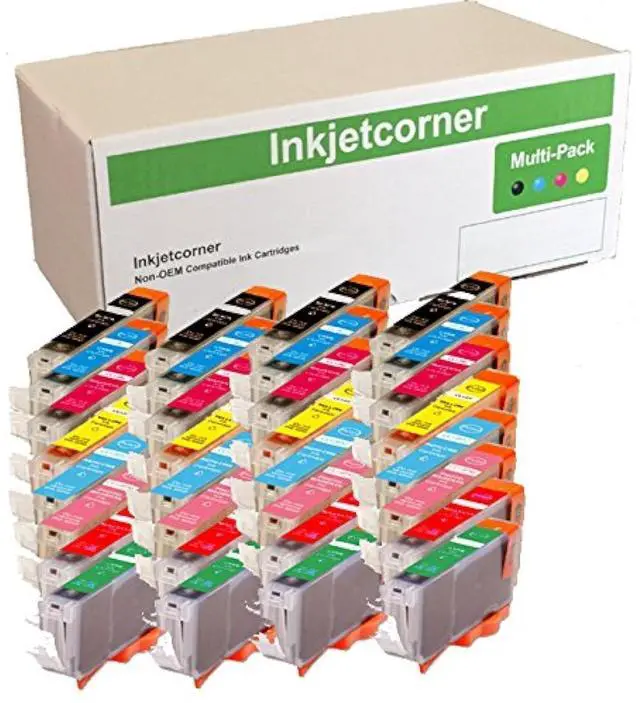

Inkjetcorner Compatible Ink Cartridges Replacement for CLI-8 for use with Pro9000 Mark II (32-Pack)
- Item #: 9SIVRSGKZG5196
- Mfr. Part #: 169470063127
- Inkjet Cartridges are Premium Compatible
- Latest chipset . will display ink level
- Includes 4 of each (Black, Cyan, Magenta, Yellow, Photo Cyan, Photo Magenta, Red, Green)
- Compatible with Pro9000, Pro9000 Mark II
+
+
Overview
Specs
Reviews
Inkjetcorner inkjet cartridges for your printers are built to meet the same original specifications and performance standards as the OEM cartridges.
Compatible with the following printers: Pixma Pro9000, Pro9000 Mark IIHow to install /
Replace new ink cartridge: Step
1: Pull off tape (if any) the yellow/clear sealing tape on top of the cartridge. If there are no tape on the top, proceed to
Step 2Step 2: Turn cartridge upside down and remove the orange cap/bracket off the cartridgeStep 3: Insert the cartridge into the corresponding slot and push down on the cartridge until you hear a click soundStep 4: This Step is optional. Run a Printhead clean on the cartridge. this will flush out residue leftover from previous useNOTE: The cartridges may not light up due to latest driver update. However, you will be able to continue to print and the ink levels will display
Warranty & Returns
Warranty, Returns, And Additional Information
Warranty
- Please contact the Seller directly for warranty information. Warranty information may also be found on the Manufacturer's website.
- CONTACT
Return Policies
- Return for refund within: 30 days
- Return for replacement within: 30 days
- This item is covered by HyperCore Return Policy
Manufacturer Contact Info
- For a directory of all our manufacturers, please click below.
- Manufacturers Directory
LOADING...