• $163.99
  • Free 30-day Returns
  • Ships from United States.
    Sold by SIMPLIZED

    Shipped by SIMPLIZED

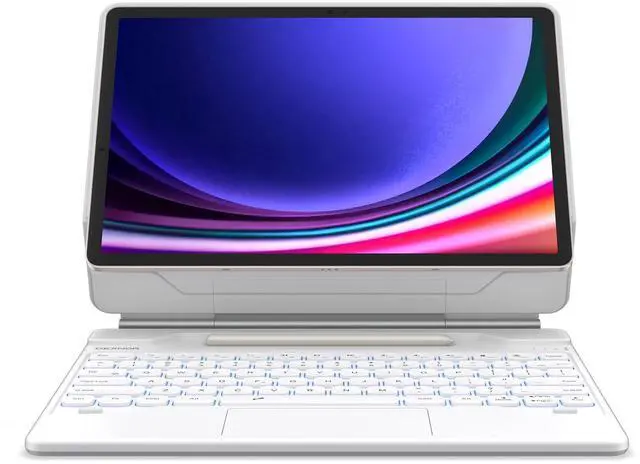
    Dexnor for Samsung Galaxy Tab S9+ Plus/S9 FE+ Plus/S8+ Plus/S7+ Plus/S7 FE Case with Keyboard 12.4" Floating Cantilever Magnetic Stand Multi-Touch Trackpad Backlit S Pen Holder US Version - White

    • Item #: 9SIVGCKKAH5586
    • Mfr. Part #: 9388301862536
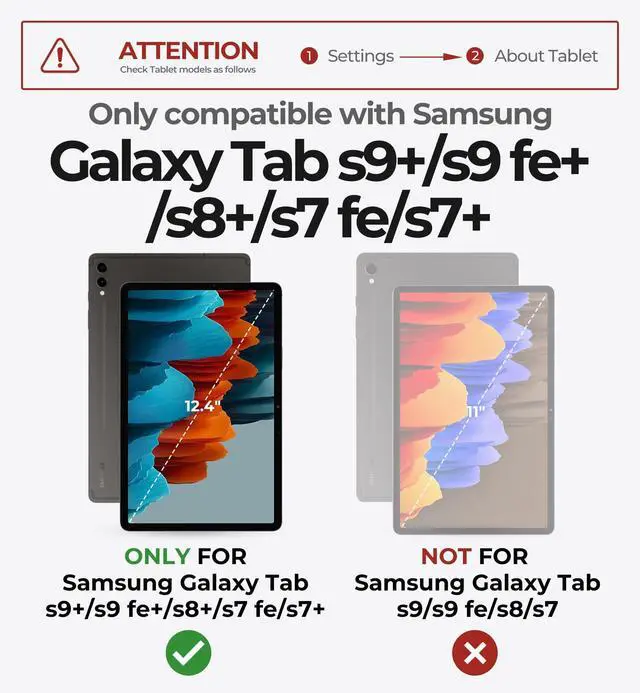
    • [(ENHANCED COMPATIBILITY)] Exclusively designed for Samsung Galaxy Tab S9+ Plus/S9 FE+ Plus 12.4 inch (2023), Samsung Galaxy Tab S8+ Plus 12.4 inch (2022), Samsung Galaxy Tab S7 FE (5G) 12.4 inch (2021), and Samsung Galaxy Tab S7+ Plus 12.4 inch (2020) tablets. (Tablet and S Pen not included.)
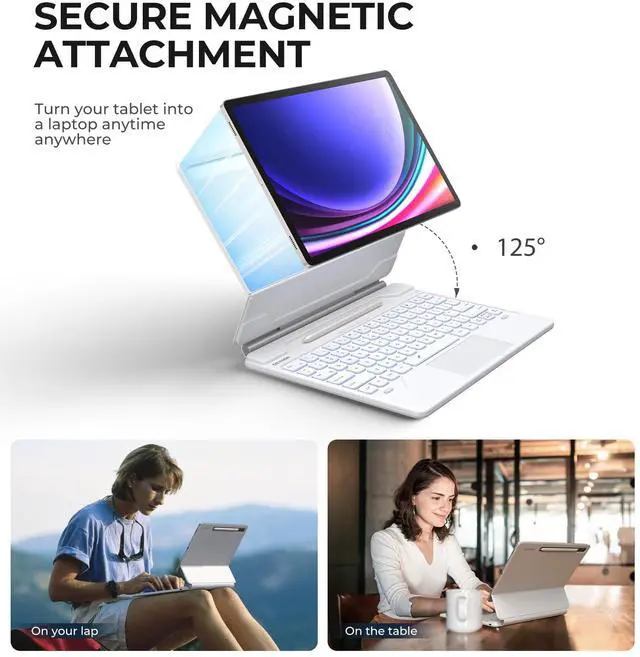
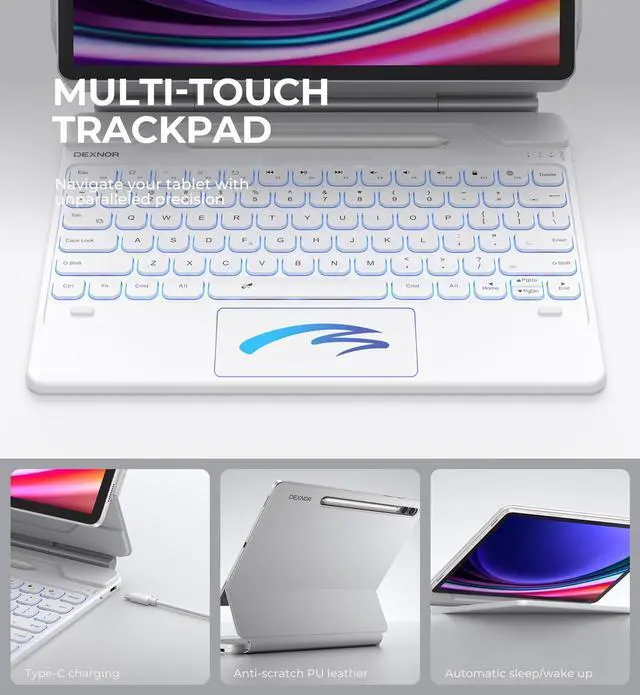
    • [(EASY-SET MAGNETIC STAND)] The durable aluminum alloy hinge guarantees a sturdy magnetic connection, instantly transforming your tablet into a laptop. Enjoy a floating cantilever stand with customizable angles tailored for typing, reading, and immersive viewing. Ideal for the on-the-go lifestyle, it's the perfect companion for travel, business, and work, ensuring seamless adaptability to your needs.
    • [(HIGH-PRECISION MULTI-TOUCH TRACKPAD)] Revolutionize your tablet experience with our keyboard case featuring an ultra-precise and dependable smart trackpad. Seamlessly supporting multi-finger gestures, it opens up a new realm of control with actions like tap, pinch, scroll, swipe, and more. N
    +
    +
    Overview
    Specs
    Reviews
    Specifications Bluetooth Version: Bluetooth 5.1
    Bluetooth Range: 10 meters
    Working Voltage: 3.3 - 4.2V Working Current (Average Typing
    Speed without Backlight): 2.0 mA
    Standby Time: 1500h
    Charging Time: 4h Continuous Working Time with the
    Brightest White Backlight: 8h Auto-sleep Time of the
    Backlight: 30s Auto-sleep Time of the
    Keyboard: 30min (Bluetooth will disconnect during deep sleep mode. Any key can be pressed to wake it up. )
    Lithium Battery Capacity: 800mAh
    Continuous Working Time Without Backlight: 320h Bluetooth
    Pairing Name: Dexnor Keyboard Troubleshooting If the keyboard doesn't work, please
    check: If its battery has run out, if yes, please charge it immediately. If the Bluetooth connection fails, turn off the keyboard and restart it after 10 seconds, and the keyboard will reconnect to your device automatically. If the problem still exists, go to Tablet's Settings-Connections-Bluetooth-Paired devices to delete Dexnor Keyboard. Then reconnect the keyboard according to the previous connection steps. If the Bluetooth connection still fails, press ESC key and Delete key together for 3 seconds to restore factory settings. Then reconnect the keyboard. Or you can restart your Tablet and then check if the keyboard can work normally.

    Warranty & Returns

    Warranty, Returns, And Additional Information

    Warranty

    • Please contact the Seller directly for warranty information. Warranty information may also be found on the Manufacturer's website.
    • CONTACT

    Return Policies

    • Return for refund within: 30 days
    • Return for replacement within: 30 days
    • This item is covered by SIMPLIZED Return Policy

    Manufacturer Contact Info

    LOADING...