




Questions and Answers
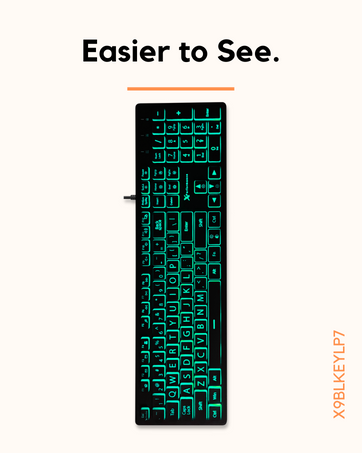
1) Turning the backlight on/off: Press and hold the Fn key and while holding the Fn key press the button that has the C in the sun.
2) Changing the color of the backlight: Press the key with the "C" in the sun. Do not press and hold Fn.
3) Home with the squiggly line: Press and hold the Fn and press the home key, it will make the backlight breathe in one color. You can change the color by pressing the sun with the "C"
4) End with the refresh symbol: Press and hold the Fn key and press the end key, it will make the keyboard breathe 7 colors.
5) The two up arrows on PgUp: Press and hold the Fn key and press the PgUp key to make the breathing faster (3 speeds)
6) The two down arrows on PgDn: Press and hold the Fn key and press the PgUp key to make the breathing slower (3 speeds)
7) The up arrow with a +: Press and hold the Fn key and press the up arrow to make the backlight brighter (3 levels)
8) The down arrow with a -: Press and hold the Fn key and press the up arrow to make the backlight dimmer (3 levels)
9) Fn LED indicator: If you want to use the shortcuts, press and hold the Fn key, and while holding it press the Esc and let go. Note: Turning the computer off will reset it to default (Fn LED light will show blue on the top right of the keyboard.)
Simple Wired Solutions.
 X9BLKEYLP7 |  X9BLKEYLP7CB |  X9JJKEY |  X9ERGOKEY |  X9MEDIAPALM |  X9BIOKEY | |
|---|---|---|---|---|---|---|
Customer Reviews | — | — | — | — | — | — |
Price | — | — | — | — | — | — |
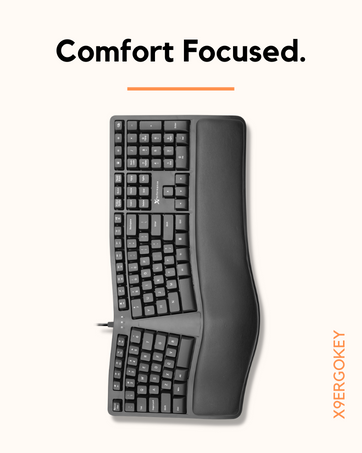
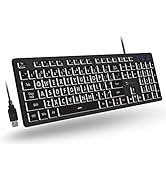
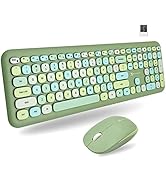
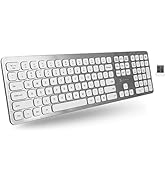
Description | Large Print Wired Keyboard | Keyboard and Mouse Combo | Wired Keyboard | Split Ergonomic Keyboard | Ergonomic Keyboard | Wired Keyboard |
Layout | 104-Key Layout | 104-Key Layout / 4 Button | 104-Key Layout | 110-Key Layout | 144-Key Layout | 104-Key Layout |
Type of Connection | USB Wired | USB Wired | USB Wired | USB Wired | USB Wired | USB Wired |
Plug & Play | ? | ? | ? | ? | ? | ? |
Battery Type | Wired | Wired | Wired | Wired | Wired | Wired |



Questions and Answers
1) Turning the backlight on/off: Press and hold the Fn key and while holding the Fn key press the button that has the C in the sun.
2) Changing the color of the backlight: Press the key with the "C" in the sun. Do not press and hold Fn.
3) Home with the squiggly line: Press and hold the Fn and press the home key, it will make the backlight breathe in one color. You can change the color by pressing the sun with the "C"
4) End with the refresh symbol: Press and hold the Fn key and press the end key, it will make the keyboard breathe 7 colors.
5) The two up arrows on PgUp: Press and hold the Fn key and press the PgUp key to make the breathing faster (3 speeds)
6) The two down arrows on PgDn: Press and hold the Fn key and press the PgUp key to make the breathing slower (3 speeds)
7) The up arrow with a +: Press and hold the Fn key and press the up arrow to make the backlight brighter (3 levels)
8) The down arrow with a -: Press and hold the Fn key and press the up arrow to make the backlight dimmer (3 levels)
9) Fn LED indicator: If you want to use the shortcuts, press and hold the Fn key, and while holding it press the Esc and let go. Note: Turning the computer off will reset it to default (Fn LED light will show blue on the top right of the keyboard.)
Simple Wired Solutions.
X9BLKEYLP7 | X9BLKEYLP7CB | X9JJKEY | X9ERGOKEY | X9MEDIAPALM | X9BIOKEY |
|---|---|---|---|---|---|
| Customer Reviews | |||||
| — | — | — | — | — | — |
| Price | |||||
| — | — | — | — | — | — |
| Description | |||||
| Large Print Wired Keyboard | Keyboard and Mouse Combo | Wired Keyboard | Split Ergonomic Keyboard | Ergonomic Keyboard | Wired Keyboard |
| Layout | |||||
| 104-Key Layout | 104-Key Layout / 4 Button | 104-Key Layout | 110-Key Layout | 144-Key Layout | 104-Key Layout |
| Type of Connection | |||||
| USB Wired | USB Wired | USB Wired | USB Wired | USB Wired | USB Wired |
| Plug & Play | |||||
| ? | ? | ? | ? | ? | ? |
| Battery Type | |||||
| Wired | Wired | Wired | Wired | Wired | Wired |
Something for Everyone.





