


RAPOO E900T

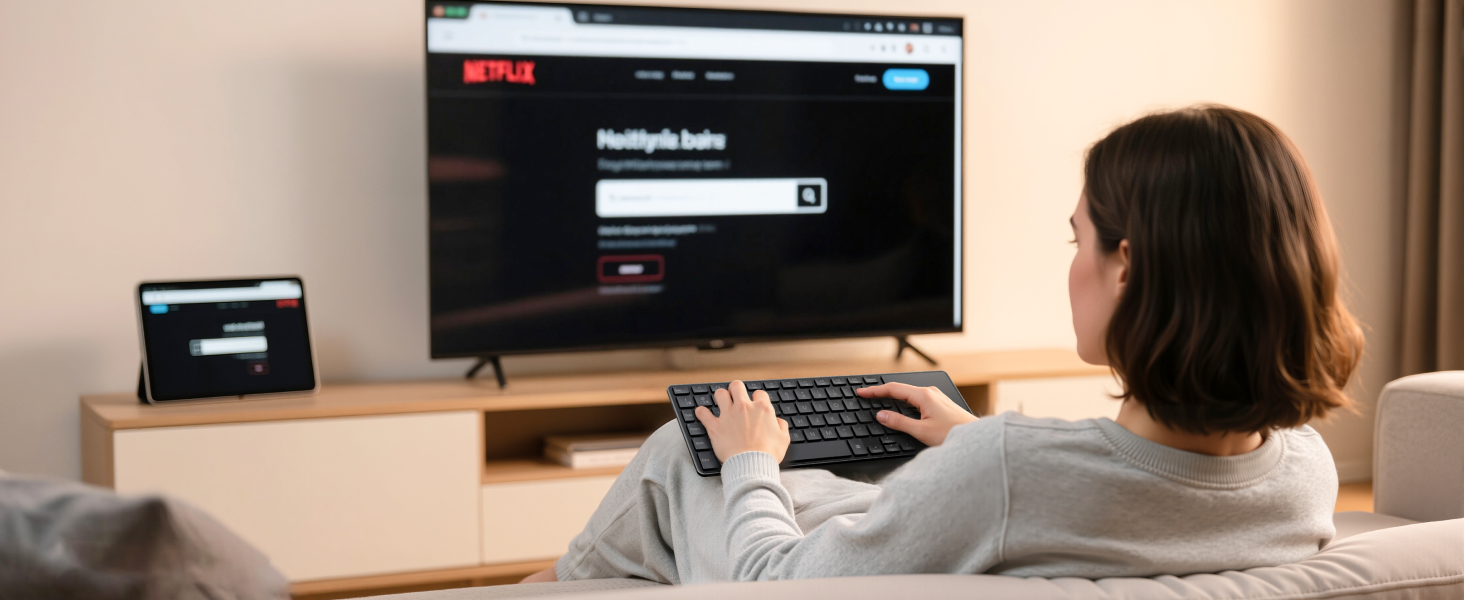
Effortless Browsing and Searching
No longer selecting letters one by one, just type words or even URLs to search for content on TV.
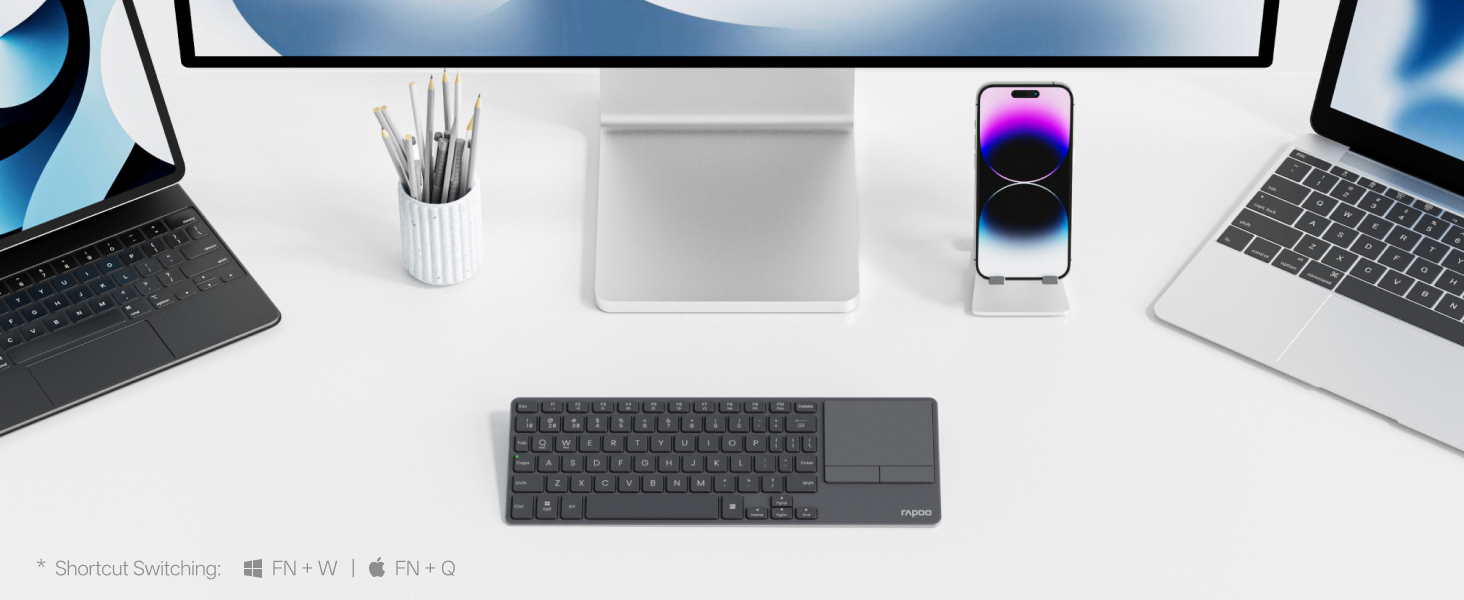
EASILY HOP ACROSS 4 DEVICES
Connect up to 4 devices across media & OS (TV, gaming console, PC, Mac, tablet, smartphone, etc).
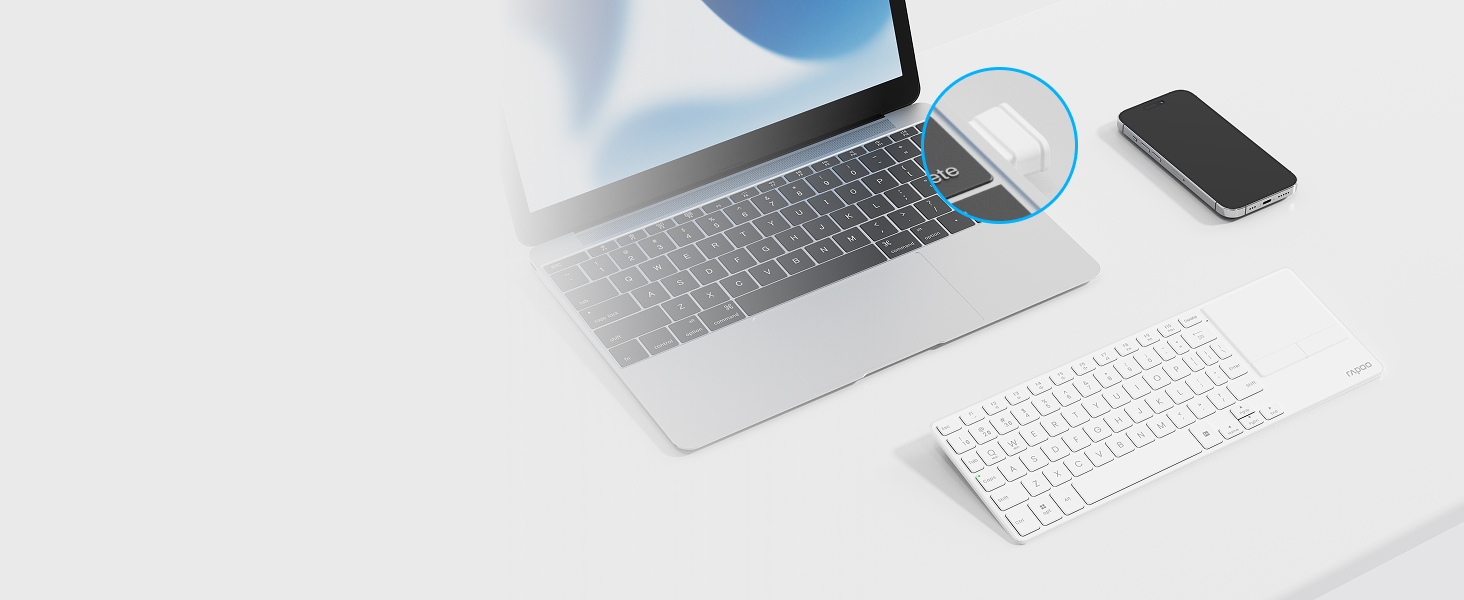
Bluetooth 5.0/4.0 + 2.4GHz
Get reliable and encrypted wireless connection via Bluetooth or the plug-and-play USB receiver.


Caps Lock Indicator
No guess work when typing, avoid password typos and improve your overall efficiency and experience

Media & Volume Control
You can play, pause, track forward and backward, mute, and adjust volume directly from the keyboard.

13 Month Battery Life
Upgraded low energy Bluetooth, lasts up to 13 months using 2 AAA batteries (included).

USB Storage Compartment
Built-in storage compartment keeps the USB receiver in place, convenient to use and avoids losing.

How to switch the wireless modes between Bluetooth 5.0/4.0 and 2.4GHz?
Just turn the mode button (BT/OFF/2.4G) according to your needs - you can find the mode button on the back side of the keyboard. The Bluetooth 5.0/4.0 is automatically detected and applied according to your device version.
How to pair the keyboard with different devices?
2.4GHz mode: just plug the USB dongle; Bluetooth mode: long press (> 3 seconds) key combination [FN]+[1], [FN]+[2], [FN]+[3] to pair the keyboard with 3 devices.
How to switch among the 3 Bluetooth devices?
Short press (< 3 seconds) key combination [FN]+[1], [FN]+[2], [FN]+[3] to switch the keyboard among 3 Bluetooth devices.
How to switch the multimedia hotkeys between Windows and Mac OS?
Windows: Press key combination [FN]+[W]; Mac OS: Press key combination [FN]+[Q].
Blade-Series Ultra-Thin Keyboards
 E900T |  E9050L |  E9310M |  E9350L |  E9550L | |
|---|---|---|---|---|---|
Customer Reviews | — | — | — | — | — |
Price | — | — | — | — | — |
Release Date | 2025 Jun | 2024 Oct | 2024 Jan | 2024 Mar | / |
Wireless Connectivity | Bluetooth 5.0/4.0 + 2.4GHz | Bluetooth 5.0/4.0 + 2.4GHz | Bluetooth 5.0/4.0 + 2.4GHz | Bluetooth 5.0/4.0 + 2.4GHz | Bluetooth 5.0/4.0 + 2.4GHz |
Multi-Device | Keyboard: 4 | Keyboard: 4 | Keyboard: 4 | Keyboard: 4 | Keyboard: 4 |
Key Type | Scissor | Scissor | Scissor | Scissor | Scissor |
Number of Keys | 73 | 78 | 99 | 99 | 110 |
Numeric Pad | ? | ? | ? | ? | ? |
Multimedia Keys | ? | ? | ? | ? | ? |
Battery Type | AAA | Lithium-ion | AAA | Lithium-ion | Lithium-ion |
RAPOO E900T

Effortless Browsing and Searching
No longer selecting letters one by one, just type words or even URLs to search for content on TV.
EASILY HOP ACROSS 4 DEVICES
Connect up to 4 devices across media & OS (TV, gaming console, PC, Mac, tablet, smartphone, etc).
Bluetooth 5.0/4.0 + 2.4GHz
Get reliable and encrypted wireless connection via Bluetooth or the plug-and-play USB receiver.


Integrated HTPC Keyboard with Touchpad
Tablet-sized tenkeyless layout w/ all the keys you need and a large touchpad for seamless control.


Caps Lock Indicator
No guess work when typing, avoid password typos and improve your overall efficiency and experience
Media & Volume Control
You can play, pause, track forward and backward, mute, and adjust volume directly from the keyboard.
13 Month Battery Life
Upgraded low energy Bluetooth, lasts up to 13 months using 2 AAA batteries (included).
USB Storage Compartment
Built-in storage compartment keeps the USB receiver in place, convenient to use and avoids losing.

How to switch the wireless modes between Bluetooth 5.0/4.0 and 2.4GHz?
Just turn the mode button (BT/OFF/2.4G) according to your needs - you can find the mode button on the back side of the keyboard. The Bluetooth 5.0/4.0 is automatically detected and applied according to your device version.
How to pair the keyboard with different devices?
2.4GHz mode: just plug the USB dongle; Bluetooth mode: long press (> 3 seconds) key combination [FN]+[1], [FN]+[2], [FN]+[3] to pair the keyboard with 3 devices.
How to switch among the 3 Bluetooth devices?
Short press (< 3 seconds) key combination [FN]+[1], [FN]+[2], [FN]+[3] to switch the keyboard among 3 Bluetooth devices.
How to switch the multimedia hotkeys between Windows and Mac OS?
Windows: Press key combination [FN]+[W]; Mac OS: Press key combination [FN]+[Q].
Blade-Series Ultra-Thin Keyboards
E900T | E9050L | E9310M | E9350L | E9550L |
|---|---|---|---|---|
| Customer Reviews | ||||
| — | — | — | — | — |
| Price | ||||
| — | — | — | — | — |
| Release Date | ||||
| 2025 Jun | 2024 Oct | 2024 Jan | 2024 Mar | / |
| Wireless Connectivity | ||||
| Bluetooth 5.0/4.0 + 2.4GHz | Bluetooth 5.0/4.0 + 2.4GHz | Bluetooth 5.0/4.0 + 2.4GHz | Bluetooth 5.0/4.0 + 2.4GHz | Bluetooth 5.0/4.0 + 2.4GHz |
| Multi-Device | ||||
| Keyboard: 4 | Keyboard: 4 | Keyboard: 4 | Keyboard: 4 | Keyboard: 4 |
| Key Type | ||||
| Scissor | Scissor | Scissor | Scissor | Scissor |
| Number of Keys | ||||
| 73 | 78 | 99 | 99 | 110 |
| Numeric Pad | ||||
| ? | ? | ? | ? | ? |
| Multimedia Keys | ||||
| ? | ? | ? | ? | ? |
| Battery Type | ||||
| AAA | Lithium-ion | AAA | Lithium-ion | Lithium-ion |





