


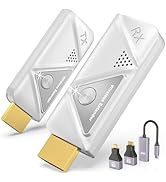
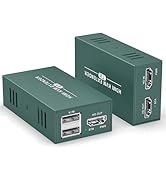
wireless hdmi transmitter and receiver


If connection unstable or not displaying, what should I do?
You can troubleshoot the issue by following the A+ connection steps:
1. Power the RX and TX with a 5V/1A charger instead of the USB ports on your TV or laptop.
2. Press and hold the RX button for 7 seconds
3.Press and hold the TX button for 7 seconds
Do I need to connect the power cord when I connect the wireless transmitter and receiver?
When using the wireless transmitter (TX) and receiver (RX), be sure to connect the power cord to a 5V/2A power adapter. Insufficient power supply may cause the device to disconnect. If using a laptop, power can be supplied directly from the USB port.
Is this wireless HDMI suitable for gaming ?
This wireless HDMI is suitable for most games, but we do not recommend this product for competitive games that require low latency or games that require fast response time.
Does the Wireless HDMI support smartphones, tablets, camcorders and DV?
Wireless HDMI transmitters and receivers are suitable for devices with HDMI ports (e.g. PCs, laptops, TV boxes, cameras and DVs). For cell phones and tablets, make sure they can output HDMI signals.


EVATEKspecializes in the innovation and development of products such as KVM switches, striving to bring superior quality and an unparalleled user experience. Our switches not only simplify device switching, but also enhance the user experience. With cutting-edge technology and superior design, EVATEKis committed to providing smooth and convenient technology solutions for every home and office.

Best Sellers Products
Featured Products
wireless hdmi transmitter and receiver


If connection unstable or not displaying, what should I do?
You can troubleshoot the issue by following the A+ connection steps:
1. Power the RX and TX with a 5V/1A charger instead of the USB ports on your TV or laptop.
2. Press and hold the RX button for 7 seconds
3.Press and hold the TX button for 7 seconds
Do I need to connect the power cord when I connect the wireless transmitter and receiver?
When using the wireless transmitter (TX) and receiver (RX), be sure to connect the power cord to a 5V/2A power adapter. Insufficient power supply may cause the device to disconnect. If using a laptop, power can be supplied directly from the USB port.
Is this wireless HDMI suitable for gaming ?
This wireless HDMI is suitable for most games, but we do not recommend this product for competitive games that require low latency or games that require fast response time.
Does the Wireless HDMI support smartphones, tablets, camcorders and DV?
Wireless HDMI transmitters and receivers are suitable for devices with HDMI ports (e.g. PCs, laptops, TV boxes, cameras and DVs). For cell phones and tablets, make sure they can output HDMI signals.
EVATEKspecializes in the innovation and development of products such as KVM switches, striving to bring superior quality and an unparalleled user experience. Our switches not only simplify device switching, but also enhance the user experience. With cutting-edge technology and superior design, EVATEKis committed to providing smooth and convenient technology solutions for every home and office.
Best Sellers Products
Featured Products





