




My phone’s magnetic attraction is weak and it won’t stick to the charger. What should I do?
-Use a phone case that supports magnetic attachment.
-If your phone case does not support magnetic attachment, please remove it before charging.
What if my phone charges slowly and gets hot?
-Please use the original charging head and cable that came with the packaging.
-Use a charging head with a power output of 20W or higher and a fast-charging cable.
What if my device doesn't charge?
-Make sure your phone is a wireless charging series model (or other magnetic series: iPhone 12-16).
-Please check and make sure your earbuds are compatible with wireless charging.
-Please update your smartwatch system to the latest version.
How do I adjust the light or alarm function?
-Tap the function button next to the display time screen
-Switch between the 7 light colour modes and adjust the alarm clock etc. at will.
Note: Our user manual describes in detail how to use it


RYND 3-in-1 Charging Station is a great complement for your Apple devices, offering a sleek, efficient charging solution. Enjoy effortless charging at home, office, or on-the-go.
With continuous product improvement, RYND is dedicated to enhancing your Apple experience. Simplify, charge, and thrive with RYND!
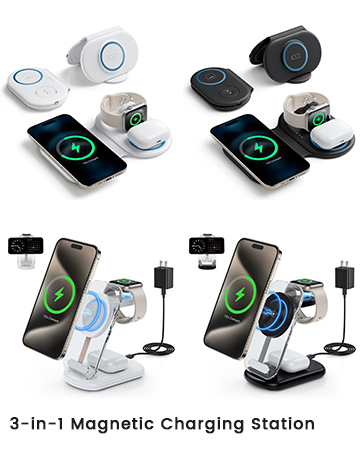
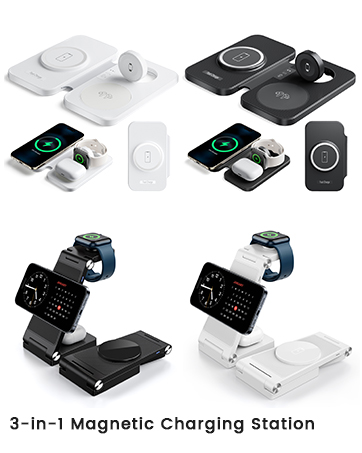
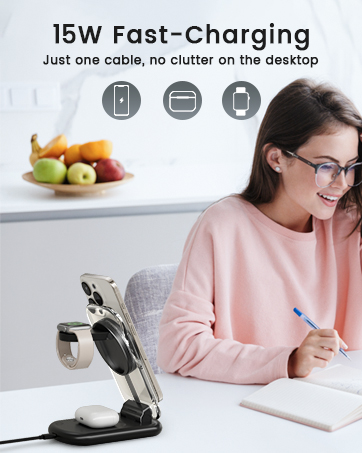
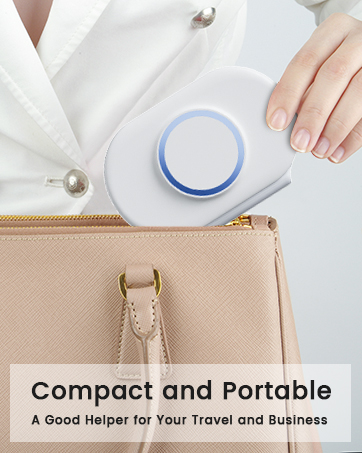
RYND 3-in-1 Charging Station is a great complement for your Apple devices, offering a sleek, efficient charging solution. Enjoy effortless charging at home, office, or on-the-go.
With continuous product improvement, RYND is dedicated to enhancing your Apple experience. Simplify, charge, and thrive with RYND!


My phone’s magnetic attraction is weak and it won’t stick to the charger. What should I do?
-Use a phone case that supports magnetic attachment.
-If your phone case does not support magnetic attachment, please remove it before charging.
What if my phone charges slowly and gets hot?
-Please use the original charging head and cable that came with the packaging.
-Use a charging head with a power output of 20W or higher and a fast-charging cable.
What if my device doesn't charge?
-Make sure your phone is a wireless charging series model (or other magnetic series: iPhone 12-16).
-Please check and make sure your earbuds are compatible with wireless charging.
-Please update your smartwatch system to the latest version.
How do I adjust the light or alarm function?
-Tap the function button next to the display time screen
-Switch between the 7 light colour modes and adjust the alarm clock etc. at will.
Note: Our user manual describes in detail how to use it





