




Dual-Control: Adjust Fan Speed and Lighting Modes

Power Button
- Press once to turn the cooling pad ON/OFF.
- Press again to cycle through fan speed levels (Low ? Medium ? High).

Light Button
- Long press to turn lighting ON or OFF.
- Short press to switch between lighting modes: Gradient?Fast Flash?Slow Flash ?Steady On.
Another Advantage of AIMIUZI Laptop Cooling Pad

Removable Phone Stand
You can place a mobile phone holder on the side for your convenience in getting the massage.

Metal Mesh Surface
Enhances heat dissipation, keeping your laptop at optimal temperatures and preventing overheating.

Non-Slip Baffles & Feet
Prevent your laptop from sliding off or falling, even if accidentally bumped.

Ventilation Triangle Structure
The back support creates a triangular space, ensuring stable laptop placement and promoting smoother airflow.


Are the fans powerful enough to prevent overheating during intense gaming?
With 15 efficient, silent turbo fans and a metal mesh, the computer cooling pads for laptops rapidly cool your gaming device to maintain optimal performance.
Does the fan create noticeable noise at maximum speed?
The laptop stand with fan operates quietly at a noise level of 28dB even at full speed.
Are the fan speeds adjustable for different needs?
Yes, the fan speed is fully adjustable via a power switch, ranging from 0 to 2400±10% RPM to meet different cooling needs.
How sturdy and stable are the adjustable height settings?
The cooling pad features two foldable baffles to prevent laptop from sliding, along with four rubber pads and a non-slip surface texture to keep your laptop secure and stable.
Does it require an external power source?
It's powered via USB connection, compatible with either your laptop or a wall adapter using the included USB-A to USB-A cable. Also supports USB-A to USB-C connections.
Find Your Perfect Match: Specifications Comparison
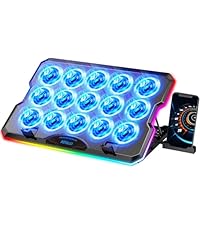 F15 Colorful | 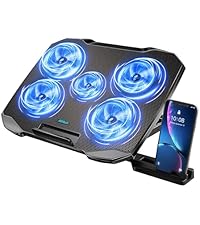 F2PLUS Blue & Black | 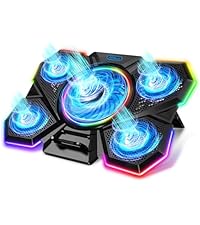 F13 Colorful | 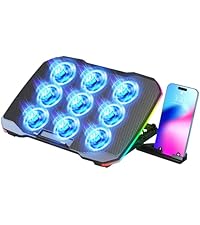 F9 Colorful |  F2PLUS Silver |  F5 Blue & Black |  F2PLUS Red & Black | |
|---|---|---|---|---|---|---|---|
Number of Fans | 15 | 5 | 5 | 9 | 5 | 6 | 5 |
Adjustable Height Settings | 7 | 5 | 7 | 5 | 5 | 7 | 5 |
USB Ports | USB A+USB C | 2 USB A | 1 USB A | 2 USB A | 2 USB A | 2 USB A | 2 USB A |
Power Source | USB Cable | USB Cable | USB Cable | USB Cable | USB Cable | USB Cable | USB Cable |
Cooling Method | Air | Air | Air | Air | Air | Air | Air |
LED Light Color | Colorful Lights | Blue Lights | Colorful Lights | Colorful Lights | Blue Lights | Blue Lights | Red Lights |
Max Fan Speed | 2400±10% RPM | 1500±10% RPM | 2100±10% RPM | 2600±10% RPM | 1500±10% RPM | 2100±10% RPM | 1500±10% RPM |
Compatibility | 12" - 17.3" Laptops | 12" - 15.6" Laptops | 12" - 17" Laptops | 12" - 17" Laptops | 12" - 15.6" Laptops | 12" - 15.6" Laptops | 12" - 15.6" Laptops |
Adjustable Fan Speed | ? | ? | ? | ? | ? | ? | ? |
Built-in Phone Stand | ? | ? | ? | ? | ? | ? | ? |
Item Dimension | 15.65" × 11.28" × 1.18" | 13.11" x 9.84" x 1.42" | 15.94" x 11.02" x 1.14" | 14.45" x 9.84" x 1.42" | 13.14" x 9.84" x 1.42" | 14.17"×10.04"×1.18" | 13.11" x 9.8" x 1.42" |
Item Weight | 2.87 lb | 1.38 lb | 1.77 lb | 1.91 lb | 1.38 lb | 1.74 lb | 1.38 lb |
AIMIUZI Laptop Cooling Pad
Cool Your Laptop, Enhance Your Experience.

Since 2022, AIMIUZI has specialized in designing, manufacturing, and selling laptop cooling pads, certified by CE, FCC, RoHS, and REACH.
With years of experience in large-scale production and market sales, we combine advanced technology with user-centered design, while maintaining strict quality control.
AIMIUZI delivers exceptional performance and reliable service, ensuring an enhanced laptop experience for every customer.
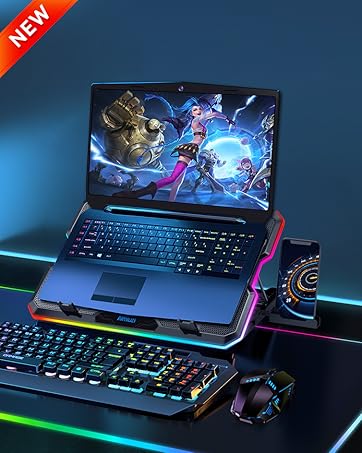
F15
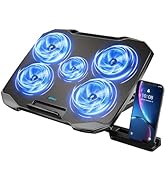
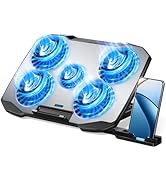
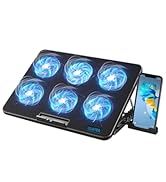
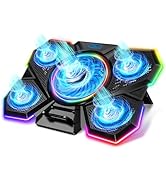
Laptop Fan Cooling Pad

Game Play

Office Work

Home Study


Dual-Control: Adjust Fan Speed and Lighting Modes
Power Button
- Press once to turn the cooling pad ON/OFF.
- Press again to cycle through fan speed levels (Low ? Medium ? High).
Light Button
- Long press to turn lighting ON or OFF.
- Short press to switch between lighting modes: Gradient?Fast Flash?Slow Flash ?Steady On.
Another Advantage of AIMIUZI Laptop Cooling Pad
Removable Phone Stand
You can place a mobile phone holder on the side for your convenience in getting the massage.
Metal Mesh Surface
Enhances heat dissipation, keeping your laptop at optimal temperatures and preventing overheating.
Non-Slip Baffles & Feet
Prevent your laptop from sliding off or falling, even if accidentally bumped.
Ventilation Triangle Structure
The back support creates a triangular space, ensuring stable laptop placement and promoting smoother airflow.
3-in-1 Laptop Cooler


Are the fans powerful enough to prevent overheating during intense gaming?
With 15 efficient, silent turbo fans and a metal mesh, the computer cooling pads for laptops rapidly cool your gaming device to maintain optimal performance.
Does the fan create noticeable noise at maximum speed?
The laptop stand with fan operates quietly at a noise level of 28dB even at full speed.
Are the fan speeds adjustable for different needs?
Yes, the fan speed is fully adjustable via a power switch, ranging from 0 to 2400±10% RPM to meet different cooling needs.
How sturdy and stable are the adjustable height settings?
The cooling pad features two foldable baffles to prevent laptop from sliding, along with four rubber pads and a non-slip surface texture to keep your laptop secure and stable.
Does it require an external power source?
It's powered via USB connection, compatible with either your laptop or a wall adapter using the included USB-A to USB-A cable. Also supports USB-A to USB-C connections.
Find Your Perfect Match: Specifications Comparison
F15 Colorful | F2PLUS Blue & Black | F13 Colorful | F9 Colorful | F2PLUS Silver | F5 Blue & Black | F2PLUS Red & Black |
|---|---|---|---|---|---|---|
| Number of Fans | ||||||
| 15 | 5 | 5 | 9 | 5 | 6 | 5 |
| Adjustable Height Settings | ||||||
| 7 | 5 | 7 | 5 | 5 | 7 | 5 |
| USB Ports | ||||||
| USB A+USB C | 2 USB A | 1 USB A | 2 USB A | 2 USB A | 2 USB A | 2 USB A |
| Power Source | ||||||
| USB Cable | USB Cable | USB Cable | USB Cable | USB Cable | USB Cable | USB Cable |
| Cooling Method | ||||||
| Air | Air | Air | Air | Air | Air | Air |
| LED Light Color | ||||||
| Colorful Lights | Blue Lights | Colorful Lights | Colorful Lights | Blue Lights | Blue Lights | Red Lights |
| Max Fan Speed | ||||||
| 2400±10% RPM | 1500±10% RPM | 2100±10% RPM | 2600±10% RPM | 1500±10% RPM | 2100±10% RPM | 1500±10% RPM |
| Compatibility | ||||||
| 12" - 17.3" Laptops | 12" - 15.6" Laptops | 12" - 17" Laptops | 12" - 17" Laptops | 12" - 15.6" Laptops | 12" - 15.6" Laptops | 12" - 15.6" Laptops |
| Adjustable Fan Speed | ||||||
| ? | ? | ? | ? | ? | ? | ? |
| Built-in Phone Stand | ||||||
| ? | ? | ? | ? | ? | ? | ? |
| Item Dimension | ||||||
| 15.65" × 11.28" × 1.18" | 13.11" x 9.84" x 1.42" | 15.94" x 11.02" x 1.14" | 14.45" x 9.84" x 1.42" | 13.14" x 9.84" x 1.42" | 14.17"×10.04"×1.18" | 13.11" x 9.8" x 1.42" |
| Item Weight | ||||||
| 2.87 lb | 1.38 lb | 1.77 lb | 1.91 lb | 1.38 lb | 1.74 lb | 1.38 lb |
AIMIUZI Laptop Cooling Pad
Cool Your Laptop, Enhance Your Experience.
Since 2022, AIMIUZI has specialized in designing, manufacturing, and selling laptop cooling pads, certified by CE, FCC, RoHS, and REACH.
With years of experience in large-scale production and market sales, we combine advanced technology with user-centered design, while maintaining strict quality control.
AIMIUZI delivers exceptional performance and reliable service, ensuring an enhanced laptop experience for every customer.
F15
Laptop Fan Cooling Pad
Game Play
Office Work
Home Study





