


Production of the Security Indoor Camera D1
Merchant Video


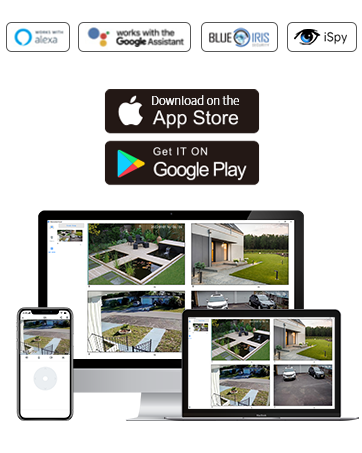
Work with Alexa & Google Home

Share with Your Family

Multi-devices and Muti-Viewing

Secure Privacy Mode

How to connect the indoor camera & support 5Ghz Wi-Fi or not?
1. Plug the camera in the power cord all the time.
2. Keep your phone and camera connected to your home 2.4Ghz Wi-Fi. *Camera does not support 5Ghz Wi-Fi.
3. Ensure that your camera is close to your home router within 3 feet during setup.
Are these cameras for home security true wireless?
The wireless means the indoor camera supports wireless network connection, it doesn't need to be connected to an Ethernet cable. The camera is an electrical product, which needs to be connected to a power supply with the power cord all the time.
Is a cloud subscription required?
No. Use a micro SD card (up to 128GB, FAT32/exFAT) for local storage. The SD slot is located under the lens (rotate lens upward to access).
What should I do if the security camera fails to send send motion alerts to the phone app?
Please ensure both the in-app motion alert setting and your phone's notification to receive alerts.
1. Settings in-App->enable Motion alert & 24/7.
2. Me page on App-> Allow App notification.
3. Your phone's settings->turn Notifications ON.
Cinnado Indoor & Outdoor Cameras
 2K Indoor Camera 1pack |  2K Indoor Camera 4pack | 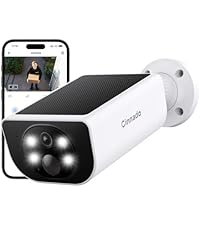 Solar Wireless Camera | 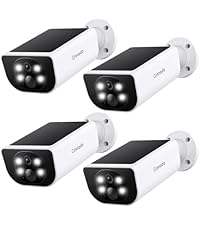 Solar Wireless Cameras 4P |  Solar 360 Camera 2pack |  Solar 360 Camera 4pack | |
|---|---|---|---|---|---|---|
Customer Reviews | — | — | — | — | — | — |
Price | — | — | — | — | — | — |
WiFi Connection | 2.4GHz WiFi | 2.4GHz WiFi | 2.4GHz WiFi | 2.4GHz WiFi | 2.4GHz WiFi | 2.4GHz WiFi |
Video Quality | 2K 3MP | 2K 3MP | 2K 3MP | 2K 3MP | 2K 3MP | 2K 3MP |
Power Source | Corded Electric | Corded Electric | Solar Powered, Battery Powered | Solar Powered, Battery Powered | Solar Powered, Battery Powered | Solar Powered, Battery Powered |
Indoor/Outdoor Usage | Indoor | Indoor | outdoor | outdoor | outdoor | outdoor |
Connectivity Protocol | WiFi | WiFi | WiFi | WiFi | WiFi | WiFi |
Compatible with Alexa | v | v | v | v | v | v |
Two-Way Audio | v | v | v | v | v | v |
Intelligent Tracking | v | v | × | × | v | v |

Cinnado
Smart Surveillance, Reliable Defense

Cinnado provides high-value security surveillance products. Our core mission is to ensure your safety and security.
We are committed to delivering top-notch products and services that protect your home and loved ones. Our team of experts is always ready to provide professional guidance and support to help you choose the right security system for your specific requirements.
With Cinnado, you can trust that your safety is our top priority.
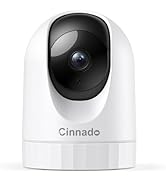
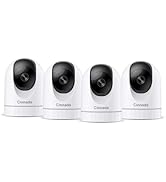
Cinnado 2K Security Cameras
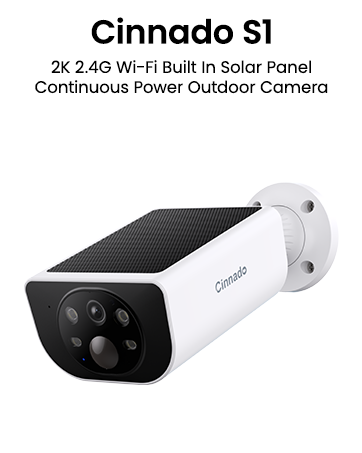
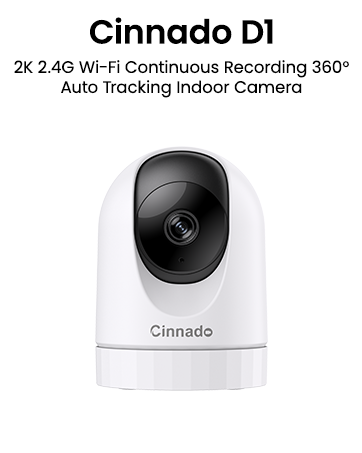
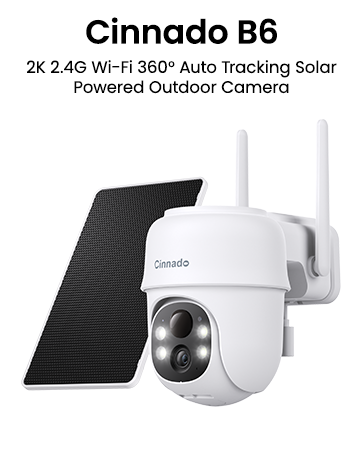

Production of the Security Indoor Camera D1
Merchant Video


Note: You must enable both the in-app motion alert and your phone’s notification to receive alerts.


Work with Alexa & Google Home
Share with Your Family
Multi-devices and Muti-Viewing
Secure Privacy Mode

How to connect the indoor camera & support 5Ghz Wi-Fi or not?
1. Plug the camera in the power cord all the time.
2. Keep your phone and camera connected to your home 2.4Ghz Wi-Fi. *Camera does not support 5Ghz Wi-Fi.
3. Ensure that your camera is close to your home router within 3 feet during setup.
Are these cameras for home security true wireless?
The wireless means the indoor camera supports wireless network connection, it doesn't need to be connected to an Ethernet cable. The camera is an electrical product, which needs to be connected to a power supply with the power cord all the time.
Is a cloud subscription required?
No. Use a micro SD card (up to 128GB, FAT32/exFAT) for local storage. The SD slot is located under the lens (rotate lens upward to access).
What should I do if the security camera fails to send send motion alerts to the phone app?
Please ensure both the in-app motion alert setting and your phone's notification to receive alerts.
1. Settings in-App->enable Motion alert & 24/7.
2. Me page on App-> Allow App notification.
3. Your phone's settings->turn Notifications ON.
Cinnado Indoor & Outdoor Cameras
2K Indoor Camera 1pack | 2K Indoor Camera 4pack | Solar Wireless Camera | Solar Wireless Cameras 4P | Solar 360 Camera 2pack | Solar 360 Camera 4pack |
|---|---|---|---|---|---|
| Customer Reviews | |||||
| — | — | — | — | — | — |
| Price | |||||
| — | — | — | — | — | — |
| WiFi Connection | |||||
| 2.4GHz WiFi | 2.4GHz WiFi | 2.4GHz WiFi | 2.4GHz WiFi | 2.4GHz WiFi | 2.4GHz WiFi |
| Video Quality | |||||
| 2K 3MP | 2K 3MP | 2K 3MP | 2K 3MP | 2K 3MP | 2K 3MP |
| Power Source | |||||
| Corded Electric | Corded Electric | Solar Powered, Battery Powered | Solar Powered, Battery Powered | Solar Powered, Battery Powered | Solar Powered, Battery Powered |
| Indoor/Outdoor Usage | |||||
| Indoor | Indoor | outdoor | outdoor | outdoor | outdoor |
| Connectivity Protocol | |||||
| WiFi | WiFi | WiFi | WiFi | WiFi | WiFi |
| Compatible with Alexa | |||||
| v | v | v | v | v | v |
| Two-Way Audio | |||||
| v | v | v | v | v | v |
| Intelligent Tracking | |||||
| v | v | × | × | v | v |
Cinnado
Smart Surveillance, Reliable Defense
Cinnado provides high-value security surveillance products. Our core mission is to ensure your safety and security.
We are committed to delivering top-notch products and services that protect your home and loved ones. Our team of experts is always ready to provide professional guidance and support to help you choose the right security system for your specific requirements.
With Cinnado, you can trust that your safety is our top priority.
Cinnado 2K Security Cameras





