


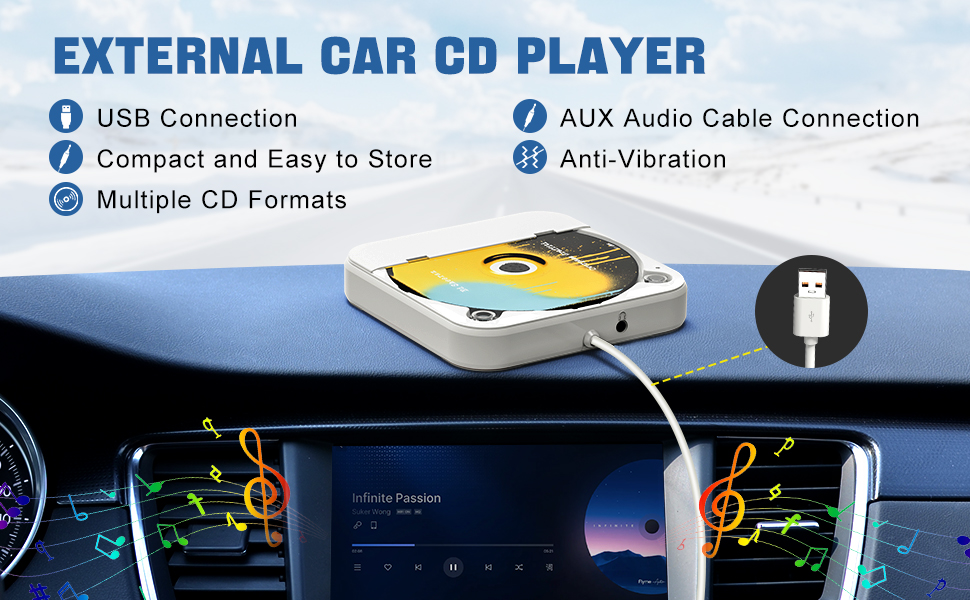
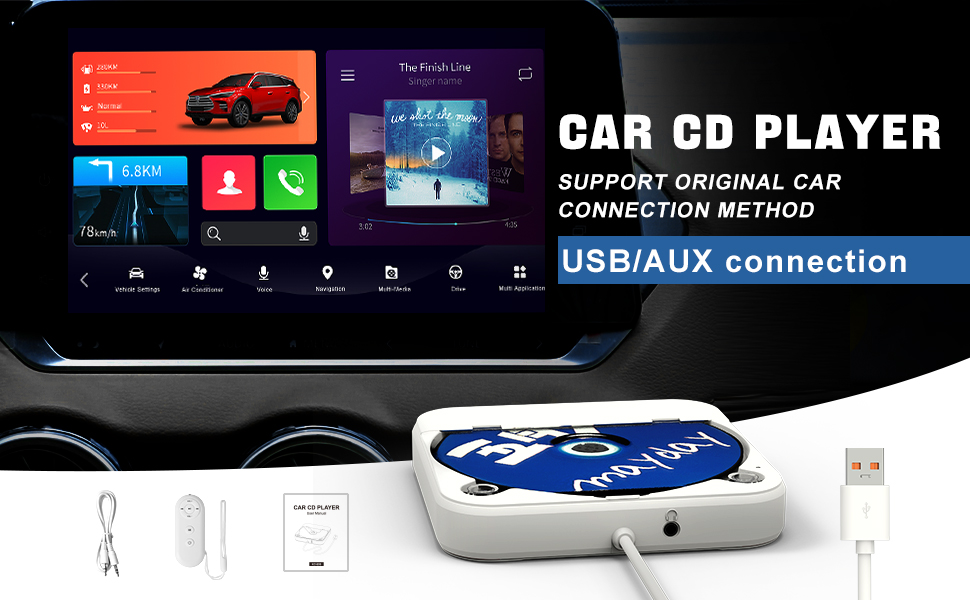
THIS CAR CD PLAYER IS DESIGNED FOR CARS WITHOUT A BUILT-IN CD PLAYER. EASY TO INSERT A CD AND TAKE OUT CD
Two Connection Methods: USB / AUX Connection
- USB Connection: The car stereo system must support WAV or MP3 audio files.
1.Connect the USB port of the Car CD player to the USB data port on your car's stereo.
2.Go to Media. Change the source to USB (just select USB).
The car will automatically recognize the connection and begin playing music from the disc. Once the connection is successful, the USB playback interface will appear.
- AUX Connection: The car stereo system must support WAV or MP3 audio files.
1. Connect the USB end of the Car CD player to the car's USB port and turn it on.
2. Use an AUX audio cable to connect the car's AUX port to the AUX port on the Car CD player. Finally, select AUX mode on your car's screen to start playing songs from the CDs.
Please Note: The operation will be different for different car models. lf the car is not auto-matically recognized, please click the USB icon to enter the USB music playback in-terface.
The car stereo system must support playing WAV/MP3 audio files. Please check before purchasing !!!
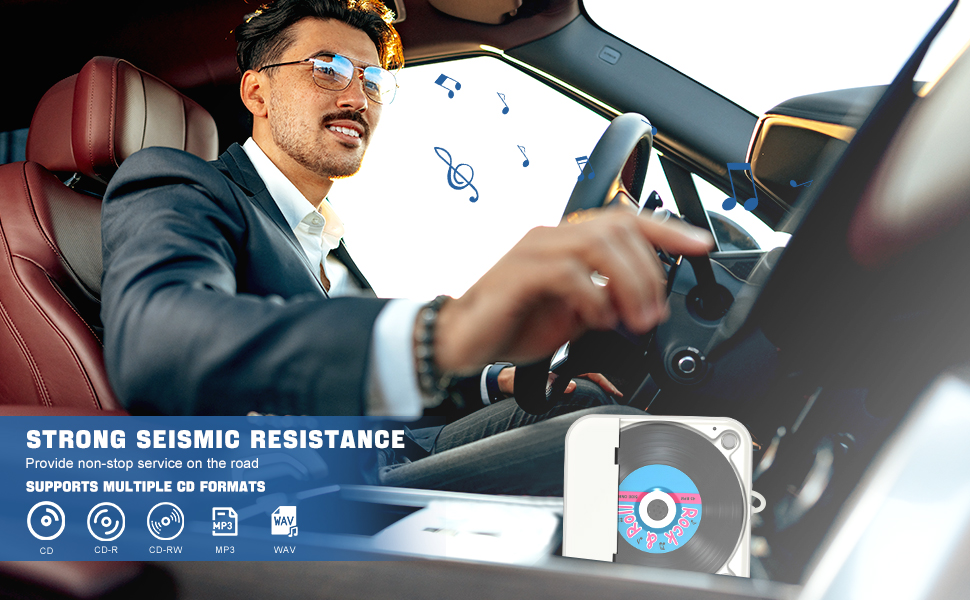
Please Note: Skyans CD player supports only five CD formats: CD, CD-R, CD-RW, MP3, and WMA. If the buyer's CD disc does not belong to any of these five formats, it will not play correctly, such as not read or play CDs and may stop randomly after startup.
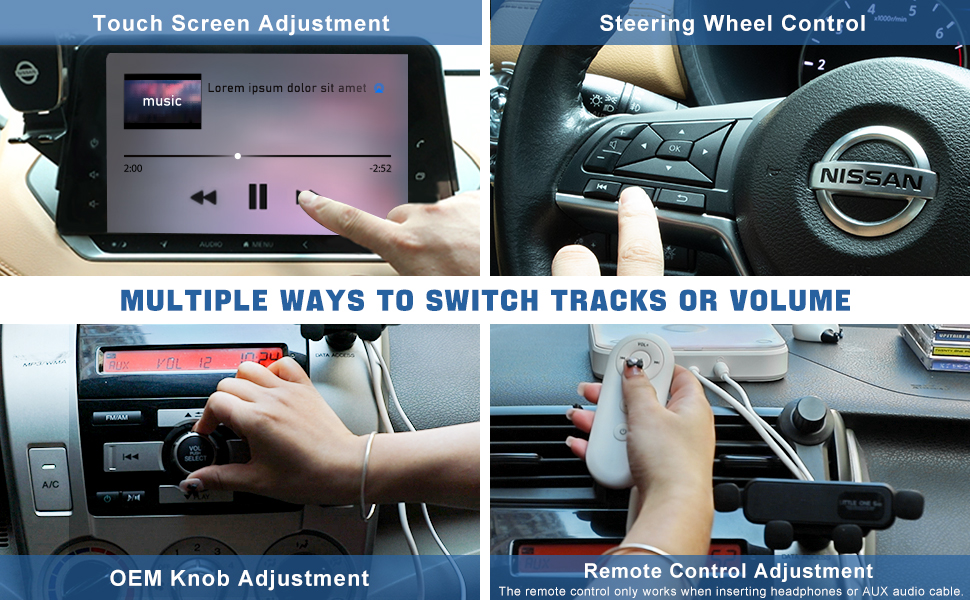
Remote Control Adjustment
Please Note:
1.The remote control only works when inserting headphones or AUX audio cable.
2.The remote control is not available when using a USB connection.
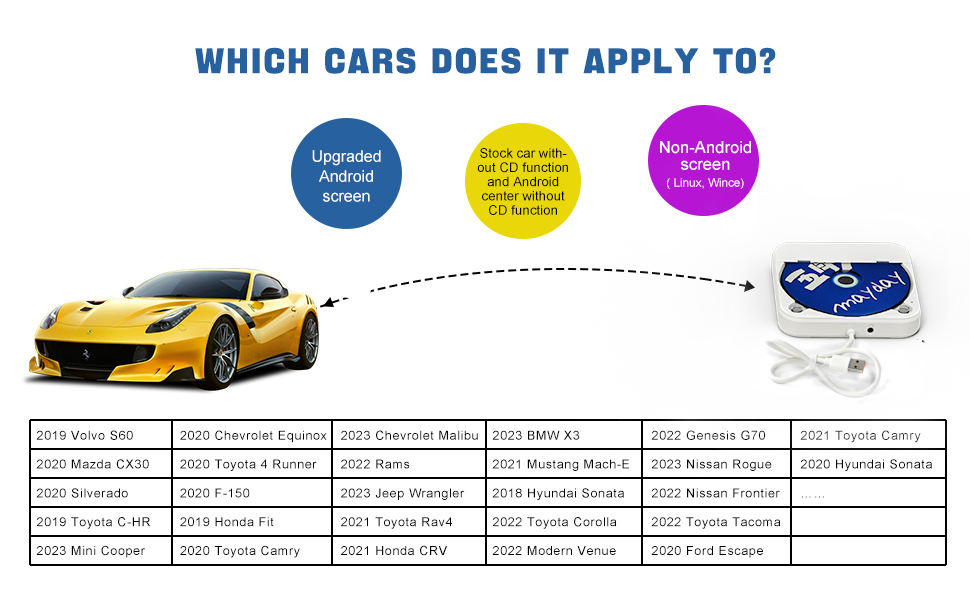
Compatible with Most Cars
If you are unsure whether Car CD player is compatible with your car before purchasing it, please consult us
- Supports standard audio CDs only - DVD/recordable discs incompatible.
- Please check your CD format before use.
- Please note that certain car audio systems may disable external playback by default. If necessary, manually activate the "CD Playback" function in your device settings.
Widely Used
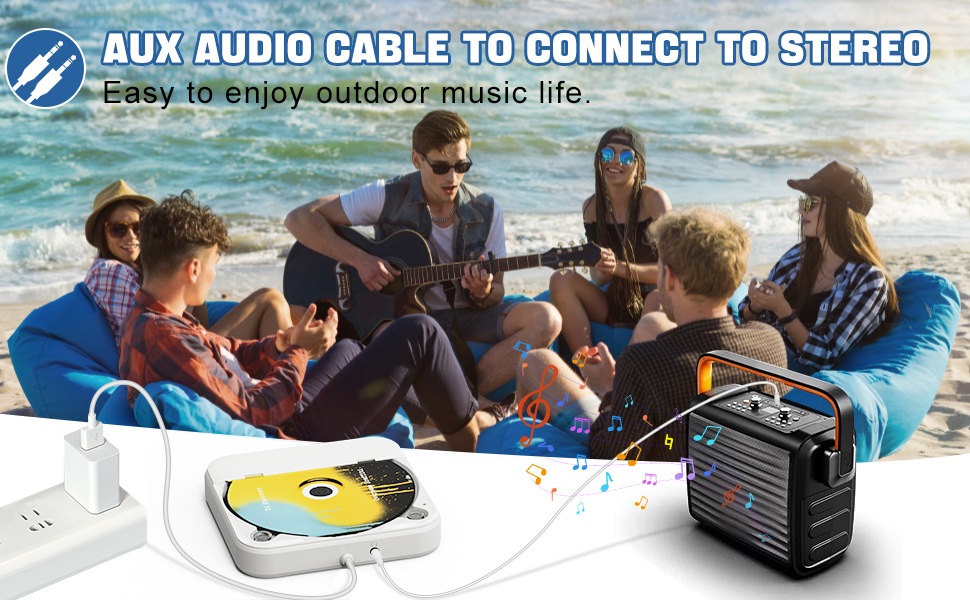
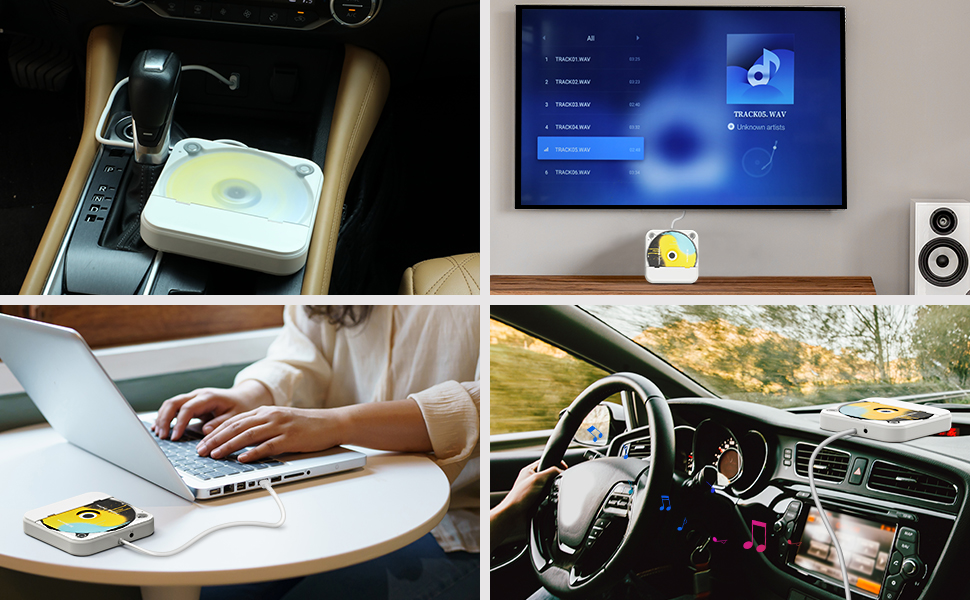
Not only can it connect to cars, but it can also easily connect to smart TVs, TVset-top boxes, laptops (without recording function), tablets, outdoor speakers, home amplifiers, and more
Please Note: This Car CD player doesn't have built-in speakers. When connected to a computer or laptop, it cann't be used as a External CD & DVD Drives. If your computer or laptop runs macOS, you'll need software capable of recognizing the WAV file format.
- Q: There is no power supply, how can the power supply be solved ?
A: The USB port on the device are self-contained voltage output, this product is through the USB port reverse power supply CD player work.
- Q: How to determine whether the CD player is compatible with your car ?
A: The car stereo system must have a USB data port or an AUX audio port, and the car stereo system must support WAV or MP3 audio files.
- Q: How to connect the CD player to the car ?
A: There are two ways to connect the car. The first is to connect the USB port directly to the car stereo USB data port, plug and play. The second is to connect the AUX audio cable. Plug the CD player USB port into the car USB port or directly connect to the power supply, and then use a 3.5mm AUX audio cable to connect the CD player and the car's AUX audio port. Select AUX mode to play the music in the CD. Different car models, interfaces and operation methods will be slightly different, please adjust according to the actual situation.
- Q: How to connect the CD player to the smart TV to play the music in the CD ?
A: Plug the CD player USB port into the smart TV USB port, use the remote control to open the music playlist in the CD folder, and select the songs you want to listen to.
- Q: How to connect the CD player to the stereo ?
A: Insert the USB port of the CD player into the USB port of the adapter to connect the power supply, and then use the 3.5mm audio cable to plug into the AUX port of the CD player and the stereo respectively. After waiting for more than ten seconds, the stereo will automatically play the music in the CD.
- Q: Why is the remote control not responding ?
A: The remote control must work when the headphones or AUX audio cable are inserted. The CD player USB port is connected to the power supply, and the headphones can be inserted to enter the CD mode to listen to the music alone.
Skyans: Where Music Finds Its Soul.

SKYANS A Decade of Excellence in CD Player Innovation
For over a decade, SKYANS has been a leading name in the world of audio technology, specializing in the design and manufacture of high-quality CD players. Our journey began with a simple yet powerful vision to bring the rich, immersive sound of music into every home and on-the-go experience through innovative and reliable CD player solutions.
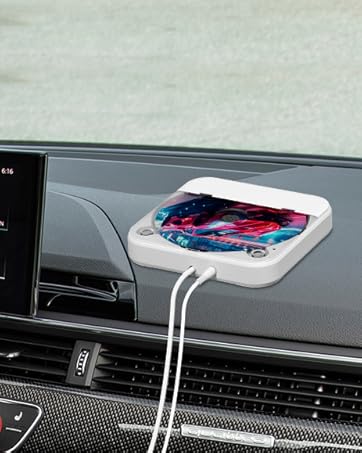
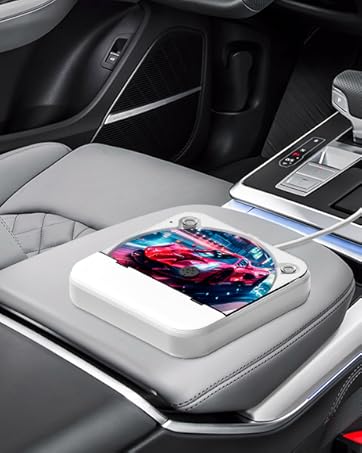
THIS CAR CD PLAYER IS DESIGNED FOR CARS WITHOUT A BUILT-IN CD PLAYER. EASY TO INSERT A CD AND TAKE OUT CD
Two Connection Methods: USB / AUX Connection
- USB Connection: The car stereo system must support WAV or MP3 audio files.
1.Connect the USB port of the Car CD player to the USB data port on your car's stereo.
2.Go to Media. Change the source to USB (just select USB).
The car will automatically recognize the connection and begin playing music from the disc. Once the connection is successful, the USB playback interface will appear.
- AUX Connection: The car stereo system must support WAV or MP3 audio files.
1. Connect the USB end of the Car CD player to the car's USB port and turn it on.
2. Use an AUX audio cable to connect the car's AUX port to the AUX port on the Car CD player. Finally, select AUX mode on your car's screen to start playing songs from the CDs.
Please Note: The operation will be different for different car models. lf the car is not auto-matically recognized, please click the USB icon to enter the USB music playback in-terface.
The car stereo system must support playing WAV/MP3 audio files. Please check before purchasing !!!
Please Note: Skyans CD player supports only five CD formats: CD, CD-R, CD-RW, MP3, and WMA. If the buyer's CD disc does not belong to any of these five formats, it will not play correctly, such as not read or play CDs and may stop randomly after startup.
Remote Control Adjustment
Please Note:
1.The remote control only works when inserting headphones or AUX audio cable.
2.The remote control is not available when using a USB connection.
Compatible with Most Cars
If you are unsure whether Car CD player is compatible with your car before purchasing it, please consult us
- Supports standard audio CDs only - DVD/recordable discs incompatible.
- Please check your CD format before use.
- Please note that certain car audio systems may disable external playback by default. If necessary, manually activate the "CD Playback" function in your device settings.
Widely Used
Not only can it connect to cars, but it can also easily connect to smart TVs, TVset-top boxes, laptops (without recording function), tablets, outdoor speakers, home amplifiers, and more
Please Note: This Car CD player doesn't have built-in speakers. When connected to a computer or laptop, it cann't be used as a External CD & DVD Drives. If your computer or laptop runs macOS, you'll need software capable of recognizing the WAV file format.
- Q: There is no power supply, how can the power supply be solved ?
A: The USB port on the device are self-contained voltage output, this product is through the USB port reverse power supply CD player work.
- Q: How to determine whether the CD player is compatible with your car ?
A: The car stereo system must have a USB data port or an AUX audio port, and the car stereo system must support WAV or MP3 audio files.
- Q: How to connect the CD player to the car ?
A: There are two ways to connect the car. The first is to connect the USB port directly to the car stereo USB data port, plug and play. The second is to connect the AUX audio cable. Plug the CD player USB port into the car USB port or directly connect to the power supply, and then use a 3.5mm AUX audio cable to connect the CD player and the car's AUX audio port. Select AUX mode to play the music in the CD. Different car models, interfaces and operation methods will be slightly different, please adjust according to the actual situation.
- Q: How to connect the CD player to the smart TV to play the music in the CD ?
A: Plug the CD player USB port into the smart TV USB port, use the remote control to open the music playlist in the CD folder, and select the songs you want to listen to.
- Q: How to connect the CD player to the stereo ?
A: Insert the USB port of the CD player into the USB port of the adapter to connect the power supply, and then use the 3.5mm audio cable to plug into the AUX port of the CD player and the stereo respectively. After waiting for more than ten seconds, the stereo will automatically play the music in the CD.
- Q: Why is the remote control not responding ?
A: The remote control must work when the headphones or AUX audio cable are inserted. The CD player USB port is connected to the power supply, and the headphones can be inserted to enter the CD mode to listen to the music alone.
Skyans: Where Music Finds Its Soul.
SKYANS A Decade of Excellence in CD Player Innovation
For over a decade, SKYANS has been a leading name in the world of audio technology, specializing in the design and manufacture of high-quality CD players. Our journey began with a simple yet powerful vision to bring the rich, immersive sound of music into every home and on-the-go experience through innovative and reliable CD player solutions.





