





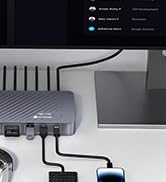

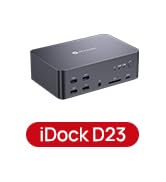
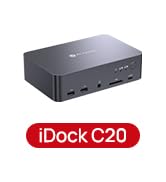
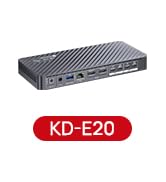
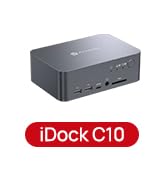
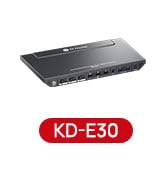
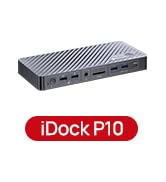


AV Access KVM Switch with Docking Station
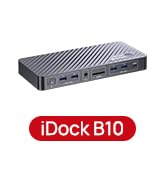
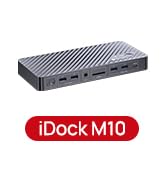
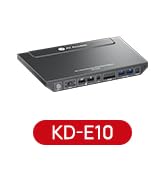
 iDock P10 (4K KVM) | 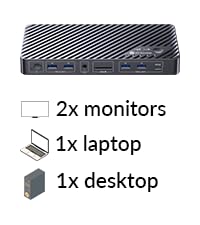 iDock M10 (For MacBook) | 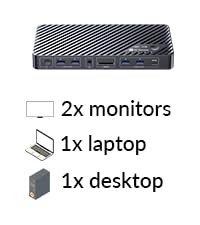 iDock B10 (8K KVM) |  KD-E10 |  KD-E20 | 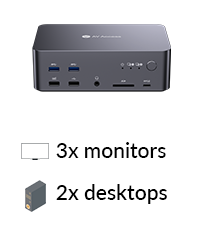 iDock D23-For 8K Desktop | |
|---|---|---|---|---|---|---|
Customer Reviews | — | — | — | — | — | — |
Price | — | — | — | — | — | — |
Computers | 1 Laptop + 1 Desktop | 1 MacBook + 1 Desktop | 1 Laptop + 1 Desktop | 1 Laptop + 1 Desktop | 2 Laptops | 2 Desktops (NOT for laptop) |
Monitors | Dual Monitor | Dual Monitor | Dual Monitor | Dual Monitor | Dual Monitor | Triple Monitor |
Video Interface | Type-C, DP, HDMI | Type-C, DP, HDMI | Type-C, DP, HDMI | Type-C, HDMI, DP | Type-C, HDMI | DP |
Control | Panel Button/Remote Controller | Panel Button/Remote Controller | Panel Button/Remote Controller | Panel Button | Panel Button/Remote Controller | Switch Button/Hotkey |
Remote Controller | v(included) | v(included) | v(included) | × | v(included) | v(not included) |
Video Resolution | 4K@60Hz 2K@144Hz 1080P@240Hz | 4K@60Hz 2K@144Hz 1080P@240Hz | 8K@60Hz, 4K@165Hz | 4K@60Hz 2K@144Hz 1080P@240Hz | 4K@60Hz 2K@144Hz 1080P@240Hz | 8K@60Hz 4K@165Hz 1080P@144Hz |
Power Delivery | v (Laptop only) | v (Laptop only) | v (Laptop only) | v (Laptop only) | v | × |
EDID Emulation | v | v | × | v | v | × |
Ethernet Connection | v (Laptop only) | v (for Mac and Desktop) | v (for Laptop and Desktop) | v (Laptop only) | v | v |
USB Peripherals | 1*USB-C, 2*USB2.0, 2*USB3.0 | 1*USB-C3.2, 2*USB3.0, 2*USB3.2 | 1*USB-C3.2,2*USB 3.0,3*USB 3.2 | 1*USB-C3.0,2*USB2.0,3*USB3.0 | 1*USB-C 3.0,2*USB 2.0,3*USB3.0 | 1*USB1.1,1*USB2.0,4*USB3.0 |
SD Card | v | v | v | v | v | v |
Cables included | USB-A to C, USB-C | USB-A to C,Dual-USB-C ,HDMI,DP | USB-A,USB-C 3.2,HDMI 2.1,DP1.4 | 1*USB B-A,1*DP,1*HDMI,1* USB-C | 2*USB-C | 2*USB B-A,6*DP |
Trouble Shooting:
1. My MacBook only outputs mirrored dual screens but can't output extended dual screens. Why is that?
MacBook's USB-C port itself only supports single stream transport (SST), not multi stream transport (MST). Thus, the dual screens can only display in mirror copy mode. If you need extended dual screen output with your MacBook, please let us know.
2. My desktop source can only display on one monitor, but my laptop can display on both monitors. What should I do?
If you have used HDMI to DP conversion cable to connect DP IN of the device, please note this kind of cable is always unidirectional, so make sure to use HDMI to DP cable, rather than a DP to HDMI one.
3. Can the device work with single monitor?
Yes, the “DP IN” port of the KVM switch only corresponds to HDMI Output 1 while the “HDMI IN” port corresponds to HDMI Output 2, so correct input port needs to be connected accordingly for single-monitor display.
4. My USB device doesn’t work when switching to desktop input, but it works fine with the laptop. What should I do?
Ensure that the included USB-A to USB-B cable is securely connected to both your desktop and the device. For stable transmission, we recommend using the USB ports on the back of your computer.
5. My laptop cannot detect external screens but functions of charging and USB uplink work flawlessly. Why is that?
Please make sure that USB-C port of your laptop supports DP Alt mode, usually the USB-C port will be marked as symbols of D or Thunder if it supports video output.


AV Access KVM Switch with Docking Station
iDock P10 (4K KVM) | iDock M10 (For MacBook) | iDock B10 (8K KVM) | KD-E10 | KD-E20 | iDock D23-For 8K Desktop |
|---|---|---|---|---|---|
| Customer Reviews | |||||
| — | — | — | — | — | — |
| Price | |||||
| — | — | — | — | — | — |
| Computers | |||||
| 1 Laptop + 1 Desktop | 1 MacBook + 1 Desktop | 1 Laptop + 1 Desktop | 1 Laptop + 1 Desktop | 2 Laptops | 2 Desktops (NOT for laptop) |
| Monitors | |||||
| Dual Monitor | Dual Monitor | Dual Monitor | Dual Monitor | Dual Monitor | Triple Monitor |
| Video Interface | |||||
| Type-C, DP, HDMI | Type-C, DP, HDMI | Type-C, DP, HDMI | Type-C, HDMI, DP | Type-C, HDMI | DP |
| Control | |||||
| Panel Button/Remote Controller | Panel Button/Remote Controller | Panel Button/Remote Controller | Panel Button | Panel Button/Remote Controller | Switch Button/Hotkey |
| Remote Controller | |||||
| v(included) | v(included) | v(included) | × | v(included) | v(not included) |
| Video Resolution | |||||
| 4K@60Hz 2K@144Hz 1080P@240Hz | 4K@60Hz 2K@144Hz 1080P@240Hz | 8K@60Hz, 4K@165Hz | 4K@60Hz 2K@144Hz 1080P@240Hz | 4K@60Hz 2K@144Hz 1080P@240Hz | 8K@60Hz 4K@165Hz 1080P@144Hz |
| Power Delivery | |||||
| v (Laptop only) | v (Laptop only) | v (Laptop only) | v (Laptop only) | v | × |
| EDID Emulation | |||||
| v | v | × | v | v | × |
| Ethernet Connection | |||||
| v (Laptop only) | v (for Mac and Desktop) | v (for Laptop and Desktop) | v (Laptop only) | v | v |
| USB Peripherals | |||||
| 1*USB-C, 2*USB2.0, 2*USB3.0 | 1*USB-C3.2, 2*USB3.0, 2*USB3.2 | 1*USB-C3.2,2*USB 3.0,3*USB 3.2 | 1*USB-C3.0,2*USB2.0,3*USB3.0 | 1*USB-C 3.0,2*USB 2.0,3*USB3.0 | 1*USB1.1,1*USB2.0,4*USB3.0 |
| SD Card | |||||
| v | v | v | v | v | v |
| Cables included | |||||
| USB-A to C, USB-C | USB-A to C,Dual-USB-C ,HDMI,DP | USB-A,USB-C 3.2,HDMI 2.1,DP1.4 | 1*USB B-A,1*DP,1*HDMI,1* USB-C | 2*USB-C | 2*USB B-A,6*DP |
Trouble Shooting:
1. My MacBook only outputs mirrored dual screens but can't output extended dual screens. Why is that?
MacBook's USB-C port itself only supports single stream transport (SST), not multi stream transport (MST). Thus, the dual screens can only display in mirror copy mode. If you need extended dual screen output with your MacBook, please let us know.
2. My desktop source can only display on one monitor, but my laptop can display on both monitors. What should I do?
If you have used HDMI to DP conversion cable to connect DP IN of the device, please note this kind of cable is always unidirectional, so make sure to use HDMI to DP cable, rather than a DP to HDMI one.
3. Can the device work with single monitor?
Yes, the “DP IN” port of the KVM switch only corresponds to HDMI Output 1 while the “HDMI IN” port corresponds to HDMI Output 2, so correct input port needs to be connected accordingly for single-monitor display.
4. My USB device doesn’t work when switching to desktop input, but it works fine with the laptop. What should I do?
Ensure that the included USB-A to USB-B cable is securely connected to both your desktop and the device. For stable transmission, we recommend using the USB ports on the back of your computer.
5. My laptop cannot detect external screens but functions of charging and USB uplink work flawlessly. Why is that?
Please make sure that USB-C port of your laptop supports DP Alt mode, usually the USB-C port will be marked as symbols of D or Thunder if it supports video output.
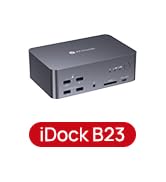
iDock B10
iDock M10
KVM Docking 3 Monitors
KVM Docking 2 Laptops
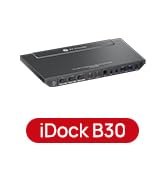
KVM Docking for 1 PC 1 Laptop
KVM Docking for 2 PCs 1 Laptop
KVM Docking for 1 PC 1 Laptop





