




How to use?
1. Preparing the webcame and cover
2. Tearing the tape on the lid
3. Sticking the cover to the lens to protect the lens
4. 0penning the cover upwards during use

Hardware beauty Effect
The webcame has a beauty effect that can make you look more beautiful in the video.

1080P Clearer and more focused
This W5 HD 1080P video webcam has high definition and good picture presentation than 720P.
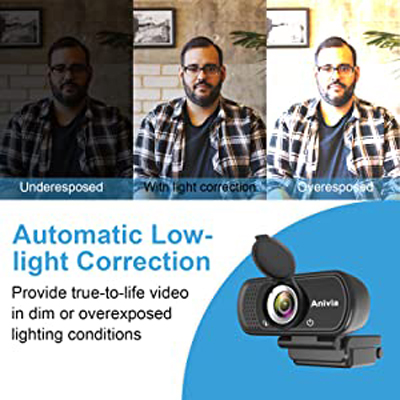
Built-in high dynamic range ensures quality even under exposure or dim light conditions.
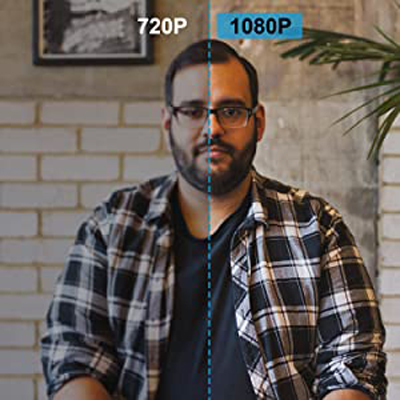
This Anivia W5 HD 1080P video webcam has high definition and good picture presentation.

W5 Webcam you deserve it, comfortable picture quality, soft lines, make people feel happy.

Computer Camera with Build-in Noise Reduce MIC
Reduce distracting background noise for Natural and clear sound when you streaming or video chatting, also pick up your voice even if you step away from the screen for 25ft.
Please note: This webcam does not contain speakers. If you can't hear the other person's voice, please check whether your device has speakers.





