


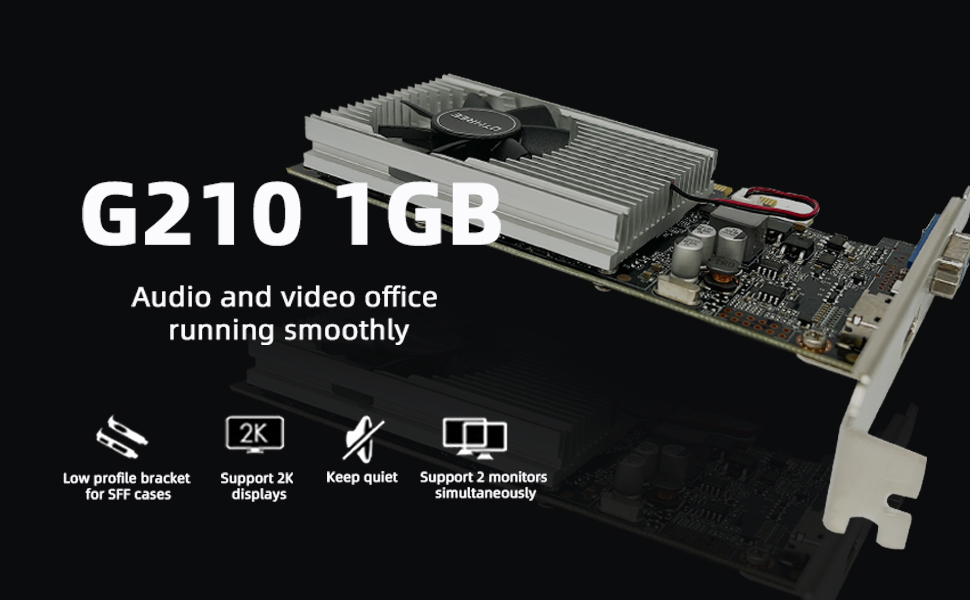
Introduce
As a new brand,QTHREE is dedicated to consumer and business-grade electronics manufacturing.QTHREE is proud to have products assembled for customers.
The GeForce 210 was a graphics card by NVIDIA,it is a low-end graphics card,which mainly used for ultra-smooth web browsing, stunning photo and video editing.
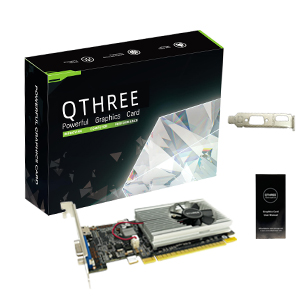
Geforce GT210 Graphics Card, 64bit 589MHZ 1GB DDR3, PCI Express 2.0, DirectX10.1 PC Video Card, VGA HDMI Low Profile Graphics Card
- NVIDIA GeForce GT 210 GPU
- Integrated with 1GB DDR3 64bit Memory
- 589 MHz GPU Clock,1000 MHz Memory Clock
- With the low profile bracket for sff/slim case
- Supports up to 2 monitors simultaneously
- Ideal for home theater PCs and multimedia centers with its low profile, high-efficiency, low-consumption design
Tips:
1.This GPU is good for budget GPU, starters, average users. Recommend looking up benchmarks to see if this is what you're after.
2.PCI Express based PC is required with one X16 lane graphics slot available on the motherboard,the card will automatically install the driver.
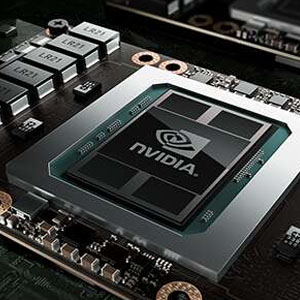
NVIDIA Architecture
NVIDIA architecture brings many new features to your computer entertainment, design, office intelligence to accelerate your experience.
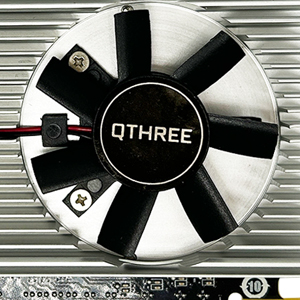
Efficient Heat Dissipation
The video card can deliver more heat and heat dissipation fan distributes it more efficiently, which keep the GPU cooler and running stronger.
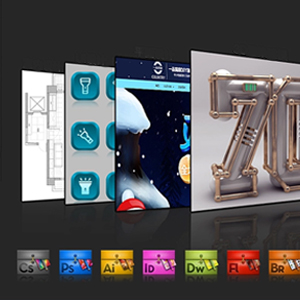
Multi Screen
Improve Your Productivity-Dual monitors simultaneous display,it can easily control various office software, photo editing and multimedia software.Split-screen collaboration for efficient office work.
Specification
The step to download and install the correct driver (NOT Compatible with Windows 11)
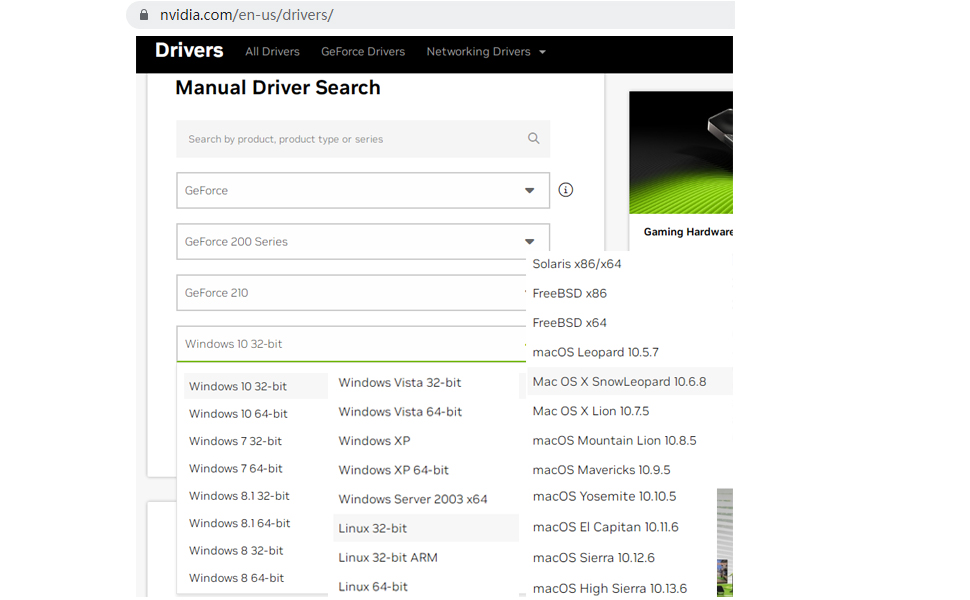
If your computer has previously installed driver for other graphics card, please use DDU (Display Driver Uninstaller) to uninstall it and then install our graphics card. Please refer to the following steps to download and install the correct driver:
1. Use a browser to visit the NVIDIA official website.
2. Click "Drivers" at the top.
3. In the category “Manual Driver Search”.
4. Choose “Geforce” - "Geforce 200 Series" - "GeForce 210".
5. Select the driver version corresponding to your computer's operating system, then download and install it.
Troubleshooting Tips
The following troubleshooting tips may help if you experience problems. Contact QTHREE for more advanced troubleshooting information.
- Check that the card is seated properly in the PCI Express slot.
- Ensure that the display cable is securely fastened to the card's display connector.
- Make sure that the monitor and computer are plugged in and receiving power.
- If necessary, disable any built-in graphics capabilities on your motherboard. For more information, consult your computer's manual or manufacturer. (NOTE: Some manufacturers do not allow the built-in graphics to be disabled or to become the secondary display.)
- Make sure you selected the appropriate display device and graphics card when you install the graphics driver.
- Restart your computer. Press on your keyboard after system starts up. When the Windows Advanced Options Menu appears, select Safe Mode and press . After getting into Safe Mode, in Device Manager check whether the driver for the graphics card is correct.
- If you are not able to find the desired monitor color/resolution settings: The color and screen resolution options available for selection depend on the graphics card being installed. If necessary, adjust your monitor's setting using monitor's adjust panel to make the screen look focused, crisp, and sharp. (Please refer to the monitor's manual.)
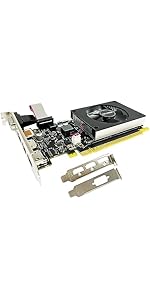 GT 730 | 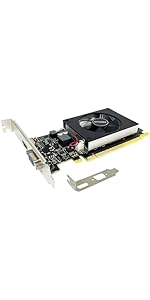 GT 710 | 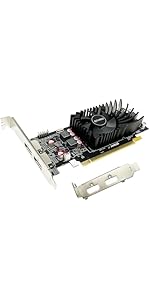 R7 240 | 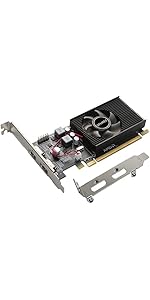 HD 6570 | 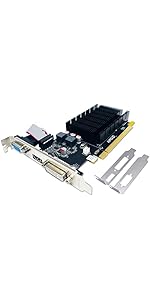 HD 5450 | 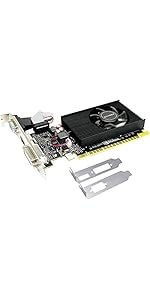 GT 210 | |
|---|---|---|---|---|---|---|
| Customer Reviews | — | — | — | — | — | — |
| Price | — | — | — | — | — | — |
| Graphics Ram Size | 4GB | 2GB | 2GB | 1GB | 2GB | 1GB |
| Graphics Ram | DDR3 | DDR3 | GDDR5 | GDDR3 | GDDR3 | DDR3 |
| Bus Width | 64 bits | 64 bits | 128 bits | 64 bits | 64 bits | 64 bits |
| GPU Clock | 902 MHz | 954 MHz | 780 Mhz | 650 MHz | 650 MHz | 589 MHz |
| Memory Clock | 1000 MHz | 1800 MHz | 4600 Mhz | 1066 Mhz | 1066 Mhz | 1066 Mhz |
| Display Interface | PCI Express x8 | PCI Express x8 | PCI Express x8 | PCI Express x16 | PCI Express x16 | PCI Express x16 |
| Dimension | 15x12x2cm | 15x12x2cm | 15x12x2cm | 16x12x2cm | 16x12x2cm | 15x12x2cm |
Introduce
As a new brand,QTHREE is dedicated to consumer and business-grade electronics manufacturing.QTHREE is proud to have products assembled for customers.
The GeForce 210 was a graphics card by NVIDIA,it is a low-end graphics card,which mainly used for ultra-smooth web browsing, stunning photo and video editing.
Geforce GT210 Graphics Card, 64bit 589MHZ 1GB DDR3, PCI Express 2.0, DirectX10.1 PC Video Card, VGA HDMI Low Profile Graphics Card
- NVIDIA GeForce GT 210 GPU
- Integrated with 1GB DDR3 64bit Memory
- 589 MHz GPU Clock,1000 MHz Memory Clock
- With the low profile bracket for sff/slim case
- Supports up to 2 monitors simultaneously
- Ideal for home theater PCs and multimedia centers with its low profile, high-efficiency, low-consumption design
Tips:
1.This GPU is good for budget GPU, starters, average users. Recommend looking up benchmarks to see if this is what you're after.
2.PCI Express based PC is required with one X16 lane graphics slot available on the motherboard,the card will automatically install the driver.
NVIDIA Architecture
NVIDIA architecture brings many new features to your computer entertainment, design, office intelligence to accelerate your experience.
Efficient Heat Dissipation
The video card can deliver more heat and heat dissipation fan distributes it more efficiently, which keep the GPU cooler and running stronger.
Multi Screen
Improve Your Productivity-Dual monitors simultaneous display,it can easily control various office software, photo editing and multimedia software.Split-screen collaboration for efficient office work.
Specification
| GPU Model | NVIDIA GeForce 210 |
| Core process (CUDA) | 16 |
| GPU Clock | 589 MHz |
| Memory Clock | 1000 MHz (500Mhz x2) |
| Shader Clock | 1402 MHz |
| Memory Size | 1GB |
| Memory Type | DDR3 |
| Bus Width | 64 bits |
| Bandwidth | 8.0 GB/s |
| Display Interface | VGA, HDMI |
| Bus Interface | PCIe x16 2.0 |
| DirectX Support | DirectX 10.1 |
| Computing | OpenCL/CUDA/DirectCompute |
| Technologies | PhysX/OpenGL 3.3 |
| TDP | 31W |
The step to download and install the correct driver (NOT Compatible with Windows 11)
If your computer has previously installed driver for other graphics card, please use DDU (Display Driver Uninstaller) to uninstall it and then install our graphics card. Please refer to the following steps to download and install the correct driver:
1. Use a browser to visit the NVIDIA official website.
2. Click "Drivers" at the top.
3. In the category “Manual Driver Search”.
4. Choose “Geforce” - "Geforce 200 Series" - "GeForce 210".
5. Select the driver version corresponding to your computer's operating system, then download and install it.
Troubleshooting Tips
The following troubleshooting tips may help if you experience problems. Contact QTHREE for more advanced troubleshooting information.
- Check that the card is seated properly in the PCI Express slot.
- Ensure that the display cable is securely fastened to the card's display connector.
- Make sure that the monitor and computer are plugged in and receiving power.
- If necessary, disable any built-in graphics capabilities on your motherboard. For more information, consult your computer's manual or manufacturer. (NOTE: Some manufacturers do not allow the built-in graphics to be disabled or to become the secondary display.)
- Make sure you selected the appropriate display device and graphics card when you install the graphics driver.
- Restart your computer. Press on your keyboard after system starts up. When the Windows Advanced Options Menu appears, select Safe Mode and press . After getting into Safe Mode, in Device Manager check whether the driver for the graphics card is correct.
- If you are not able to find the desired monitor color/resolution settings: The color and screen resolution options available for selection depend on the graphics card being installed. If necessary, adjust your monitor's setting using monitor's adjust panel to make the screen look focused, crisp, and sharp. (Please refer to the monitor's manual.)
GT 730 | GT 710 | R7 240 | HD 6570 | HD 5450 | GT 210 | |
|---|---|---|---|---|---|---|
| Customer Reviews | — | — | — | — | — | — |
| Price | — | — | — | — | — | — |
| Graphics Ram Size | 4GB | 2GB | 2GB | 1GB | 2GB | 1GB |
| Graphics Ram | DDR3 | DDR3 | GDDR5 | GDDR3 | GDDR3 | DDR3 |
| Bus Width | 64 bits | 64 bits | 128 bits | 64 bits | 64 bits | 64 bits |
| GPU Clock | 902 MHz | 954 MHz | 780 Mhz | 650 MHz | 650 MHz | 589 MHz |
| Memory Clock | 1000 MHz | 1800 MHz | 4600 Mhz | 1066 Mhz | 1066 Mhz | 1066 Mhz |
| Display Interface | PCI Express x8 | PCI Express x8 | PCI Express x8 | PCI Express x16 | PCI Express x16 | PCI Express x16 |
| Dimension | 15x12x2cm | 15x12x2cm | 15x12x2cm | 16x12x2cm | 16x12x2cm | 15x12x2cm |





