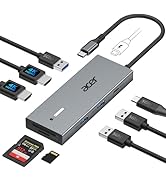
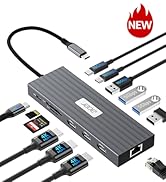
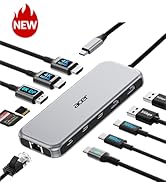
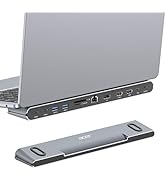
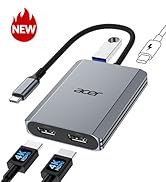
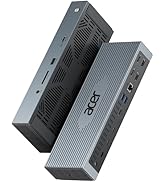
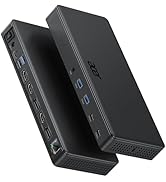
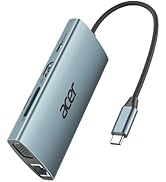
| ??Check Before Buy | ???????????? ???????? ???????? ???????? ????????????’?? ??????-?? ???????? ???????????????? ?????????????? ???????????????? (?????????????????????? ?????????????????? ????????). This means your USB-C port should support video output, data transfer, and Power Delivery (PD). So please check your device specs before purchasing. |
| ??Triple Display Support | This USB-C docking station supports up to 3 monitors with 2HDMI+DP, typically 4K@60Hz + 4K@60Hz + 1080P@60Hz. The final resolution depends on your laptop’s bandwidth and the specifications of your monitors. If any device supports a lower resolution, the actual output may be reduced accordingly. |
| ??HDMI/DP Display Behavior | HDMI/DP display recognition may take a few seconds on first connection. If your monitor has multiple input sources, please manually select the correct HDMI input. |
| ??Full Charging Performance | Supports up to 100W PD Input (Up to 90W Charging for Your Device) Requires a USB-C charger and cable with Power Delivery support. Charger and cable not included. |
| ??About Audio Output | Audio may not switch automatically when using an external display. If needed, select your TV or monitor as the audio output in system settings. |
| ??Not Compatible Devices | Not compatible with Lightning devices or gaming consoles, including iPhone/iPad (Lightning), Xbox, PS5/PS4, or similar devices. |
| Note for PD Port | For the most stable HDMI/DP connection, we recommend connecting the PD power adapter before plugging in HDMI/DP cables or other peripherals.Reconnecting or unplugging the PD adapter during use may briefly interrupt the display. |
| Note for PD Port | Some devices may display a “Slow Charging” message when charging through a dock, but the actual charging performance remains normal. This message can be safely ignored. |
| Note for Stable Connection | Plugging or unplugging the PD, HDMI, or DP ports during operation may trigger the docking station and host device to re-establish the connection handshake, which can result in temporary display or device disconnection. |
| Note for Cable Length | The built-in cable is 0.65FT(20cm) long. It is best suited for setups where the hub is used close to your laptop, such as on a desk or workstation. Please ensure the connection distance meets your usage needs before purchase. |
| Note for Mac User | For Mac Users: Triple display support is limited to A-AAA or A-BBB configurations and does not support A-BCD. |
| Note for Surface Temperature | Surface temperature may reach up to 122°F under full load. This is normal and safe. |
| Note for After Buy | **????????: ???? ?????? ?????? ?????? ????????, ???????????? ???????? ???????? ???? ?????? ???? ????????, ???? ?????? ???????? ???????? ???? ??????????. |