



YOUR VOICE MATTERS
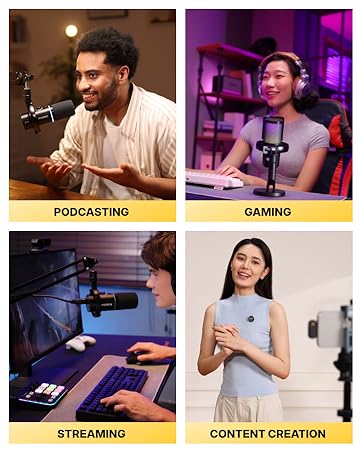
PODCASTING · GAMING · STREAMING · CONTENT CREATION

About US
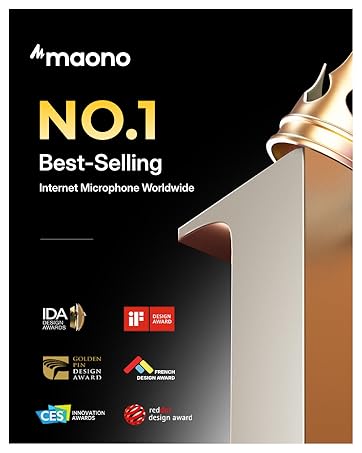
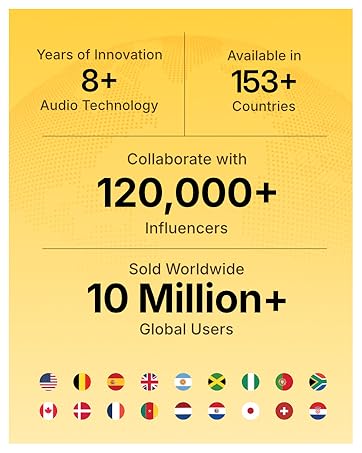
Maono['m?no?] stands for "VISION", is the Global Best Selling Internet Microphone Brand that products sold well in 153 countries worldwide. Maono focuses on microphones, interfaces & mixers, and other audio products for the fast-growing young generations who like podcasting, streaming, gaming, and content creation on the Internet.
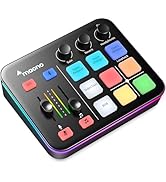
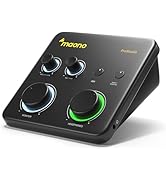
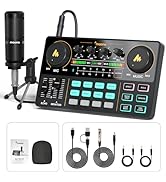
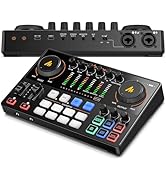
Podcast Streaming Recording
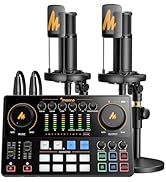
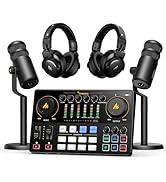
Podcast Equipment Bundle
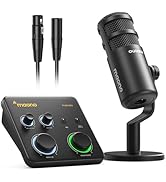
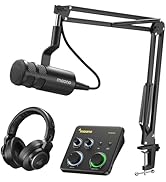
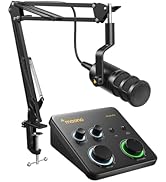
Studio Recording Equipment
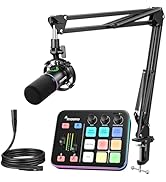
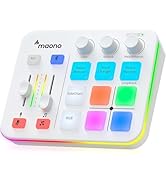
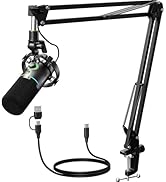
Gaming Streaming Bundle


What kind of microphone would work best for G1 NEO?
You can use it with your XLR microphone! Just a quick note: it won’t be compatible with USB microphones.
The gaming mixer it compatible with my PS5 or Xbox?
G1 NEO works great with PS4 or PS5, but unfortunately, it doesn’t support Xbox and Switch.
When should I activate 48V phantom power?
When you plug in an XLR condenser microphone, remember to switch on the 48V power. And if you're using an XLR dynamic microphone, just turn off the 48V. Happy recording!
Can you tell me what loopback does?
When you connect your phone or computer through USB and want to send audio from the computer back to the mixer, just remember to turn on Loopback! This is especially handy when you're live streaming.
How can I get everything set up after I've connected my XLR microphone?
Please remember to turn on the 48V phantom power if you're using an XLR condenser mic, and keep it off for an XLR dynamic mic. Also, make sure to set your XLR microphone gain somewhere between -45dB and -55dB for optimal results.
MAONOCASTER series comparison
 G1 NEO-Gaming Audio Mixer |  Gaming Streaming Bundle |  ASIO Audio Interface |  AM200- 3.5mm Interface |  E2Gen2-Dual XLR Interface | |
|---|---|---|---|---|---|
Customer Reviews | — | — | — | — | — |
Price | — | — | — | — | — |
Usage scenarios | Gaming streaming | Gaming streaming bundle | Music recording | podcast starter kit | Podcast advanced kit for 2 |
Microphone input | XLR *1 | XLR *1 | XLR *1 | 3.5MM *2 | XLR *2 |
Customize soundpads | 4 | 4 | / | 4 | 8 |
Quick to mute | ? | ? | ? | ? | ? |
Noise reduction | ? | ? | ? | ? | ? |
Bluetooth | ? | ? | ? | ? | ? |
Included Software | No | No | MAONO Prostudio | No | No |
Support Daw | ? | ? | ? | ? | ? |
Phantom Power 48V | ? | ? | ? | ? | ? |


What kind of microphone would work best for G1 NEO?
You can use it with your XLR microphone! Just a quick note: it won’t be compatible with USB microphones.
The gaming mixer it compatible with my PS5 or Xbox?
G1 NEO works great with PS4 or PS5, but unfortunately, it doesn’t support Xbox and Switch.
When should I activate 48V phantom power?
When you plug in an XLR condenser microphone, remember to switch on the 48V power. And if you're using an XLR dynamic microphone, just turn off the 48V. Happy recording!
Can you tell me what loopback does?
When you connect your phone or computer through USB and want to send audio from the computer back to the mixer, just remember to turn on Loopback! This is especially handy when you're live streaming.
How can I get everything set up after I've connected my XLR microphone?
Please remember to turn on the 48V phantom power if you're using an XLR condenser mic, and keep it off for an XLR dynamic mic. Also, make sure to set your XLR microphone gain somewhere between -45dB and -55dB for optimal results.
MAONOCASTER series comparison
G1 NEO-Gaming Audio Mixer | Gaming Streaming Bundle | ASIO Audio Interface | AM200- 3.5mm Interface | E2Gen2-Dual XLR Interface |
|---|---|---|---|---|
| Customer Reviews | ||||
| — | — | — | — | — |
| Price | ||||
| — | — | — | — | — |
| Usage scenarios | ||||
| Gaming streaming | Gaming streaming bundle | Music recording | podcast starter kit | Podcast advanced kit for 2 |
| Microphone input | ||||
| XLR *1 | XLR *1 | XLR *1 | 3.5MM *2 | XLR *2 |
| Customize soundpads | ||||
| 4 | 4 | / | 4 | 8 |
| Quick to mute | ||||
| ? | ? | ? | ? | ? |
| Noise reduction | ||||
| ? | ? | ? | ? | ? |
| Bluetooth | ||||
| ? | ? | ? | ? | ? |
| Included Software | ||||
| No | No | MAONO Prostudio | No | No |
| Support Daw | ||||
| ? | ? | ? | ? | ? |
| Phantom Power 48V | ||||
| ? | ? | ? | ? | ? |
YOUR VOICE MATTERS
PODCASTING · GAMING · STREAMING · CONTENT CREATION
About US
Maono['m?no?] stands for "VISION", is the Global Best Selling Internet Microphone Brand that products sold well in 153 countries worldwide. Maono focuses on microphones, interfaces & mixers, and other audio products for the fast-growing young generations who like podcasting, streaming, gaming, and content creation on the Internet.
Podcast Streaming Recording
Podcast Equipment Bundle
Studio Recording Equipment
Gaming Streaming Bundle





