



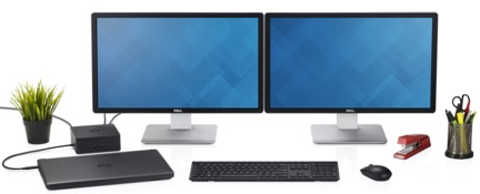
A Great Accessory for Any Thunderbolt 3 Enabled Notebooks
The compact, versatile Dell Thunderbolt Dock TB16 - 180W gives you a cost-effective, easy, fast way to make your mobile workstation more powerful.
Simply connect it to your Thunderbolt 3 enabled notebook by using a single USB Type-C Thunderbolt cable, and the docking station instantly adds an array of connectivity options (e.g. one HDMI port, one VGA port, USB 3.0 ports etc.) to your system. So, you can easily connect to multiple displays, USB-enabled peripherals, and other accessories to your notebook.
With up to 40 Gbps data throughput, the TB16 - 180W helps you avoid the nuisance of bandwidth bottlenecks when connecting multiple displays and peripherals to your notebook. Moreover, the TB16 - 180W can provides power to both your Thunderbolt 3 enabled notebook and attached peripherals.
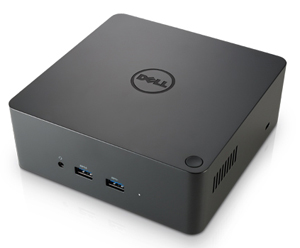
One Dock. One Cable. Ultimate Performance.
The Dell Thunderbolt Dock TB16 - 180W with Intel Thunderbolt 3 technology is the ultimate docking solution, designed for power users and traditional workstation clients, creating the ability to connect up to three FHD displays, two 4K displays, or one 5K display at 60Hz. Data transfers up to 40 Gbps allow lightning-fast transfers of larger files such as video editing files.
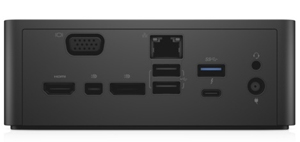
Small Footprint and Big Flexibility
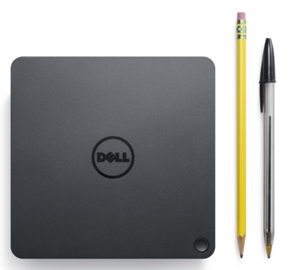
The Dell Thunderbolt Dock TB16 - 180W is small in size – just 5.7 x 5.7 x 2 inches (145 x 145 x 51mm). By connecting one cable to your laptop, you can get access to a wide variety of ports, enhancing productivity.
*It offers a rich set of connectivity options, including
- One HDMI port
- One VGA port
- One Mini DisplayPort
- One DisplayPort
- Two USB 2.0 ports
- Three USB 3.0 ports
- One combo audio (front)
- One speaker output (rear)
- One Gigabit Ethernet
One Source for Power
The Dell Thunderbolt Dock TB16 - 180W can provide power to your laptop (at 19.5V) and can also provide power to attached Thunderbolt 3 peripherals. With the ability to provide up to 60W of power to an external Thunderbolt 3 device, this version is best for Dell Latitude and XPS notebooks and 2-in-1s with a Thunderbolt 3 port that require up to 65W of power.
Compatibility
This product is compatible with the following systems:
- Latitude 5280
- Latitude 5480
- Latitude 5580
- Latitude 7280
- Latitude 7480
- XPS 9365
What's in the Box?
- Dell Thunderbolt Dock TB16
- USB Type-C Thunderbolt Cable
- 180W AC Adapter
NOTE:
- 5120 x 2880 (5K) @ 60Hz only supported if 1) A USB Type C to Dual DisplayPort 1.2 adapter is plugged into the Thunderbolt 3 port on the back of TB16 which is then connected to two DisplayPort cables plugged into the 5K monitor or 2) System with discrete graphics has display setting set to discrete and 5K monitor is connected to mDP and DP ports of the dock with DP 1.2 cables.
- Dell Thunderbolt Dock TB16 does not support wired vPro. If vPro is needed, the host Ethernet port can be used, or Wi-Fi vPro within the host.
- The dock will pass through the NB/Tablet MAC address. USB Type-C and USB-C are trademarks of USB Implementers Forum.





