



![[Compatible with Netflix & Dolby Audio] 4K Projector with Wifi6 & Bluetooth, WiMiUS 700ANSI Nativ...](//c1.neweggimages.com/sellingpilot/modules/product/a-plus/bc7be773450af9732603d0a1c3fbc012368d2925ef32b1b20f4a43cb7deffd1a.jpg)
![[Electric Focus] Mini Projector with 5GWiFi and Bluetooth, WIMIUS 1080P Outdoor Projector, Portab...](//c1.neweggimages.com/sellingpilot/modules/product/a-plus/cdafe2ef792fe6c2af91ba3e24655593a97baee879345e11e46e2e813042345a.jpg)
![[Electric Focus] Mini Projector with 5GWiFi and Bluetooth, WIMIUS 1080P Outdoor Projector, Portab...](//c1.neweggimages.com/sellingpilot/modules/product/a-plus/e3e32d9a28d769a1959c3c491351426db9d8deac3dbe81f631587316ad2d031f.jpg)
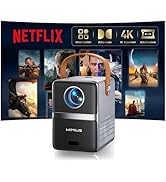
Home/Outdoor Smart Projectors

Founded in 2014, WiMiUS draws its name from “We,” “Me,” “I,” and “US” — a word that reflects our belief that users and we are all part of one family.
With years of dedicated experience in the projector industry, WiMiUS is committed to building a brand known worldwide for premium quality and entertainment. Our mission is simple: to provide the very best projectors for every member of our family.

Smart Movie Projector

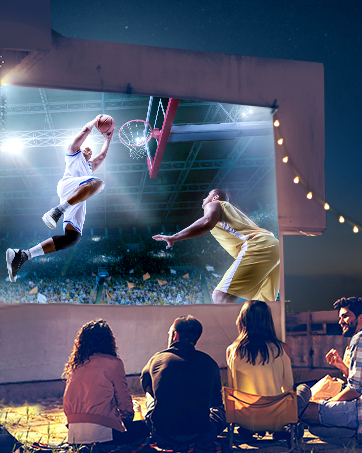
Outdoor Portable Projector
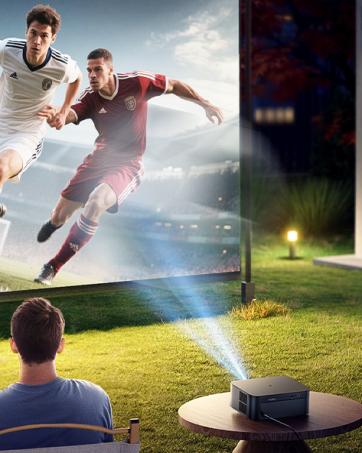
Backyard Time
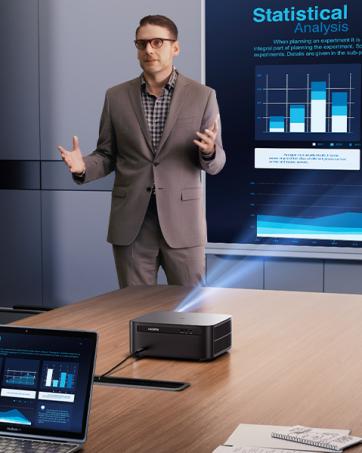
Business Projector
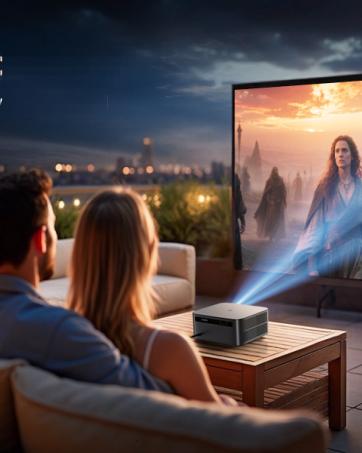
Romantic Night
![[Compatible with Netflix & Dolby Audio] 4K Projector with Wifi6 & Bluetooth, WiMiUS 700ANSI Nativ...](http://c1.neweggimages.com/sellingpilot/modules/product/a-plus/bc7be773450af9732603d0a1c3fbc012368d2925ef32b1b20f4a43cb7deffd1a.jpg)
![[Electric Focus] Mini Projector with 5GWiFi and Bluetooth, WIMIUS 1080P Outdoor Projector, Portab...](http://c1.neweggimages.com/sellingpilot/modules/product/a-plus/cdafe2ef792fe6c2af91ba3e24655593a97baee879345e11e46e2e813042345a.jpg)
![[Electric Focus] Mini Projector with 5GWiFi and Bluetooth, WIMIUS 1080P Outdoor Projector, Portab...](http://c1.neweggimages.com/sellingpilot/modules/product/a-plus/e3e32d9a28d769a1959c3c491351426db9d8deac3dbe81f631587316ad2d031f.jpg)
WiMiUS K13 Smart Projector with GTV
Merchant Video


No sound when connected to a Bluetooth speaker?
1.Check volumes on all devices.
2.Try playing directly from projector.
3.Some formats may not be supported.
4.Re-pair the speaker.
How to connect a laptop via HDMI?
1.Use an HDMI cable, press Win+P (Windows) or use adapter (Mac).
2.Set projector source to HDMI.
3.Adjust laptop resolution if needed.
Can’t cast my Netflix, Prime Video, Disney+?
*These apps may block casting due to DRM. Use a Fire Stick, Chromecast, or HDMI cable from a laptop.
*Built-in Google TV supports many apps directly.
Why is the projector noisy?
Fan noise (=38dB) is normal. It may be louder in hot environments. Ensure ventilation. Unusual sounds? Contact support.
Why can’t I access USB drives or external hard drives in GTV mode?
1.GTV and the projector run on separate systems.
2.In GTV mode, external storage won’t be recognized.
3.To access USB drives or hard disks, switch to the main projector interface—devices will be auto-detected.
WiMiUS K13 Smart Projector with GTV
Merchant Video


No sound when connected to a Bluetooth speaker?
1.Check volumes on all devices.
2.Try playing directly from projector.
3.Some formats may not be supported.
4.Re-pair the speaker.
How to connect a laptop via HDMI?
1.Use an HDMI cable, press Win+P (Windows) or use adapter (Mac).
2.Set projector source to HDMI.
3.Adjust laptop resolution if needed.
Can’t cast my Netflix, Prime Video, Disney+?
*These apps may block casting due to DRM. Use a Fire Stick, Chromecast, or HDMI cable from a laptop.
*Built-in Google TV supports many apps directly.
Why is the projector noisy?
Fan noise (=38dB) is normal. It may be louder in hot environments. Ensure ventilation. Unusual sounds? Contact support.
Why can’t I access USB drives or external hard drives in GTV mode?
1.GTV and the projector run on separate systems.
2.In GTV mode, external storage won’t be recognized.
3.To access USB drives or hard disks, switch to the main projector interface—devices will be auto-detected.
Home/Outdoor Smart Projectors
Founded in 2014, WiMiUS draws its name from “We,” “Me,” “I,” and “US” — a word that reflects our belief that users and we are all part of one family.
With years of dedicated experience in the projector industry, WiMiUS is committed to building a brand known worldwide for premium quality and entertainment. Our mission is simple: to provide the very best projectors for every member of our family.
Smart Movie Projector
Outdoor Portable Projector
Backyard Time
Business Projector
Romantic Night





