



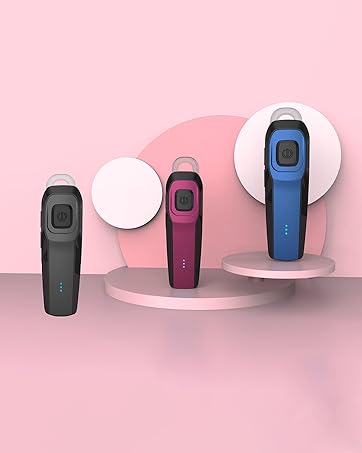
 TOORUN M26 Bluetooth Headset-Blue |  TOORUN M26 Bluetooth Headset-Red |  TOORUN M26 Bluetooth Headset-Black | |
|---|---|---|---|
| Customer Reviews | — | — | — |
| Price | — | — | — |
| Color | Blue | Red | Black |
| Brand | TOORUN | TOORUN | TOORUN |
| Weight | 0.28OZ | 0.28OZ | 0.28OZ |
| Size | 2.01x0.65x0.38 inches | 2.01x0.65x0.38 inches | 2.01x0.65x0.38 inches |
| Headphones Form Factor | In Ear | In Ear | In Ear |
| Noise Cancellation | ? | ? | ? |

How to operate
Answer the call: Click MFB Redial the last dialing: Double Click MFB Refuse the call: Press MFB 3 seconds
Music Play/Pause: Click MFB Previous Track: Press Vol+ 3 seconds Next Track: Press Vol- 3 seconds
Volume Up: Click Vol+ Volume Down: Click Vol- Power off: Long press MFB 5 seconds
How to reset to defaults
In the state of power-on, press MFB and Vol- simultaneously until the red and blue lights filcker.
Problem-Solving Steps
If your Bluetooth headset and phone experience connection issues, please follow these steps:
1. Turn off the Bluetooth headset, then turn them back on to see if they can reconnect automatically.
2. If the headset and phone fail to reconnect, reset the Bluetooth headset to defaults settings.
3. We also recommend deleting the Bluetooth device name from your phone and reconnecting.

Technical Details:
- Bluetooth version: Bluetooth V5.0
- Bluetooth Profiles: CVC6.0 Noise reduction
- Operation Range: 10M
- Talk Time: About 10 hours
- Music Time: About 10 hours
- Charge Time: 1.5 hours
How to Pair:
1.Before using the headset, please use the USB charging cable to charge it first.
2.Press the power button for 5 seconds until you see the blue-red light blinking alternately, it will automatically enter pairing mode.
3.Make sure your phone's bluetooth function turned on, search headset model name M26 to click.
Package Includes: 1x Bluetooth Headset, 1x USB charging cable, 2x Ear hooks, 2x Earbuds, 1x User Manual, 1x Standard box

TOORUN
Making the sound better has always been our goal. We focus on providing affordable high-quality products and good service to customers

TOORUN M26 Bluetooth Headset-Blue | TOORUN M26 Bluetooth Headset-Red | TOORUN M26 Bluetooth Headset-Black | |
|---|---|---|---|
| Customer Reviews | — | — | — |
| Price | — | — | — |
| Color | Blue | Red | Black |
| Brand | TOORUN | TOORUN | TOORUN |
| Weight | 0.28OZ | 0.28OZ | 0.28OZ |
| Size | 2.01x0.65x0.38 inches | 2.01x0.65x0.38 inches | 2.01x0.65x0.38 inches |
| Headphones Form Factor | In Ear | In Ear | In Ear |
| Noise Cancellation | ? | ? | ? |
How to operate
Answer the call: Click MFB Redial the last dialing: Double Click MFB Refuse the call: Press MFB 3 seconds
Music Play/Pause: Click MFB Previous Track: Press Vol+ 3 seconds Next Track: Press Vol- 3 seconds
Volume Up: Click Vol+ Volume Down: Click Vol- Power off: Long press MFB 5 seconds
How to reset to defaults
In the state of power-on, press MFB and Vol- simultaneously until the red and blue lights filcker.
Problem-Solving Steps
If your Bluetooth headset and phone experience connection issues, please follow these steps:
1. Turn off the Bluetooth headset, then turn them back on to see if they can reconnect automatically.
2. If the headset and phone fail to reconnect, reset the Bluetooth headset to defaults settings.
3. We also recommend deleting the Bluetooth device name from your phone and reconnecting.
Technical Details:
- Bluetooth version: Bluetooth V5.0
- Bluetooth Profiles: CVC6.0 Noise reduction
- Operation Range: 10M
- Talk Time: About 10 hours
- Music Time: About 10 hours
- Charge Time: 1.5 hours
How to Pair:
1.Before using the headset, please use the USB charging cable to charge it first.
2.Press the power button for 5 seconds until you see the blue-red light blinking alternately, it will automatically enter pairing mode.
3.Make sure your phone's bluetooth function turned on, search headset model name M26 to click.
Package Includes: 1x Bluetooth Headset, 1x USB charging cable, 2x Ear hooks, 2x Earbuds, 1x User Manual, 1x Standard box
TOORUN
Making the sound better has always been our goal. We focus on providing affordable high-quality products and good service to customers
Clear and Loud sound. Long battery used all day.
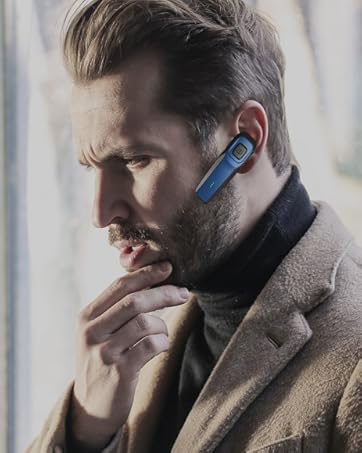
Comfortable to wear. Style with fashion. No pain when worn for a long time
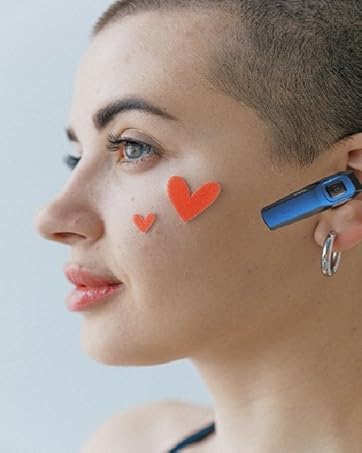
Decent Bluetooth headset for women and men! Charming colors for your choice!
TOORUN decent Bluetooth headset is a great gift for family or friends.





