




How to reconnect and what to do if reconnection fails?
When H1 is successfully connected to the phone the first time, it will automatically search and reconnect the device after power on. If it fails, please re-pair and connect. H1 can reconnect within 10 mins, if more than 10 mins will be turned off.
What should I do if I need help using the H1 headset?
If you have any questions, please contact the brand after-sales on the box or enter the store and click on the button to ask questions.
How can I delete the paired record?
Press and hold the MFB and Volume - buttons for 5 seconds to clear the pairing record. After deletion, H1 will not connect the device automatically.
Why can't the H1 connect to the PC?
Check if there is a Bluetooth driver on your computer? If not, you need to install the Bluetooth driver.
Why can't i hear the caller's voice when i make a call with the headset connected, and it's hard for them to hear me?
Because the audio of some mobile phones is selected by default during a call, please confirm the Audio selection [H1] on the call interface after answering the call.

LEAYU
Founding
Founded in 2017s, LEAYU has experienced steady growth and expansion, establishing a strong presence in our industry and building a reputation for quality and excellence.
Mission
Dedicated to providing the highest quality audio device to make work, study, and life more convenient and rich. This guiding principle has urged us to remain focused and devote ourselves to research-creation, and improvement, which has driven our success.
Value
LEAYU pursues excellence. which drives us to focus on every link, from an idea in the product to an accessory in production to a suggestion from the buyer.
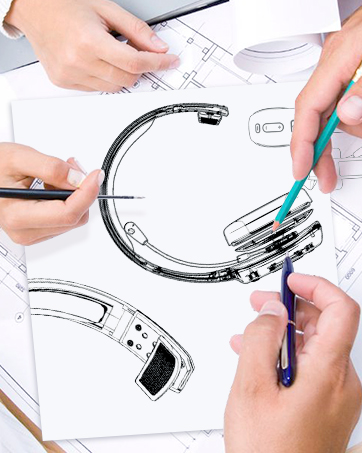
We are proud of our team
Our team is made up of talented and dedicated individuals who bring their unique skills and expertise to every project.


How to reconnect and what to do if reconnection fails?
When H1 is successfully connected to the phone the first time, it will automatically search and reconnect the device after power on. If it fails, please re-pair and connect. H1 can reconnect within 10 mins, if more than 10 mins will be turned off.
What should I do if I need help using the H1 headset?
If you have any questions, please contact the brand after-sales on the box or enter the store and click on the button to ask questions.
How can I delete the paired record?
Press and hold the MFB and Volume - buttons for 5 seconds to clear the pairing record. After deletion, H1 will not connect the device automatically.
Why can't the H1 connect to the PC?
Check if there is a Bluetooth driver on your computer? If not, you need to install the Bluetooth driver.
Why can't i hear the caller's voice when i make a call with the headset connected, and it's hard for them to hear me?
Because the audio of some mobile phones is selected by default during a call, please confirm the Audio selection [H1] on the call interface after answering the call.
LEAYU
Founding
Founded in 2017s, LEAYU has experienced steady growth and expansion, establishing a strong presence in our industry and building a reputation for quality and excellence.
Mission
Dedicated to providing the highest quality audio device to make work, study, and life more convenient and rich. This guiding principle has urged us to remain focused and devote ourselves to research-creation, and improvement, which has driven our success.
Value
LEAYU pursues excellence. which drives us to focus on every link, from an idea in the product to an accessory in production to a suggestion from the buyer.
We are proud of our team
Our team is made up of talented and dedicated individuals who bring their unique skills and expertise to every project.





