







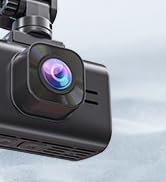



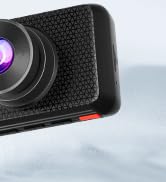





The REDTIGER F7N Dash Cam Hardwire Kit compatible with USB-C F7N Series Dash Cams.
-Warm tips:
1. Please make sure the ACC and BAT is connected correctly.
2. Please feel free to reach us if any professional help in need.
3. Please use the dedicated hardwire kit for the REDTIGER F7N/F7NP/F7NS/F7NT dash cam, Because the other brands of hardwire kits are not available for Redtiger dash cams.
4. The length of this hardwire kit is 11.5ft, suitable for most trucks, SUVs and other vehicles.
5. Please note that installation steps may vary by vehicle model and specific conditions. It is strongly recommended to refer to the vehicle manual or seek professional help before installation.
-Instructions for installation
1. Make sure everything is ready and safe before installation.
2. Locate the car's fuse box. It is usually located under the dashboard on the driver's side or in the engine compartment.
3. Identify the ACC (Accessory) fuse slot in the fuse box. This slot provides power when the ignition is on. Locate the constant power fuse slot in the fuse box. This slot provides power even when the ignition is off.
4. Connect the red wire from the hardwire kit to the ACC fuse slot. Connect the yellow wire from the hardwire kit to the constant power fuse slot. You can use a fuse tap or a fuse adapter to make the connection.
5. Find a suitable grounding point near the fuse box. It should be a metal surface that is securely connected to the vehicle's chassis.
6. Connect the black wire from the hardwire kit to the grounding point using a ring terminal or a suitable grounding connector.
7. Once all the connections are secure, tuck away any excess wires and ensure they are safely routed to avoid interference with the vehicle's controls.
8. Test the hardwire kit by turning on the ignition. The dash cam should receive power and start functioning.

Low Voltage Protection
Ensure the safety of your vehicle's battery with the Redtiger Hardwire Kit. It features a low voltage protection mode that cuts off power when the voltage drops below 11.8V(+-0.2).

Universal Compatibility
Designed to fit various vehicle models, the 11.5ft long Redtiger Hardwire Kit is compatible with 12-24V vehicles, providing a versatile solution for your dash cam installation needs.

24H Parking Monitoring and G-Sensor
The Redtiger hardwire kit connected to car fuse box power, can uninterruptedly supply power for dash camera for 12/24/48 hours. It can even supply power when the car is turned off.
You can also set Gsensor for the dash cam, when your vehicle suffers from vibration or collision, it will automatically start recording and lock the key video.
Install Tip:

The B+ (yellow)
The yellow cable should be connected to the fuse of the constant power supply in the car fuse box.
If you are looking for a constant power supply in the fuse box: Use a voltage tester to check the fuse to ensure it still have electricity even if the car engine is off.

The ACC (red)
Identify the ACC (Accessory) fuse slot in the fuse box. This slot provides power when the ignition is on.
Testing method : The tester bulb will light when the engine if on and won't light when the engine is off.

The Ground (black)
This black cable is connected to the metal parts of the vehicle. There are screw nails and metal parts near the fuse boxes in many cars. Connect the black cable to the screw or metal part.
 F7N-PLUS |  F7N-S |  F7N |  F7N Touch |  Type C port-Hardwire Kit | |
|---|---|---|---|---|---|
| Customer Reviews | — | — | — | — | — |
| Price | — | — no data | — no data | — | — no data |
| Video Resolution | 3840*2160P/2560*1440P+1080P | 3840*2160P/2560*1440P | 3840*2160P/2560*1440P+1080P | 3840*2160P/2560*1440P+1080P | N/A |
| Camera Type | Front+Rear | Front | Front+Rear | Front+Rear | N/A |
| Wi-Fi | ? | ? | ? | ? | N/A |
| GPS | ? | ? | ? | ? | N/A |
| SD card included | ? | ? | ? | ? | N/A |
| Storage/Battery Type | 256G Max, Super capacitor | 256G Max, Super capacitor | 256G Max, Super capacitor | 256G Max, Super capacitor | N/A |
The REDTIGER F7N Dash Cam Hardwire Kit compatible with USB-C F7N Series Dash Cams.
-Warm tips:
1. Please make sure the ACC and BAT is connected correctly.
2. Please feel free to reach us if any professional help in need.
3. Please use the dedicated hardwire kit for the REDTIGER F7N/F7NP/F7NS/F7NT dash cam, Because the other brands of hardwire kits are not available for Redtiger dash cams.
4. The length of this hardwire kit is 11.5ft, suitable for most trucks, SUVs and other vehicles.
5. Please note that installation steps may vary by vehicle model and specific conditions. It is strongly recommended to refer to the vehicle manual or seek professional help before installation.
-Instructions for installation
1. Make sure everything is ready and safe before installation.
2. Locate the car's fuse box. It is usually located under the dashboard on the driver's side or in the engine compartment.
3. Identify the ACC (Accessory) fuse slot in the fuse box. This slot provides power when the ignition is on. Locate the constant power fuse slot in the fuse box. This slot provides power even when the ignition is off.
4. Connect the red wire from the hardwire kit to the ACC fuse slot. Connect the yellow wire from the hardwire kit to the constant power fuse slot. You can use a fuse tap or a fuse adapter to make the connection.
5. Find a suitable grounding point near the fuse box. It should be a metal surface that is securely connected to the vehicle's chassis.
6. Connect the black wire from the hardwire kit to the grounding point using a ring terminal or a suitable grounding connector.
7. Once all the connections are secure, tuck away any excess wires and ensure they are safely routed to avoid interference with the vehicle's controls.
8. Test the hardwire kit by turning on the ignition. The dash cam should receive power and start functioning.
Low Voltage Protection
Ensure the safety of your vehicle's battery with the Redtiger Hardwire Kit. It features a low voltage protection mode that cuts off power when the voltage drops below 11.8V(+-0.2).
Universal Compatibility
Designed to fit various vehicle models, the 11.5ft long Redtiger Hardwire Kit is compatible with 12-24V vehicles, providing a versatile solution for your dash cam installation needs.
24H Parking Monitoring and G-Sensor
The Redtiger hardwire kit connected to car fuse box power, can uninterruptedly supply power for dash camera for 12/24/48 hours. It can even supply power when the car is turned off.
You can also set Gsensor for the dash cam, when your vehicle suffers from vibration or collision, it will automatically start recording and lock the key video.
Install Tip:
The B+ (yellow)
The yellow cable should be connected to the fuse of the constant power supply in the car fuse box.
If you are looking for a constant power supply in the fuse box: Use a voltage tester to check the fuse to ensure it still have electricity even if the car engine is off.
The ACC (red)
Identify the ACC (Accessory) fuse slot in the fuse box. This slot provides power when the ignition is on.
Testing method : The tester bulb will light when the engine if on and won't light when the engine is off.
The Ground (black)
This black cable is connected to the metal parts of the vehicle. There are screw nails and metal parts near the fuse boxes in many cars. Connect the black cable to the screw or metal part.
F7N-PLUS | F7N-S | F7N | F7N Touch | Type C port-Hardwire Kit | |
|---|---|---|---|---|---|
| Customer Reviews | — | — | — | — | — |
| Price | — | — no data | — no data | — | — no data |
| Video Resolution | 3840*2160P/2560*1440P+1080P | 3840*2160P/2560*1440P | 3840*2160P/2560*1440P+1080P | 3840*2160P/2560*1440P+1080P | N/A |
| Camera Type | Front+Rear | Front | Front+Rear | Front+Rear | N/A |
| Wi-Fi | ? | ? | ? | ? | N/A |
| GPS | ? | ? | ? | ? | N/A |
| SD card included | ? | ? | ? | ? | N/A |
| Storage/Battery Type | 256G Max, Super capacitor | 256G Max, Super capacitor | 256G Max, Super capacitor | 256G Max, Super capacitor | N/A |
F7NA 4K Front and rear Dashcam
F17 Elite 3 Channel Dashcam





