




What should I do if I can't get 1Mii B03+ to pair with my Bluetooth headphones/speaker?
1) Turn off the Bluetooth of all mobile phones or PCs in the house.
2) Please ensure that the pairing distance is within 1 meter.
3) If you still can't pair, please set both the B03+ and Bluetooth Headphones/speaker to factory default settings.
How to reset 1Mii B03+?
Restore factory default of B03+ by pressing both “v” and “?” buttons for about 5 seconds until "Factory Setting" is displayed on the screen. Then it enters pairing mode and "Pairing" is displayed on the screen.
Why is there still audio delay when I use this Low Latency B03+ adapter with my Bluetooth headphones?
Please note that in order to achieve low latency, your Bluetooth headset/speaker must support aptX Low Latency. Otherwise, the receiving device may use another codec (such as SBC or aptX), resulting in an audio delay of 70-200ms.
Why are the Volume ?/? of my B03+ not working in TX mode, only works in RX mode?
1) Volume ?/? on B03+ may not work if your device does not support Audio/Video Remote Control Profile.
2) Change the optical cable to AUX 3.5mm or RCA audio cable, the volume buttons works.
When the TV is connected to B03+,can my Bluetooth headphones play sound simultaneously with the TV's built-in speakers?
With many models of TVs, the built-in speakers may not work properly if you choose to use an external audio output device, this is a TV feature and its availability depends on your TV make and model.
1Mii Bluetooth Transmitter Receiver
 1Mii B03 |  1Mii B03+ |  1Mii B03Pro |  1Mii B03S |  1Mii B03Pro+ | |
|---|---|---|---|---|---|
Customer Reviews | — | — | — | — | — |
Price | — | — | — | — | — |
Type | Bluetooth Transmitter Receiver | Bluetooth Transmitter Receiver | Bluetooth Transmitter Receiver | Bluetooth Transmitter Receiver | Bluetooth Transmitter Receiver |
Bluetooth Version | 5.3 | 5.3 | 5.3 | 5.3 | 5.3 |
Output | AUX/RCA/Optical/Bluetooth | AUX/RCA/Optical/Bluetooth | AUX/RCA/Optical/Bluetooth | AUX/RCA/Optical/Bluetooth | AUX/RCA/Optical/Bluetooth |
Input | AUX/RCA/Optical/Bluetooth | AUX/RCA/Optical/Bluetooth | AUX/RCA/Optical/Bluetooth | AUX/RCA/Optical/Bluetooth | AUX/RCA/Optical/Bluetooth |
Bluetooth Audio Codec | aptX HD/LL/AD/aptX/AAC/SBC | aptX HD/LL/AD/aptX/AAC/SBC | aptX HD/LL/AD/aptX/AAC/SBC | aptX AD/HD/LL/aptX/AAC/SBC | LDAC/aptX HD/LL/aptX/AAC/SBC |
Volume Control | ? | ? | ? | ? | ? |
Screen Display | ? | ? | ? | ? | ? |
Extra Audiophile DAC | ? | ? | ? | ? | ? |
Support USB Drive Input | ? | ? | ? | ? | ? |


1Mii is a high-tech enterprise built on innovation and craftsmanship, bringing together a team of leading industrial designers, aesthetic masters, PhDs in acoustic tuning, and musicians.
Every 1Mii product undergoes rigorous testing in our state-of-the-art acoustic lab, ensuring it upholds the brand's core value: one sound,one me!

B06TX Bluetooth TV Transmitter


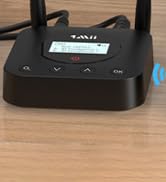
B06TX+ BT Transmitter for TV

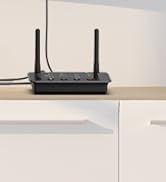
B03 Bluetooth Audio Adapter
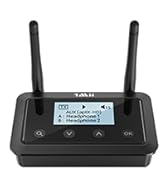
Bluetooth Transmitter Receiver
Bluetooth Receiver for Car
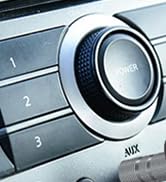
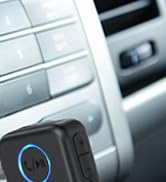
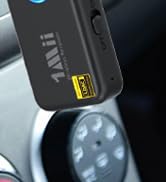
Upgrate: BT Receiver for Car

DS700 BT Adapter for TV

Bypass function is available in TX mode
Enable your TV, PC, Projector and others to stream music to your Bluetooth headphones/speakers.
Wirelessly stream music from your phone or tablet to your speakers or home stereo.


Supports aptX Low Latency, making B03+ Bluetooth adapter an ideal choice for watching TV / movies.
Support aptX HD, pick up any kind of music for you lossless and wirelessly.
Connect 2 headphones or speakers at the same time, sharing TV with family/friend/lover.


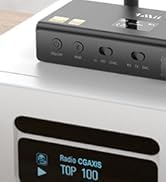
Browsing what the audio format / codec used / volume are much clearly.
Supports digital OPTICAL / AUX 3.5mm/ RCA audio outputs / inputs.
Provides stable long-distance connection.
Achieve 230ft line-of-sight in the open air and UP TO 70-100FT (20-30M) indoors.
What should I do if I can't get 1Mii B03+ to pair with my Bluetooth headphones/speaker?
1) Turn off the Bluetooth of all mobile phones or PCs in the house.
2) Please ensure that the pairing distance is within 1 meter.
3) If you still can't pair, please set both the B03+ and Bluetooth Headphones/speaker to factory default settings.
How to reset 1Mii B03+?
Restore factory default of B03+ by pressing both “v” and “?” buttons for about 5 seconds until "Factory Setting" is displayed on the screen. Then it enters pairing mode and "Pairing" is displayed on the screen.
Why is there still audio delay when I use this Low Latency B03+ adapter with my Bluetooth headphones?
Please note that in order to achieve low latency, your Bluetooth headset/speaker must support aptX Low Latency. Otherwise, the receiving device may use another codec (such as SBC or aptX), resulting in an audio delay of 70-200ms.
Why are the Volume ?/? of my B03+ not working in TX mode, only works in RX mode?
1) Volume ?/? on B03+ may not work if your device does not support Audio/Video Remote Control Profile.
2) Change the optical cable to AUX 3.5mm or RCA audio cable, the volume buttons works.
When the TV is connected to B03+,can my Bluetooth headphones play sound simultaneously with the TV's built-in speakers?
With many models of TVs, the built-in speakers may not work properly if you choose to use an external audio output device, this is a TV feature and its availability depends on your TV make and model.
1Mii Bluetooth Transmitter Receiver
1Mii B03 | 1Mii B03+ | 1Mii B03Pro | 1Mii B03S | 1Mii B03Pro+ |
|---|---|---|---|---|
| Customer Reviews | ||||
| — | — | — | — | — |
| Price | ||||
| — | — | — | — | — |
| Type | ||||
| Bluetooth Transmitter Receiver | Bluetooth Transmitter Receiver | Bluetooth Transmitter Receiver | Bluetooth Transmitter Receiver | Bluetooth Transmitter Receiver |
| Bluetooth Version | ||||
| 5.3 | 5.3 | 5.3 | 5.3 | 5.3 |
| Output | ||||
| AUX/RCA/Optical/Bluetooth | AUX/RCA/Optical/Bluetooth | AUX/RCA/Optical/Bluetooth | AUX/RCA/Optical/Bluetooth | AUX/RCA/Optical/Bluetooth |
| Input | ||||
| AUX/RCA/Optical/Bluetooth | AUX/RCA/Optical/Bluetooth | AUX/RCA/Optical/Bluetooth | AUX/RCA/Optical/Bluetooth | AUX/RCA/Optical/Bluetooth |
| Bluetooth Audio Codec | ||||
| aptX HD/LL/AD/aptX/AAC/SBC | aptX HD/LL/AD/aptX/AAC/SBC | aptX HD/LL/AD/aptX/AAC/SBC | aptX AD/HD/LL/aptX/AAC/SBC | LDAC/aptX HD/LL/aptX/AAC/SBC |
| Volume Control | ||||
| ? | ? | ? | ? | ? |
| Screen Display | ||||
| ? | ? | ? | ? | ? |
| Extra Audiophile DAC | ||||
| ? | ? | ? | ? | ? |
| Support USB Drive Input | ||||
| ? | ? | ? | ? | ? |
1Mii is a high-tech enterprise built on innovation and craftsmanship, bringing together a team of leading industrial designers, aesthetic masters, PhDs in acoustic tuning, and musicians.
Every 1Mii product undergoes rigorous testing in our state-of-the-art acoustic lab, ensuring it upholds the brand's core value: one sound,one me!
B06TX Bluetooth TV Transmitter
B06TX+ BT Transmitter for TV
B03 Bluetooth Audio Adapter
Bluetooth Transmitter Receiver
Bluetooth Receiver for Car
Upgrate: BT Receiver for Car
DS700 BT Adapter for TV





