







Model: A39PRO | Color: Black
The Clear Stereo Sound Computer Speakers for your Computer,PC,Laptop when enjoy music and movies .
Warm tips:
Q1:How to use the computer speaker?
A1:There are 2 cable with the A39PRO computer speaker, USB is for power, 3.5 aux plus is for audio.
Q2:How to turn on or turn off speaker and light?
A2:There is a block switch on the back of the PC speaker to control the statue.
LED position: Both LED and Speaker ON,
ON Position :LED OFF Speaker on,
OFF position: Both LED and Speaker off.
Q3: How long are the speaker cables?
A3: The USB and 3.5mm audio cables Both are 47 inches(1.2meters).
Q4:What is the wattage of these speakers?
A4:The speaker is 10W,it is 2x5W dual drivers stereo sound speaker.
Q5: Is the speaker can used for TVs ?
A5:Not suggest, usually the PLUGs can't compatible with each other.
How to adjust the volume easily?
1.Set the volume up to about 85% on the your laptop or monitor.
2.Adjust the volume up to 100% of the multimedia player is playing.
3.Rotate the knob on the top of the speaker to adjust the volume when you need .
Please Note:
- If you need to connect this computer speaker to your pc Monitor , first check whether the monitor has a 3.5mm Aux-output port or a headphone port.
- If you need to connect the pc speaker to your laptop or tablets, first check whether your device has a 3.5mm Aux-output port or a headphone port, if not , an extra adapter need (not included).
Model: A39PRO | Color: Black
The Clear Stereo Sound Computer Speakers for your Computer,PC,Laptop when enjoy music and movies .
Warm tips:
Q1:How to use the computer speaker?
A1:There are 2 cable with the A39PRO computer speaker, USB is for power, 3.5 aux plus is for audio.
Q2:How to turn on or turn off speaker and light?
A2:There is a block switch on the back of the PC speaker to control the statue.
LED position: Both LED and Speaker ON,
ON Position :LED OFF Speaker on,
OFF position: Both LED and Speaker off.
Q3: How long are the speaker cables?
A3: The USB and 3.5mm audio cables Both are 47 inches(1.2meters).
Q4:What is the wattage of these speakers?
A4:The speaker is 10W,it is 2x5W dual drivers stereo sound speaker.
Q5: Is the speaker can used for TVs ?
A5:Not suggest, usually the PLUGs can't compatible with each other.
How to adjust the volume easily?
1.Set the volume up to about 85% on the your laptop or monitor.
2.Adjust the volume up to 100% of the multimedia player is playing.
3.Rotate the knob on the top of the speaker to adjust the volume when you need .
Please Note:
- If you need to connect this computer speaker to your pc Monitor , first check whether the monitor has a 3.5mm Aux-output port or a headphone port.
- If you need to connect the pc speaker to your laptop or tablets, first check whether your device has a 3.5mm Aux-output port or a headphone port, if not , an extra adapter need (not included).
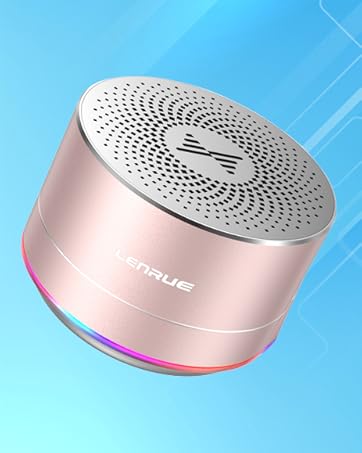
A2 Metal Bluetooth Speaker

A39PRO Computer Speaker

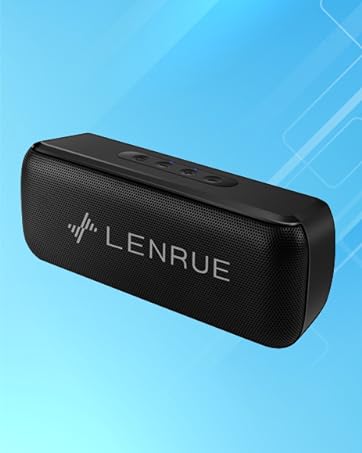
F21IPX6 Bluetooth Speaker
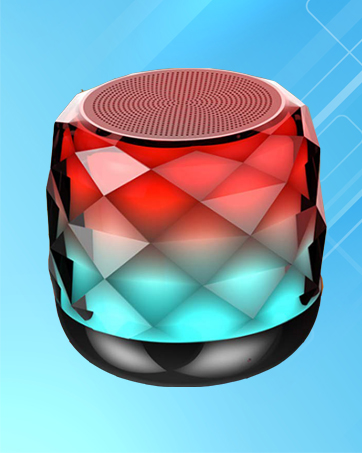
A52 Portable Bluetooth Speaker
A20PRO Bluetooth Speaker

AZ01 Metal Laptop Stand

N3 Adjustable Laptop Stand







