


ErGear Fast Install Dual Monitor Mount?The Fastest Way to Elevate Your Workspace
Tension & Vesa Head Adjustment
Tension and Vesa Head Adjustment
Merchant VideoNote: Please attach your monitor to the mount and hold the arm in a horizontal position, then follow the video instructions to adjust the tension: Turn "+" If the monitor drops down. Turn"-"If the monitor rises up.
Desk Compatibility – Two Mounting Options

Please select the appropriate mounting method based on your desk thickness and follow the instruction manual for installation.

Check Before Purchase
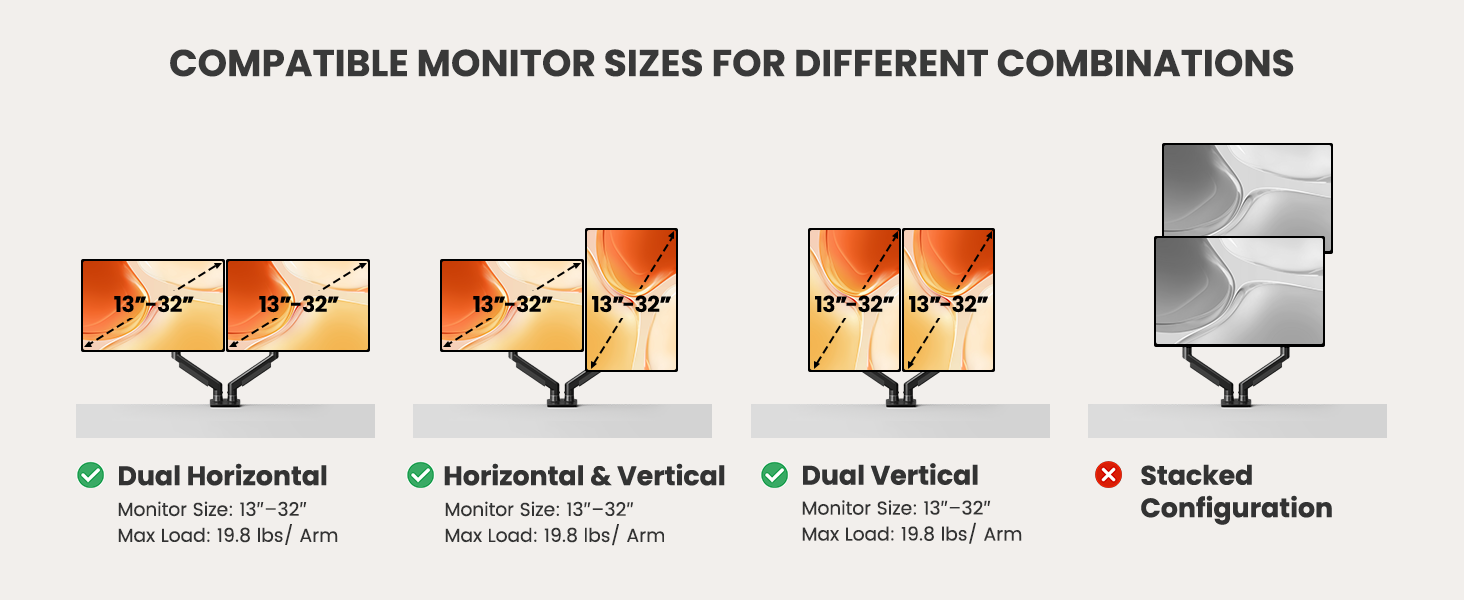
This monitor mount effortlessly organizes and conceals wires, maintaining a clutter-free appearance while preventing tangling as the arm adjusts. The dual monitor arm design allows you to customize your screen setup, creating the ideal home office environment tailored to your needs.
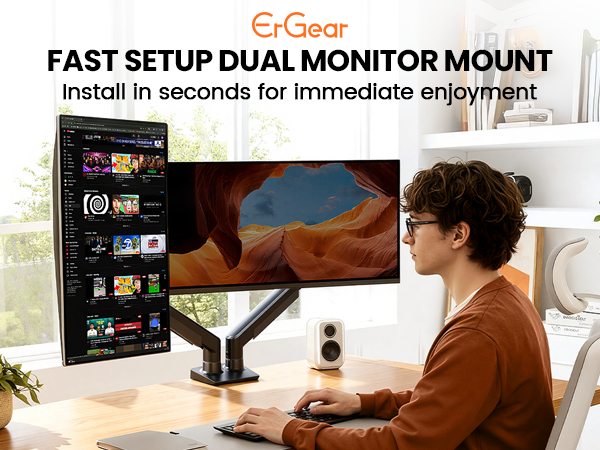
ErGear Fast Install Dual Monitor Mount?The Fastest Way to Elevate Your Workspace
Tension & Vesa Head Adjustment
Tension and Vesa Head Adjustment
Merchant VideoNote: Please attach your monitor to the mount and hold the arm in a horizontal position, then follow the video instructions to adjust the tension: Turn "+" If the monitor drops down. Turn"-"If the monitor rises up.
Desk Compatibility – Two Mounting Options

Please select the appropriate mounting method based on your desk thickness and follow the instruction manual for installation.
Desk Compatibility – Type, Material & Footprint
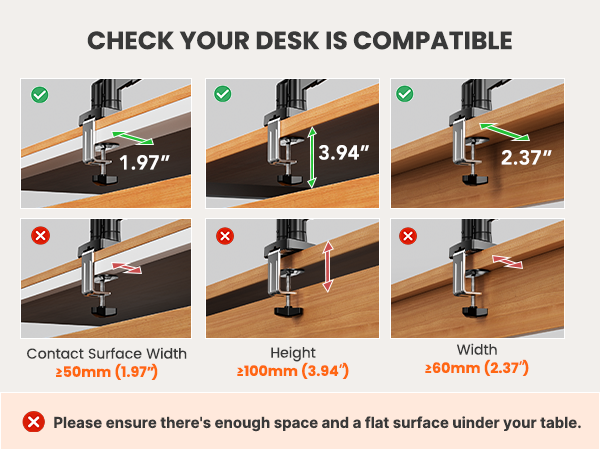
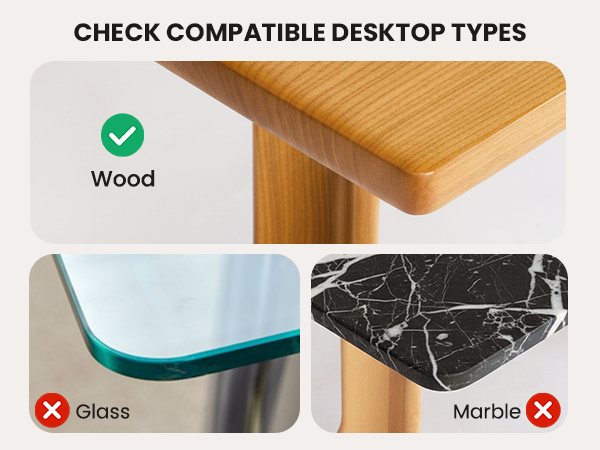
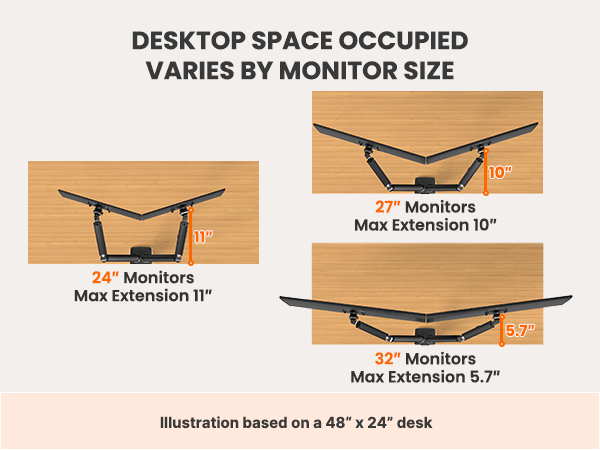
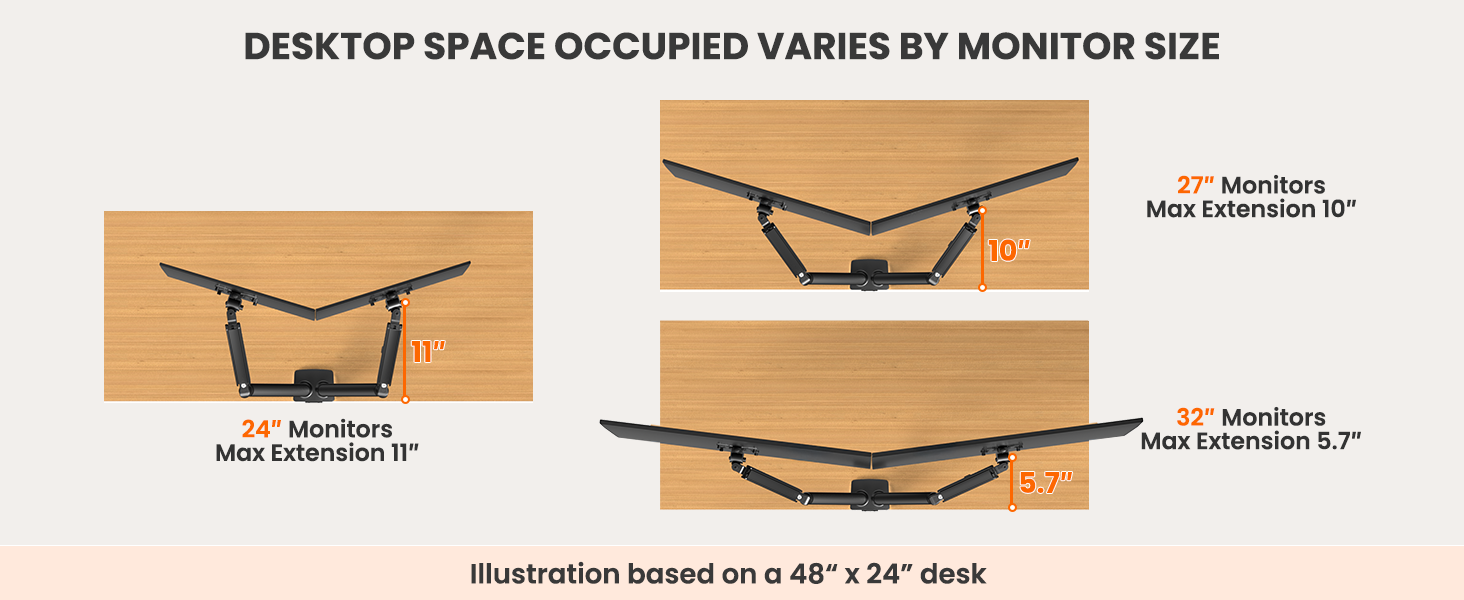
Under this section, you will find illustrated explanations regarding the types and materials of desks compatible with this monitor mount, as well as the desk space occupied with different monitor sizes. Please refer to them as needed.
Monitor Arm Compatibility – Size, Weight & Vesa Patterns
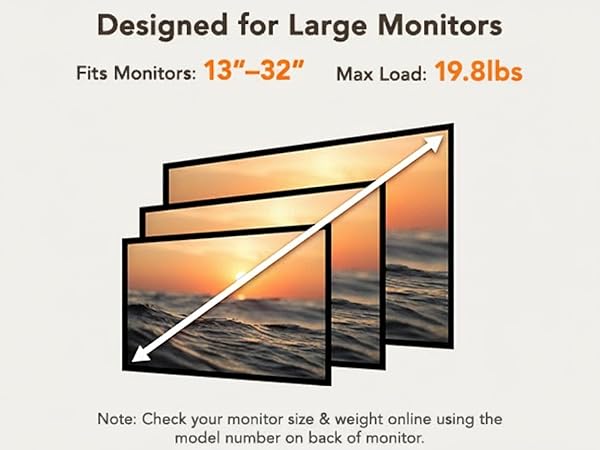

Check Before Purchase
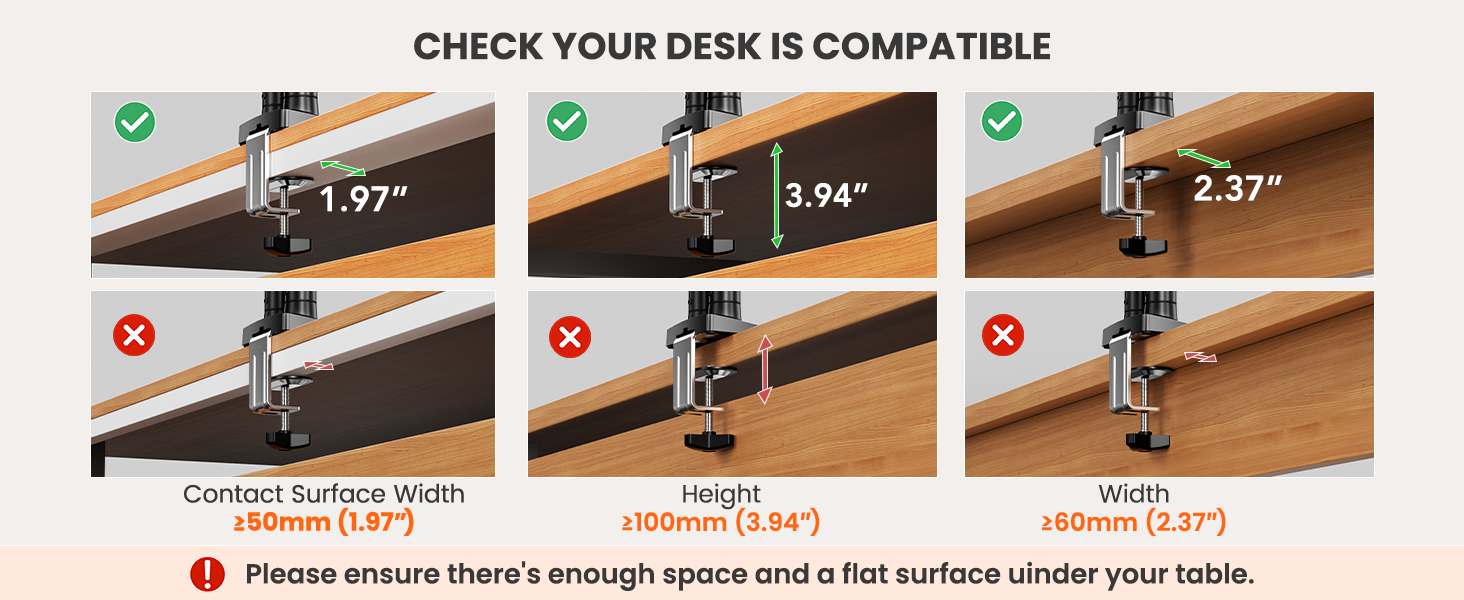
| Desk Thickness | Installed with a 'C' clamp, suitable for desktop thickness ranging from 0.39"-2.56". Installed with grommet mount, suitable for desktop thickness ranging from 0.39? to 2.95?. |
|---|---|
| Desk Type | It is recommended that the underside of your desk be clear of any obstructions. If clearance is limited, please refer to the clearance range diagram provided above. Alternatively, you may follow the instructions in the manual to add a wooden spacer as a solution. |
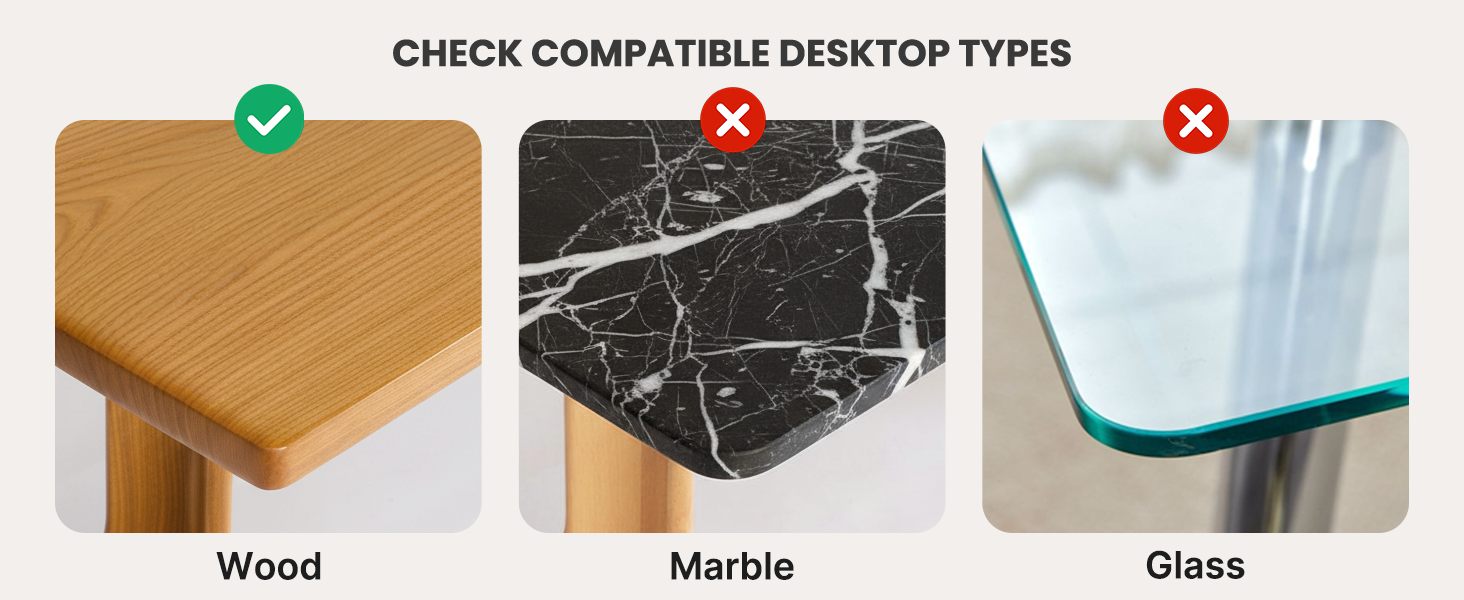
| Desk Material | We only recommend wooden desk, plastics, marble or glass surface aer not recommended. |
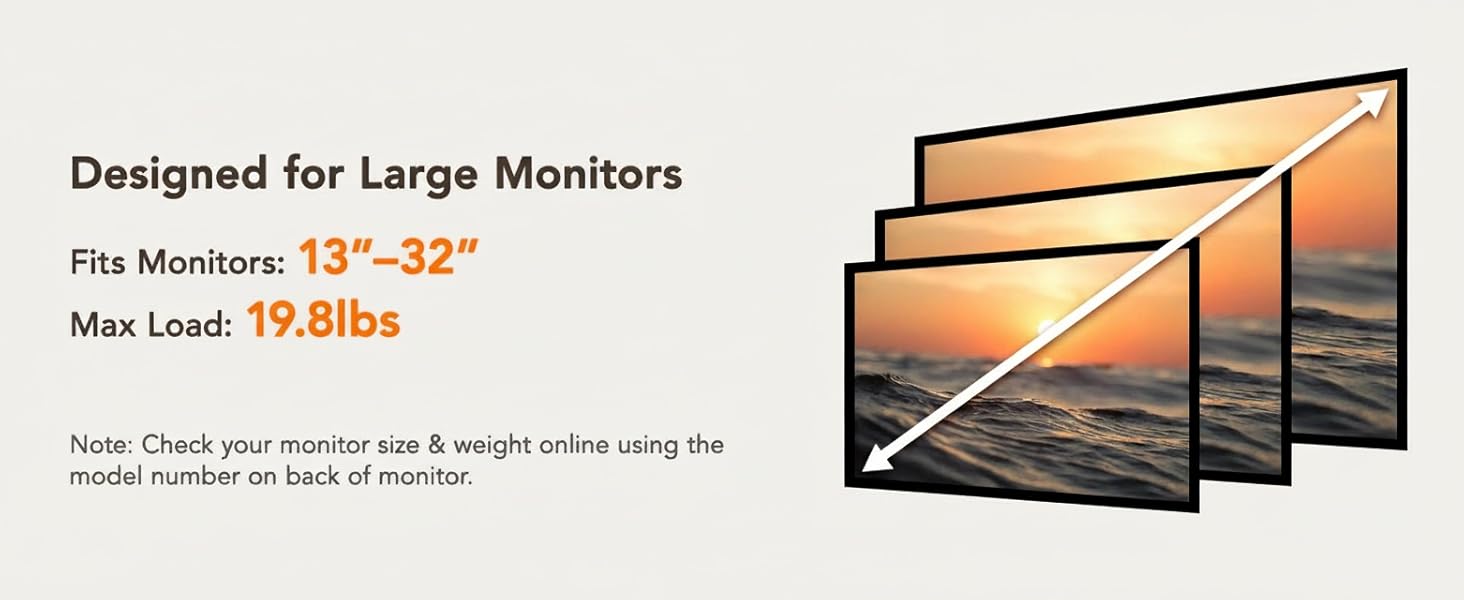
| Monitor Size | Each monitor arm can compatible with screens 13-32 inches, screens larger than 32 inches are not compatible. |
| Monitor Weight | The screen's weight must falls up to 22 pounds, weights beyond this range are not compatible. |
| Monitor Vesa Pattern | The monitor must have VESA mounting holes of either 75x75mm or 100x100mm. If your monitor does not have a visible vesa hole, you can first refer to your monitor manual to see if there are guidelines for removing the cover or stand to attach the VESA hole, or you can also choose to use a VESA adapter. |
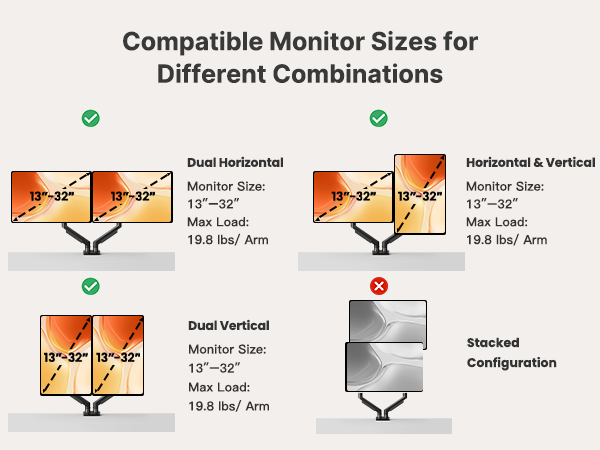
This monitor mount effortlessly organizes and conceals wires, maintaining a clutter-free appearance while preventing tangling as the arm adjusts. The dual monitor arm design allows you to customize your screen setup, creating the ideal home office environment tailored to your needs.





