


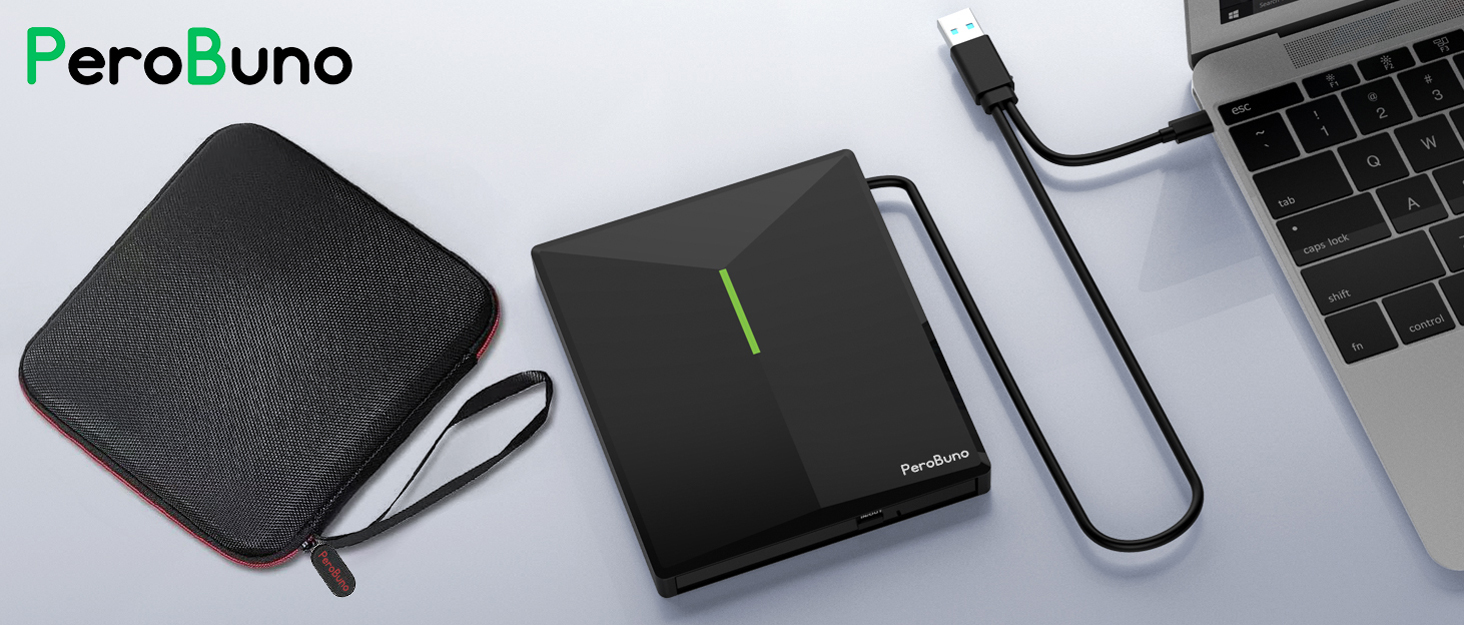

PeroBuon focuses on the external CD/DVD drive, you can find us all over the world.
Our external CD/DVD drives don't just read/burn CDs DVDs for your computer, they offer the tech experience you want with zero restrictions.
What problem are we solving?
PeroBuno is dedicated to solving the problem of customers' anxiety being unable to read/burn CDs, DVDs, USB flash and SD/TF cards, whether they're on the go or using their computers daily.
Why do we love what we do?
We felt immensely proud when a recent customer told us that they had been using our product for five years without any issues.
What makes our products unique?
Every PeroBuno external CD/DVD drive has passed RoHS CE FCC UKCA certification and we have received countless positive reviews from our customers regarding our support and assistance.
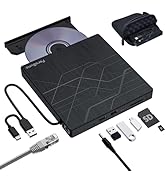
USB 3.0 External CD/DVD Drive
Ultra-slim External CD DVD Drive for Laptop PC Mac
Merchant Video


What devices are supported and incompatible with this external CD DVD drive for laptop?
It supports all laptops and desktops with Windows, Mac OS, and Linux. Not Compatible with Car, Truck, TV, Projector, Tablet, iPad, smartphone, iPhone, PS4/5, Nintendo Switch, Xbox, Surface (some models), Chrome OS, Ubuntu OS and Blu-ray disc.
Should the external CD/DVD burner be connected directly to the computer, or through a USB HUB?
The cd rom external drive should be connected with USB port on laptop rather than connect with USB HUB. In addition, please connect the DVD burner with USB port behind of computer host if you use a desktop.
How to set DVD Region Code in Windows?
Right-click the "DVD-RW Drive" icon , select Properties > Hardware > select the corresponding CD/DVD-ROM drive > Properties > DVD Region > choose country Region (USA is 1) and click OK to apply. Note: The region code can be changed up to 4-5 times.
Why install an additional video player to watch DVD movies when this external USB CD DVD drive is plug-and-play?
The computer system comes with a driver and no installation is required, plug and play. Computers often do not natively support DVD movie playing, so a third-party media player (such as VLC) must be installed to watch DVDs using this DVD drive.
Why does the Pop-up button of the DVD player not work and the disc cannot be ejected when connected to a Mac & Macbook?
For Windows, press the button on the front of the drive to eject the tray. For mac OS, the drive button is limited by mac OS and cannot open the tray, right-click the icon on the desktop and select "Eject", or select "File" > "Eject" from the menu.
Ultra-slim External CD DVD Drive for Laptop PC Mac
Merchant Video


Outdoors
Home
Game Room
On The Go
Anytime & Anywhere
Office


Enjoy Music
Watch Movies
Play Games
Transfer Data
Install Software
Install System

What devices are supported and incompatible with this external CD DVD drive for laptop?
It supports all laptops and desktops with Windows, Mac OS, and Linux. Not Compatible with Car, Truck, TV, Projector, Tablet, iPad, smartphone, iPhone, PS4/5, Nintendo Switch, Xbox, Surface (some models), Chrome OS, Ubuntu OS and Blu-ray disc.
Should the external CD/DVD burner be connected directly to the computer, or through a USB HUB?
The cd rom external drive should be connected with USB port on laptop rather than connect with USB HUB. In addition, please connect the DVD burner with USB port behind of computer host if you use a desktop.
How to set DVD Region Code in Windows?
Right-click the "DVD-RW Drive" icon , select Properties > Hardware > select the corresponding CD/DVD-ROM drive > Properties > DVD Region > choose country Region (USA is 1) and click OK to apply. Note: The region code can be changed up to 4-5 times.
Why install an additional video player to watch DVD movies when this external USB CD DVD drive is plug-and-play?
The computer system comes with a driver and no installation is required, plug and play. Computers often do not natively support DVD movie playing, so a third-party media player (such as VLC) must be installed to watch DVDs using this DVD drive.
Why does the Pop-up button of the DVD player not work and the disc cannot be ejected when connected to a Mac & Macbook?
For Windows, press the button on the front of the drive to eject the tray. For mac OS, the drive button is limited by mac OS and cannot open the tray, right-click the icon on the desktop and select "Eject", or select "File" > "Eject" from the menu.
PeroBuon focuses on the external CD/DVD drive, you can find us all over the world.
Our external CD/DVD drives don't just read/burn CDs DVDs for your computer, they offer the tech experience you want with zero restrictions.
What problem are we solving?
PeroBuno is dedicated to solving the problem of customers' anxiety being unable to read/burn CDs, DVDs, USB flash and SD/TF cards, whether they're on the go or using their computers daily.
Why do we love what we do?
We felt immensely proud when a recent customer told us that they had been using our product for five years without any issues.
What makes our products unique?
Every PeroBuno external CD/DVD drive has passed RoHS CE FCC UKCA certification and we have received countless positive reviews from our customers regarding our support and assistance.
USB 3.0 External CD/DVD Drive





