



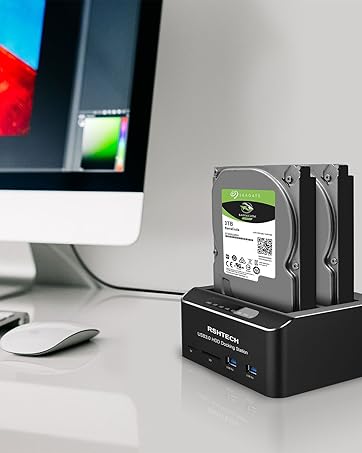
RSHTECH USB 3.0 to SATA I/II/III Dual Bay External Hard Drive Docking Station.
By plugging in 2.5/3.5'' SATAhard drive, you can quickly access drive contents and transfer files. This is the perfect solution for back up, batch processing data, cloning files and data recovery, etc.
Product Features:
- Supports Standard Desktop 2.5"/3.5" SATA HDD or SSD (up to 2×16TB)
- Fast Transmission with USB 3.0 and UASP(up to 6Gbps)
- Support Offline Clone and Auto Hibernation Function
- Plug and play, no drivers needed and tool-free installation.
- Aluminum Housing + Dustproof Spring Cover: Better heat dissipation structure design with the Power switch on the back, easy to use, more durable.
Package List:
- 1x SATA Dual-Bay Hard Drive Docking Station(RSH-DS01)
- 1x 12V/3A Power Supply
- 1 x Detachable 1m/3.3ft USB A to A Cable
- 1 x User Manual

How to use the offline clone function?
- Ensure the Power Switch on the rear is in the OFF Position and plugged in properly.
- Insert Both hard drives and identify Source Disk and Target Disk (Make sure the memory capacity of B drive is larger/equal than A drive)
- Make sure that the USB cable is disconnected from any computer during the cloning.
- Press the "Clone" button for 3 seconds until the LED starts to flash and the cloning process begins.
- Progress indicator with LED: 25%-50%-75%-100%. When offline clone operation is fully completed, all LEDs will constant on.
Note: During the cloning process, the lights of HDD1 and HDD2 will keep flashing until the cloning process is completed.
When the cloning progress indicator is stuck in one place for too long, please check the hard drive for bad sectors/tracks.

Compatible Systems
- Windows 2000/XP/Vista/7/8/8.1/10
- Mac OS 9.1 and Above
- Linux 2.4 or Above
USB Device
- PS4 , PS4 Pro, Xbox 360, Xbox one,TV etc.
(Note: Please make sure your TV supports external USB device.)

Automatic sleep function
Dual Bay HDD Dock automatic sleep mode after 10 minutes of inactivity to lower power consumption, prevents overheating and conserves energy.

Fast Transmission with USB 3.0 and USAP
Besides USB 3.0 super speed, hard drive dock support transfer speeds up to 6Gbps by UASP transfer protocol, which is up to 20% faster than USB 3.0.
The following conditions need to be met to achieve UASP acceleration.
- The computer device itself supports UASP.
- The computer system must be Win 8, 10 or Mac OS 8 & 9 or higher.
- External devices such as external hard drive enclosures must support the UASP transfer protocol.

Note:
- The offline clone function cannot be processed if there are bad sectors or tracks on the hard disk.
- Do not try to remove your HDD or SSD device while it is active. Please power off the docking station before removing it.
- Please backup files in the target hard drive before cloning. Any files in the target hard drive will be overwritten when offline cloning occurs.
- If you are mounting a drive which larger than 2TB, please initialize with Partition Style GPT.
- Please make sure to connect the hard drive enclosure to the USB 3.0 port of the computer to achieve the best transmission speed.
- IDE drives are NOT supported.
FAQ: HDD is not recognized by the Computer
- New or old HDD may not be initialized or formatted(if there is data on the hard drive, please backup it in advance).
- There is unallocated space on the hard drive.

 Hard Drive Docking Station(RSH-DS02) |  Hard Drive Enclosure(RSH-319) |  Hard Drive Enclosure(RSH-339) | Hard Drive Enclosure(RSH-339C) |  Hard Drive Enclosure(RSH-339STC) | |
|---|---|---|---|---|---|
| Customer Reviews | — | — | — | — | — |
| Price | — | — | — | — | — |
| Color | Black | Black | Silver | Silver | Silver |
| Hard Drive Interface Type | SATA | SATA | SATA | SATA | SATA |
| Transfer Speed | 5Gbps(UASP 6Gbps) | 5Gbps(UASP 6Gbps) | 5Gbps(UASP 6Gbps) | 5Gbps(UASP 6Gbps) | 5Gbps(UASP 6Gbps) |
| Material | Plastic | Aluminum+ABS | Aluminum+ABS | Aluminum+ABS | Aluminum+ABS |
| Plug Type | USB A | USB A | USB A | USB C | USB A+USB C |
| USB Connection Cable | 3.3ft | 3.3ft | 3.3ft | 2ft | 3.3ft |
| Power Adapter Included | 12V/3A | 12V/2A | 12V/2A | 12V/2A | 12V/2A |


"Invent and Simplify."
RSHTECH was founded on the idea that it should be easy to use and manage all your computer peripherals through simple products.
At RSHTECH, we are committed to creating products with top-notch functionality and simplicity. We are constantly on the drive to learn, innovate, and always hear from our customers.
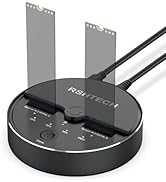

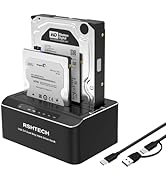
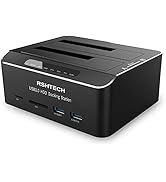
Hard Drive Dock
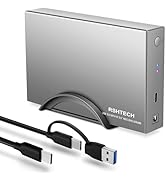
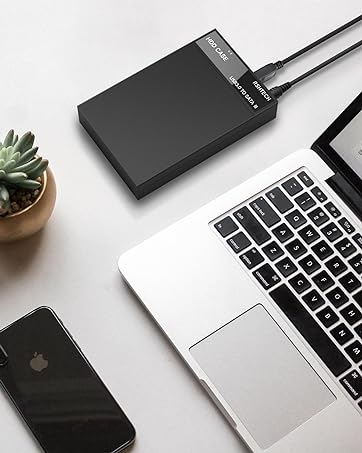
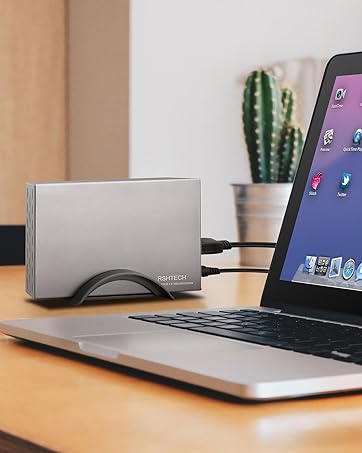
Hard Drive Enclosure
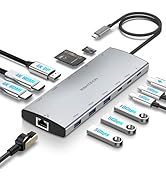
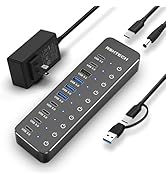
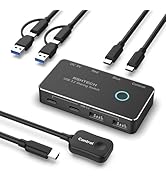
New Series
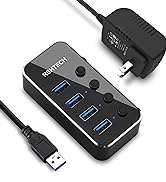
Powered USB 3.0 Hub
Hybrid USB 3.2+3.0 Hub
USB C Hub 10Gbps
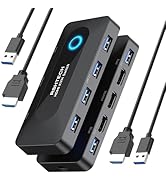
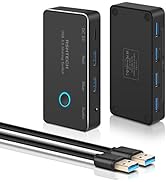
USB Switch

RSHTECH USB 3.0 to SATA I/II/III Dual Bay External Hard Drive Docking Station.
By plugging in 2.5/3.5'' SATAhard drive, you can quickly access drive contents and transfer files. This is the perfect solution for back up, batch processing data, cloning files and data recovery, etc.
Product Features:
- Supports Standard Desktop 2.5"/3.5" SATA HDD or SSD (up to 2×16TB)
- Fast Transmission with USB 3.0 and UASP(up to 6Gbps)
- Support Offline Clone and Auto Hibernation Function
- Plug and play, no drivers needed and tool-free installation.
- Aluminum Housing + Dustproof Spring Cover: Better heat dissipation structure design with the Power switch on the back, easy to use, more durable.
Package List:
- 1x SATA Dual-Bay Hard Drive Docking Station(RSH-DS01)
- 1x 12V/3A Power Supply
- 1 x Detachable 1m/3.3ft USB A to A Cable
- 1 x User Manual
How to use the offline clone function?
- Ensure the Power Switch on the rear is in the OFF Position and plugged in properly.
- Insert Both hard drives and identify Source Disk and Target Disk (Make sure the memory capacity of B drive is larger/equal than A drive)
- Make sure that the USB cable is disconnected from any computer during the cloning.
- Press the "Clone" button for 3 seconds until the LED starts to flash and the cloning process begins.
- Progress indicator with LED: 25%-50%-75%-100%. When offline clone operation is fully completed, all LEDs will constant on.
Note: During the cloning process, the lights of HDD1 and HDD2 will keep flashing until the cloning process is completed.
When the cloning progress indicator is stuck in one place for too long, please check the hard drive for bad sectors/tracks.
Compatible Systems
- Windows 2000/XP/Vista/7/8/8.1/10
- Mac OS 9.1 and Above
- Linux 2.4 or Above
USB Device
- PS4 , PS4 Pro, Xbox 360, Xbox one,TV etc.
(Note: Please make sure your TV supports external USB device.)
Automatic sleep function
Dual Bay HDD Dock automatic sleep mode after 10 minutes of inactivity to lower power consumption, prevents overheating and conserves energy.
Fast Transmission with USB 3.0 and USAP
Besides USB 3.0 super speed, hard drive dock support transfer speeds up to 6Gbps by UASP transfer protocol, which is up to 20% faster than USB 3.0.
The following conditions need to be met to achieve UASP acceleration.
- The computer device itself supports UASP.
- The computer system must be Win 8, 10 or Mac OS 8 & 9 or higher.
- External devices such as external hard drive enclosures must support the UASP transfer protocol.
Note:
- The offline clone function cannot be processed if there are bad sectors or tracks on the hard disk.
- Do not try to remove your HDD or SSD device while it is active. Please power off the docking station before removing it.
- Please backup files in the target hard drive before cloning. Any files in the target hard drive will be overwritten when offline cloning occurs.
- If you are mounting a drive which larger than 2TB, please initialize with Partition Style GPT.
- Please make sure to connect the hard drive enclosure to the USB 3.0 port of the computer to achieve the best transmission speed.
- IDE drives are NOT supported.
FAQ: HDD is not recognized by the Computer
- New or old HDD may not be initialized or formatted(if there is data on the hard drive, please backup it in advance).
- There is unallocated space on the hard drive.
Hard Drive Docking Station(RSH-DS02) | Hard Drive Enclosure(RSH-319) | Hard Drive Enclosure(RSH-339) | Hard Drive Enclosure(RSH-339C) | Hard Drive Enclosure(RSH-339STC) | |
|---|---|---|---|---|---|
| Customer Reviews | — | — | — | — | — |
| Price | — | — | — | — | — |
| Color | Black | Black | Silver | Silver | Silver |
| Hard Drive Interface Type | SATA | SATA | SATA | SATA | SATA |
| Transfer Speed | 5Gbps(UASP 6Gbps) | 5Gbps(UASP 6Gbps) | 5Gbps(UASP 6Gbps) | 5Gbps(UASP 6Gbps) | 5Gbps(UASP 6Gbps) |
| Material | Plastic | Aluminum+ABS | Aluminum+ABS | Aluminum+ABS | Aluminum+ABS |
| Plug Type | USB A | USB A | USB A | USB C | USB A+USB C |
| USB Connection Cable | 3.3ft | 3.3ft | 3.3ft | 2ft | 3.3ft |
| Power Adapter Included | 12V/3A | 12V/2A | 12V/2A | 12V/2A | 12V/2A |

"Invent and Simplify."
RSHTECH was founded on the idea that it should be easy to use and manage all your computer peripherals through simple products.
At RSHTECH, we are committed to creating products with top-notch functionality and simplicity. We are constantly on the drive to learn, innovate, and always hear from our customers.
Hard Drive Dock
Hard Drive Enclosure
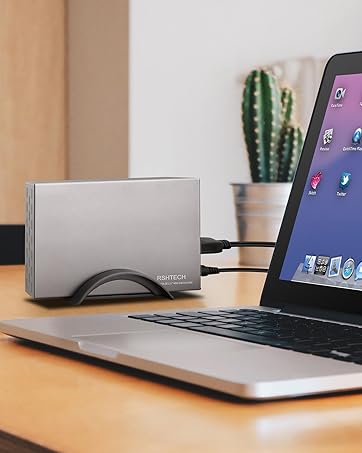
New Series
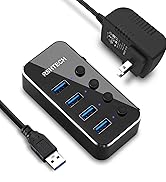
Powered USB 3.0 Hub
Hybrid USB 3.2+3.0 Hub
USB C Hub 10Gbps
USB Switch





