



HOUSCLY
Clean smarter. Live better—with Houscly.

At Houscly, we believe that cleaning tools should be as advanced as the world they serve.
Born from a passion for engineering precision and everyday efficiency, Houscly reinvents vacuum technology with powerful suction, sleek ergonomics, and smart innovation at its core. Our cordless, high-performance devices are designed for modern living—from tight car interiors to busy home spaces—delivering deep cleaning with effortless control.
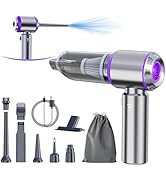
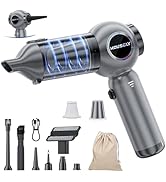
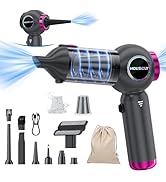
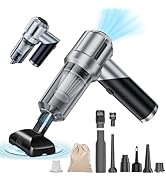
4-ln-1 CAR VACUUM CLEANER


Why is my vacuum not charging?
Check if you're using the included Type-C 5V 1.5A adapter. Ensure the charging port is clean and the cable is properly connected. Try a different USB cable or power source.
Why is the vacuum not turning on?
The battery may be low—charge it for at least 30 minutes. Ensure the power button is held for 2-3 seconds to turn it on.
Why is the suction power weak?
Check if the dustbin is full or the filter is clogged. Empty the dustbin and wash the filter, ensuring it’s completely dry before reattaching.
Why does the vacuum shut off suddenly?
It may have overheated. Let it cool down for at least 30 minutes before using it again.
Why is the vacuum making strange noises?
There may be an object stuck in the nozzle. Check the nozzle and remove any debris that may be blocking airflow.
HOUSCLY
Clean smarter. Live better—with Houscly.
At Houscly, we believe that cleaning tools should be as advanced as the world they serve.
Born from a passion for engineering precision and everyday efficiency, Houscly reinvents vacuum technology with powerful suction, sleek ergonomics, and smart innovation at its core. Our cordless, high-performance devices are designed for modern living—from tight car interiors to busy home spaces—delivering deep cleaning with effortless control.
4-ln-1 CAR VACUUM CLEANER


Why is my vacuum not charging?
Check if you're using the included Type-C 5V 1.5A adapter. Ensure the charging port is clean and the cable is properly connected. Try a different USB cable or power source.
Why is the vacuum not turning on?
The battery may be low—charge it for at least 30 minutes. Ensure the power button is held for 2-3 seconds to turn it on.
Why is the suction power weak?
Check if the dustbin is full or the filter is clogged. Empty the dustbin and wash the filter, ensuring it’s completely dry before reattaching.
Why does the vacuum shut off suddenly?
It may have overheated. Let it cool down for at least 30 minutes before using it again.
Why is the vacuum making strange noises?
There may be an object stuck in the nozzle. Check the nozzle and remove any debris that may be blocking airflow.





