




Why do all or part of the functions suddenly not work?
It is recommended that you can follow the following steps: 1.turn off the zoom function in the settings:(Settings>Accessibility>Zoom>Off). 2.reboot your iphone. 3.turn on the zoom again. 4.connect to the remote control wirelessly.
Why can't the remote control zoom in or out?
IPhone and iPad need to turn on zoom function in settings:(Settings>Accessibility>Zoom>On) (If the screen zoom in, double-tap the screen with 3 fingers to restore). Additionally, the front camera itself cannot zoom.
Why does the page turner function not work?
This remote control is only compatible with e-book reading APPs on phones and tablets, not compatible with e-book reading devices. Before using, it is necessary to change the page flipping mode from scrolling to paging in the app settings.
How to switch front and rear cameras on Google Pixel phones?
Google Pixel 6/6 Pro requires double clicking the button, Pixel 7/8/9 requires long pressing the button to switch between front and rear cameras.
The remote still cannot power on after charging?
It is possible that the internal components of the equipment were damaged during transportation. Please let us know, and we will definitely provide you with a satisfactory solution.

Voinap
Enjoy Quality Time With Voinap

Voinap is a team of photography enthusiasts with a strong interest in high technology. We are passionate about applying the latest technology to cell phone photography and other photographic equipment accessories, and there has been a significant improvement in the functionality, stability and practicality of our product.
Innovation is what we after. Voinap was born to focus on enhancing the content creation.
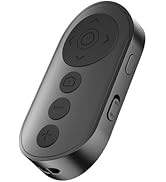



Voinap Best-selling Products
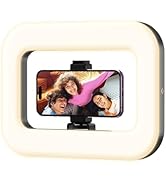
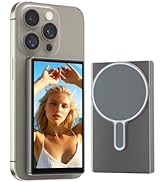
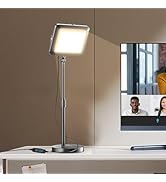

Voinap Best-selling Products
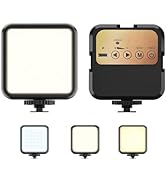
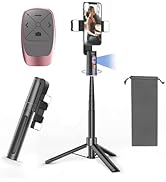
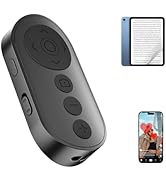
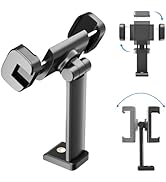
Voinap Best-selling Products


Why do all or part of the functions suddenly not work?
It is recommended that you can follow the following steps: 1.turn off the zoom function in the settings:(Settings>Accessibility>Zoom>Off). 2.reboot your iphone. 3.turn on the zoom again. 4.connect to the remote control wirelessly.
Why can't the remote control zoom in or out?
IPhone and iPad need to turn on zoom function in settings:(Settings>Accessibility>Zoom>On) (If the screen zoom in, double-tap the screen with 3 fingers to restore). Additionally, the front camera itself cannot zoom.
Why does the page turner function not work?
This remote control is only compatible with e-book reading APPs on phones and tablets, not compatible with e-book reading devices. Before using, it is necessary to change the page flipping mode from scrolling to paging in the app settings.
How to switch front and rear cameras on Google Pixel phones?
Google Pixel 6/6 Pro requires double clicking the button, Pixel 7/8/9 requires long pressing the button to switch between front and rear cameras.
The remote still cannot power on after charging?
It is possible that the internal components of the equipment were damaged during transportation. Please let us know, and we will definitely provide you with a satisfactory solution.
Voinap
Enjoy Quality Time With Voinap
Voinap is a team of photography enthusiasts with a strong interest in high technology. We are passionate about applying the latest technology to cell phone photography and other photographic equipment accessories, and there has been a significant improvement in the functionality, stability and practicality of our product.
Innovation is what we after. Voinap was born to focus on enhancing the content creation.
Voinap Best-selling Products
Voinap Best-selling Products
Voinap Best-selling Products





