



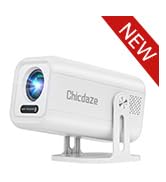
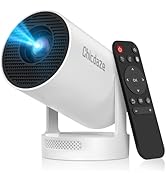
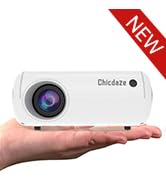
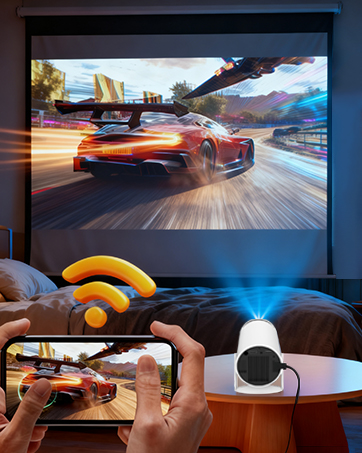



How to Connect to an iOs/Android Device?
To connect an iOS or Android device, you can use the Screencast feature. Ensure both your mobile device and the projector are connected to the same Wi-Fi network during screen mirroring.
How to Watch Videos from Prime, YouTube, etc?
1. Update Your System: Ensure your device has the latest software update.
2. Download Apps: Install the respective apps from the official App Store.
3. Use a TV stick for wireless streaming (note: TV sticks are not included).
The remote control becomes unresponsive when using certain applications?
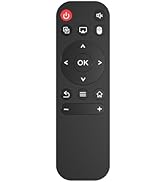
1. Locate and press the mouse button on your remote control.
2.Switch to mouse mode to navigate these applications properly.
Built-in app won't play videos?
1.Restore Factory Settings.
2.Go to Settings > Date & Time and make sure the Time Zone matches your location.
3.Check that the projector is connected to a working Wi-Fi network.
4.Reopen the app.
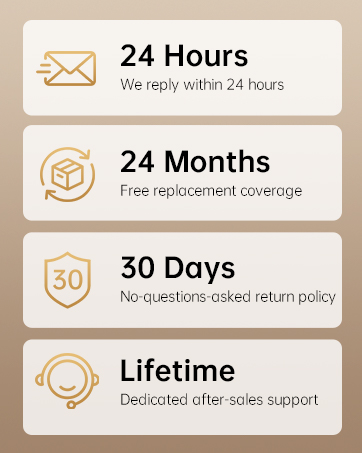
What should l do if i'm not satisfied with my Chicdaze projector?
Chicdaze is a professional projector manufacturer with a complete after-sales service system. Our dedicated team has successfully resolved issues for numerous customers. You can rest assured!
Portable Cinema Showdown
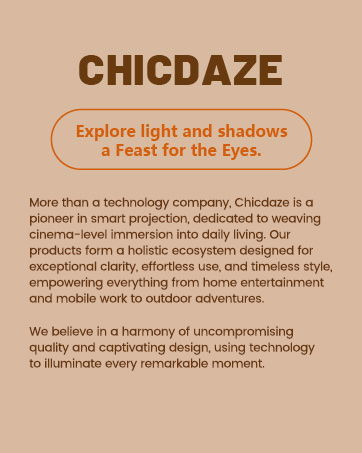
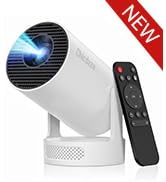
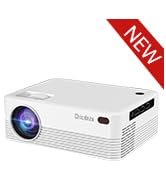
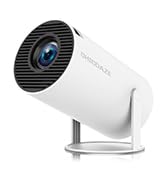
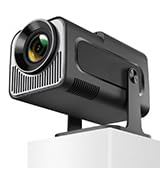
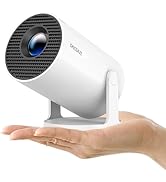
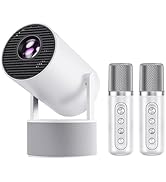
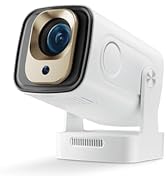
 HY300 Ultra Projector |  HY300 PRO Mini Projector |  X6 Mini Projector |  HY300PRO KTV Projector |  Remote Control |  W70 Portable Projector |  H5 Smart Projector | |
|---|---|---|---|---|---|---|---|
Customer Reviews | — | — | — | — | — | — | — |
Price | — | — | — | — | — | — | — |
Weight | 350g | 530g | 500g | 790g | 50g | 550g | 1250g |
Display Resolution | Native 1080P | Native 720P | Native 720P | Native 720P | / | Native 720P | Native 1080P |
Brightness | 170ANSI | 160ANSI | 170ANSI | — | / | — | — |
Connection | WiFi6 + Bluetooth 5.4 | WiFi6 + Bluetooth 5.4 | WiFi6 + Bluetooth 5.4 | WiFi6 + Bluetooth 5.4 | / | Bluetooth 4 | WiFi6 + Bluetooth 5.2 |
Auto Keystone Correction | Yes | Yes | Yes | Yes | / | Yes | Yes |
Focus Mode | Manual | Manual | Electric & Automatic | Manual | / | Manual | Manual |
Speaker | 5W | 3W | 3W | 10W | / | 3W | 5W |


How to Connect to an iOs/Android Device?
To connect an iOS or Android device, you can use the Screencast feature. Ensure both your mobile device and the projector are connected to the same Wi-Fi network during screen mirroring.
How to Watch Videos from Prime, YouTube, etc?
1. Update Your System: Ensure your device has the latest software update.
2. Download Apps: Install the respective apps from the official App Store.
3. Use a TV stick for wireless streaming (note: TV sticks are not included).
The remote control becomes unresponsive when using certain applications?
1. Locate and press the mouse button on your remote control.
2.Switch to mouse mode to navigate these applications properly.
Built-in app won't play videos?
1.Restore Factory Settings.
2.Go to Settings > Date & Time and make sure the Time Zone matches your location.
3.Check that the projector is connected to a working Wi-Fi network.
4.Reopen the app.
What should l do if i'm not satisfied with my Chicdaze projector?
Chicdaze is a professional projector manufacturer with a complete after-sales service system. Our dedicated team has successfully resolved issues for numerous customers. You can rest assured!
Portable Cinema Showdown
HY300 Ultra Projector | HY300 PRO Mini Projector | X6 Mini Projector | HY300PRO KTV Projector | Remote Control | W70 Portable Projector | H5 Smart Projector |
|---|---|---|---|---|---|---|
| Customer Reviews | ||||||
| — | — | — | — | — | — | — |
| Price | ||||||
| — | — | — | — | — | — | — |
| Weight | ||||||
| 350g | 530g | 500g | 790g | 50g | 550g | 1250g |
| Display Resolution | ||||||
| Native 1080P | Native 720P | Native 720P | Native 720P | / | Native 720P | Native 1080P |
| Brightness | ||||||
| 170ANSI | 160ANSI | 170ANSI | — | / | — | — |
| Connection | ||||||
| WiFi6 + Bluetooth 5.4 | WiFi6 + Bluetooth 5.4 | WiFi6 + Bluetooth 5.4 | WiFi6 + Bluetooth 5.4 | / | Bluetooth 4 | WiFi6 + Bluetooth 5.2 |
| Auto Keystone Correction | ||||||
| Yes | Yes | Yes | Yes | / | Yes | Yes |
| Focus Mode | ||||||
| Manual | Manual | Electric & Automatic | Manual | / | Manual | Manual |
| Speaker | ||||||
| 5W | 3W | 3W | 10W | / | 3W | 5W |
1080P/4K Projector
Product Launch
Portable Projector
Smart Projector
Outder Projector
Charity Movie
Bedroom Projector





