








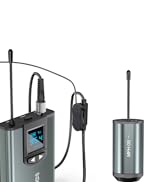
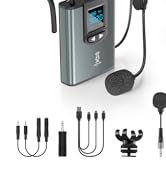
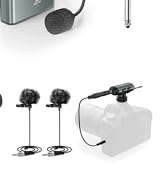









Wireless Microphone System with 3-type microphones for Multi-scenario application


Some Questions and Answers for problems occured during using.

How to use the Wireless Microphones

Why the sound is small? What can I do?

Why I can't hear from the device?

Why the transmitter or receiver can't hold a charge?
Wireless Microphone System Device Parameters
 USB C lavalier microphone |  lavalier microphone for iphone |  Dual Wireless Microphone System |  lavalier microphone for iphone |  lavalier microphone for iphone | |
|---|---|---|---|---|---|
| Customer Reviews | — | — | — | — | — |
| Price | — | — no data | — | — no data | — no data |
| Cable Length | 6.6ft | 6.6ft | Wireless | 16.4ft | 4.92ft |
| Pickup Method | Omnidirectional | Omnidirectional | Omnidirectional | Omnidirectional | Omnidirectional |
| Compatibility | For Smartphone&Tablet&Laptop USB C Devices | For iOS Device | For PA Speaker/smartphone/camera/computer | For iOS Device | For iOS Device |
Wireless Microphone System with 3-type microphones for Multi-scenario application
Some Questions and Answers for problems occured during using.
How to use the wireless microphone system?
- Short press the power button of the transmitter. The screen on the transmitter will light. Insert a microphone into the transmitter and tight it;
- Short press the power button of the receiver. The "BAT." light turns blue, plug the receiver into the mic-in jack of the device (Please choose the correct adapter);
- Make sure the transmitter and receiver are paired successfully. If the "BAT" and "RF/AF" lights on the receiver all keep blue, the pairing is successful;
- Then, you can record, take a video or amplify your voice.
- Please contact the seller if you need more help.
Why the sound is small? What can I do?
- Please make sure that the product is successfully paired and can record normally.
- Please make sure if all the 3 microphones have low volume or just part mic.
- Please try to adjust the volume of the microphone transmitter. There are a total of 21 sets of volume (U000-U020), which can be adjusted by short pressing the right or left button.
- Please try to adjust the volume of the speaker.
- If the above methods cannot solve the problem, please contact the seller.
Why I can't hear from the device?
- After the recording is completed, please unplug the receiver, and then play the recorded audio, you will hear your voice;
- Because the microphone will occupy the speaker of the device, you cannot hear the recording when the receiver is plugged in;
- For the same reason, this microphone system cannot be used directly for video conversations or online meetings;
- If unplugging the transmitter, you still can't hear your voice, please contact the seller for more detailed help.
Why the transmitter or receiver can't hold a charge?
- Please check if the transmitter and receiver could be charged normally.
- Typically, if the charging time is too long (charging overnight is too long, fully charging needs 2-3 Hours normally), it will shorten the battery life.
- Please note when the receiver appears red light or the transmitter battery symbol flashes, it is necessary to turn off the receiver or transmitter power and timely charge.
- Please contact the seller for more detailed help.
Wireless Microphone System Device Parameters
| Product Model | YM-2 |
| Frequency Range | 902.0-914.4 MHz |
| FCC ID | 2AUN3-YY-801 |
| Working Range | Up to 300 ft |
| S/N | >98dB |
| Max Deviation Range | ±50kHz(with level limiting) |
| RF Carrier Stability | ±0.005%(-10C-50C) |
| Transmitter Frequency Power | 30mw |
| Transmitter Power Consumption | Up to 6 Hrs |
| Receiver Power Consumption | Up to 6 Hrs |
USB C lavalier microphone | lavalier microphone for iphone | Dual Wireless Microphone System | lavalier microphone for iphone | lavalier microphone for iphone | |
|---|---|---|---|---|---|
| Customer Reviews | — | — | — | — | — |
| Price | — | — no data | — | — no data | — no data |
| Cable Length | 6.6ft | 6.6ft | Wireless | 16.4ft | 4.92ft |
| Pickup Method | Omnidirectional | Omnidirectional | Omnidirectional | Omnidirectional | Omnidirectional |
| Compatibility | For Smartphone&Tablet&Laptop USB C Devices | For iOS Device | For PA Speaker/smartphone/camera/computer | For iOS Device | For iOS Device |
Wireless Microphone System Set
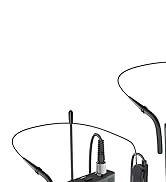
Dual Wireless Mic System Kit
Wireless Interview Mic System
Wired Interview Mic Kit





