




Dual Protocol - AHCI & NVMe
Support AHCI and NVMe dual protocol SSDs, this docking station enables simultaneous reading and writing for two M.2 SSDs.

Product Specification
Please Note:
- To ensure successful cloning, make sure the target SSD capacity is larger than the source SSD.
- The Offline Clone Function cannot be used when the duplicator is connected to a computer. Remember to disconnect the USB cable when using the clone function.
- For optimal performance, ensure your PC has a USB 3.2 Gen 2x2 interface for 20Gbps data transmission.
- Before cloning, check your SSDs for bad sectors to prevent copying errors.
- Heat generation is normal during operation; avoid touching the SSD during use.
- New SSDs may need to be formatted and partitioned before use.
- Disconnect the power before removing the SSD from the duplicator.
- Cloning does not support encrypted SSDs; decrypt the hard disk before cloning.


ISHEEP values innovation, quality, and service as its core values, with a customer-oriented mission, and is committed to becoming a leading global electronic product manufacturing enterprise. Through the organizational values of teamwork, integrity, and entrepreneurial innovation, electronic companies have established a positive and upward corporate culture.
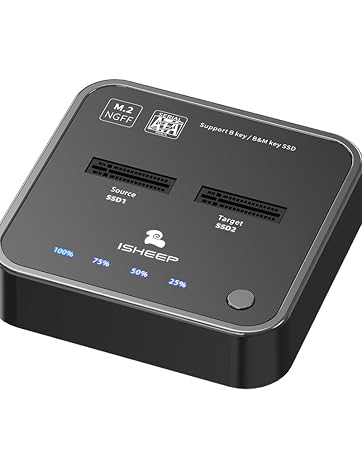
H016S
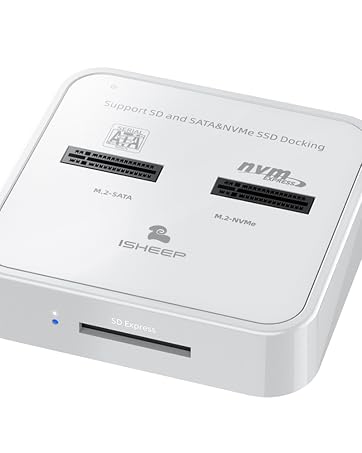
H016SD
ISHEEP as an electronic product manufacturing enterprise, adheres to the corporate culture concept of "innovation, quality, and service" and is committed to providing high-quality and innovative electronic products to global consumers.


Dual Protocol - AHCI & NVMe
Support AHCI and NVMe dual protocol SSDs, this docking station enables simultaneous reading and writing for two M.2 SSDs.

Product Specification
| Product model: | K3016P2 |
|---|---|
| Functions: | Read write+offline cloning |
| Transmission rate: | USB3.2*2 Type-C 20Gbps |
| Matching wire: | 1 * Type-C to USB3.0; 1 * Type-C to Type-C |
| Support system: | Windows; linux;Mac OS |
Please Note:
- To ensure successful cloning, make sure the target SSD capacity is larger than the source SSD.
- The Offline Clone Function cannot be used when the duplicator is connected to a computer. Remember to disconnect the USB cable when using the clone function.
- For optimal performance, ensure your PC has a USB 3.2 Gen 2x2 interface for 20Gbps data transmission.
- Before cloning, check your SSDs for bad sectors to prevent copying errors.
- Heat generation is normal during operation; avoid touching the SSD during use.
- New SSDs may need to be formatted and partitioned before use.
- Disconnect the power before removing the SSD from the duplicator.
- Cloning does not support encrypted SSDs; decrypt the hard disk before cloning.
ISHEEP values innovation, quality, and service as its core values, with a customer-oriented mission, and is committed to becoming a leading global electronic product manufacturing enterprise. Through the organizational values of teamwork, integrity, and entrepreneurial innovation, electronic companies have established a positive and upward corporate culture.
H016S
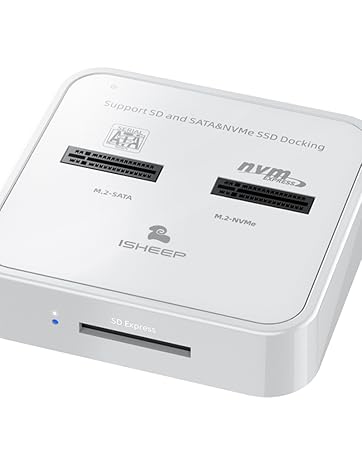
H016SD
ISHEEP as an electronic product manufacturing enterprise, adheres to the corporate culture concept of "innovation, quality, and service" and is committed to providing high-quality and innovative electronic products to global consumers.





